Shoot on a Canon DSLR? Edit in Final Cut? You need this now
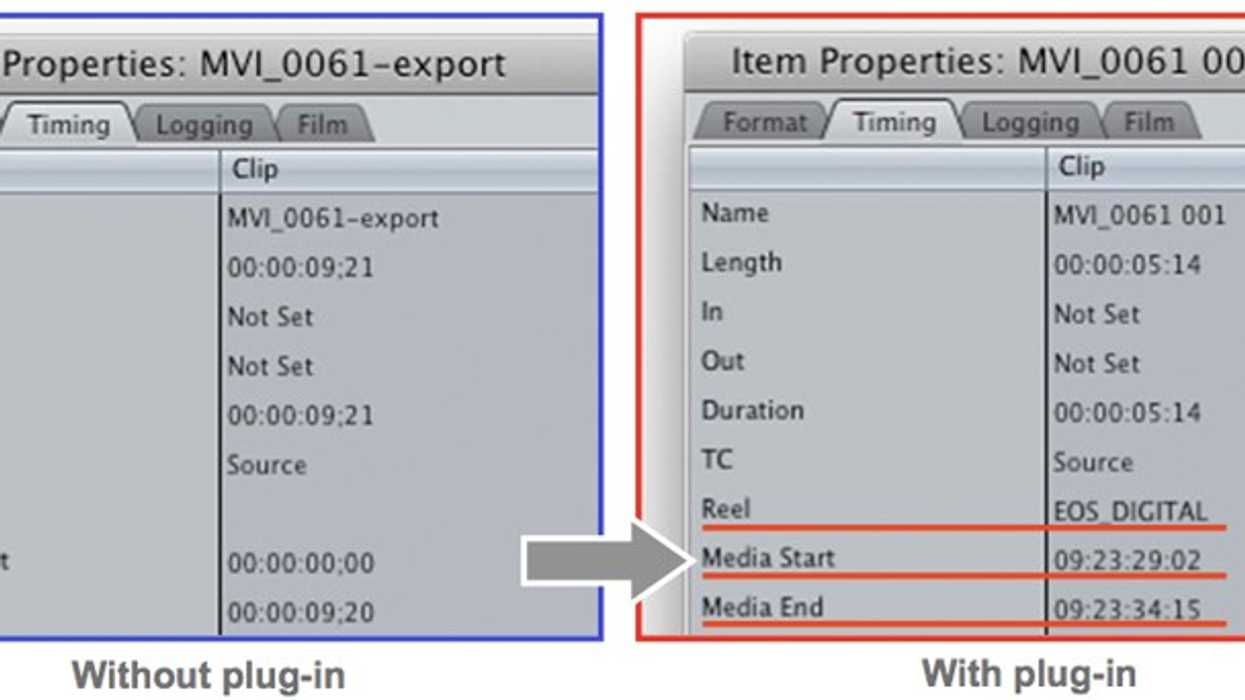
If you meet the criteria (Canon DSLR user, Mac user, Final cut user), the newly released EOS Movie Plugin-E1 for Final Cut Pro from Canon will change your workflow for the better. The free plugin offers the following highly beneficial features:
- Automatic transcoding of clips from H.264 to various Apple codecs
- Transcoding time may be up to 3x faster than previously possible with EOS movie files using Compressor, or similar
- Time Code is added to each clip (based on the camera’s date/time stamp), as well as user-given reel names embedded in the ProRes files, which can then be viewed from FCP throughout the editing process
- With the Log and Transfer function, users can set in and out points to transcode and import only the portion of the clip needed for the project, greatly improving speed and productivity
Once you click through to the download link, be sure to select Mac OS X in order for the plugin to show up. First 24p for the 5d Mark II, now this; Canon is really owning the HDSLR revolution.