Description image


Build a Hackintosh with better performance than a Mac Pro — for half the price. A comprehensive, free, step-by-step guide.

Last updated March 2013 with the latest Intel Ivy Bridge processor and motherboard recommendations (which, it’s worth noting, are not available on the out-of-date Mac Pros) and OS X Mountain Lion-native installation instructions. We’ve also refreshed the nVidia GPUs. New in this latest build: Thunderbolt! However, note that to use the Thunderbolt ports on a Hackintosh, you will have to plug in your Thunderbolt device at boot-up; it is not hot-swappable. We also have native nVidia graphics drivers for the best possible video/3D support.

Introduction

What do you do when you need a high-end Mac — for editing video, retouching photos, recording music, animating 3D graphics, or just playing games — but you can’t afford a Mac Pro? Build one out of PC components. Yes, it’s possible to take off-the-shelf PC parts and build a Mac with your bare hands. It takes a D.I.Y attitude and a sense of adventure, but the result — a machine that’s faster than the entry-level Mac Pro, for half the price — is worth it. I wrote this how-to with video editors and other creatives in mind, but this hackintosh will work for anyone looking to get more bang for the buck out of a Mac. I believe this is the most in-depth guide you’ll find online, as I explain a lot of the reasons for choosing certain components, and I also include a full suite of testing utilities to ensure you end up with absolute best hackintosh (less) money can buy. As more folks build this exact machine, the article should get even more comprehensive, thanks to comments and additions.

Creativity shouldn’t be relegated to the upper class. But in the 21st century, many creative pursuits require the latest technology — especially working with video, which requires a lot of processing power and storage space. But when Apple recently announced new Mac Pros for the first time in almost two years, I wondered why they were so expensive, concluding that they were “not a good value proposition.” As far as video editors were concerned, I also wondered why they no longer offered nVidia graphics cards as an option, despite (or because of) the fact that Adobe Creative Suite uses nVidia cards to get drastically higher performance when editing video. So here’s the latest technology at a fraction of the cost — all it requires to build a Hackintosh is some elbow grease and a DIY attitude.

Here’s a screencast (no sound) of my original hackintosh running flawlessly, loading notoriously slow applications like Adobe Photoshop and Microsoft Word in a jiffy. You’ll have to full-screen it to read the text:

The new model represented in this article is quite a bit faster.

This isn’t easy. There are literally a million things that can go wrong when trying to build a hackintosh. You need a basic level of technical ability to do this! While I knew from reading the experiences of others that this was possible, I hadn’t seen anyone put together a guide for creating a hackintosh specifically for video editors, animators, and filmmakers, so I exhaustively researched the components and procedures — often ordering more than one component and choosing the best option — and put together this step-by-step hackintosh guide. Then I tested it on a real-life project. Then I tested it some more and replaced a few components. Then I started over and rebuilt it from scratch to ensure it would work for others. Only then was I satisfied that I’d put together the absolute best hackintosh from a price, performance, and reliability standpoint. As such, I would strongly recommend you use the same components and follow the step-by-step guide, because any deviation from the instructions here might result in a hackintosh that doesn’t work perfectly.


One final note for this introduction: like The DSLR Cinematography Guide, very little of this information originated with me. Instructions for how to build a hackintosh are scattered all over the internet, contained in many different forums and web sites. However, no one’s written a guide specifically for video editors and other professional digital creators. Despite their lack of cohesive organization, however, online forums are absolutely incredible resources — and the first thing you should do is bookmark the following forums. I’ll do my best to answer any questions you have while we build a hackintosh, but these forums are also a great resource:

For a comparison of the speed of this Hackintosh and the current Mac Pro, turn the page:

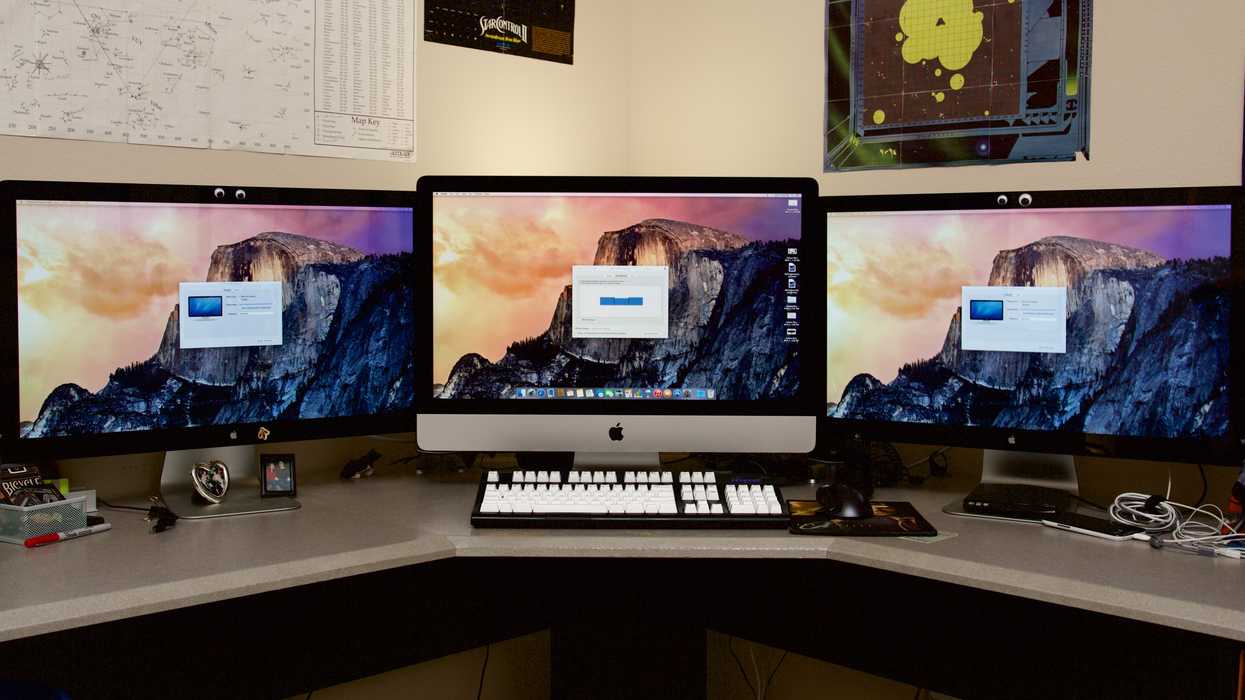
(Apple photo by kyz)

Pages: « Previous | Next »

COMMENT POLICY

We’re all here for the same reason: to better ourselves as writers, directors, cinematographers, producers, photographers... whatever our creative pursuit. Criticism is valuable as long as it is constructive, but personal attacks are grounds for deletion; you don't have to agree with us to learn something. We’re all here to help each other, so thank you for adding to the conversation!

Description image 284 COMMENTS

  • Hi Ryan,

    I have been working my way in the television industry as a producer for 6years I have been editing on fcp 7 and relied on after effects for motion graphics, finally decided to quit and venture on my own. I plan on to get more into visual effects. decided to set up a workstation and during my research i got to know about nofilmschool and i must say it has been of utmost help, i would like to take the opportunity to thank you for your valued info, and also would appreciate with some more advice

    I was Thinking of setting up a hack like the medium build on tonymacx86, have you used an hack for any of your professional projects, would you rely on it, and also I browsed through various forums in regards to understand which would be a better NLE fcpx or premiere pro cs6, frankly its very difficult to judge cause the views are even. Would appreciate your views in regards to the same, thanks.

    • Im using Hackintosh for 3 years now and it never gave us problem once it tuned up. more stable than Macpro itsself. highly recommended guys. very tough very stable machine

  • Hey great stuff on this website for custom Mac builds. I looked everywhere online to find the material I found here. I’m looking into building the Hac Pro for myself. I was wondering if you guys have any knowledge of the effect Thanksgiving sales will have on prices? Do you think many of the parts will drop down in price? Just curious since Thanksgiving is only a few weeks away. Thanks. Keep up the great work.

  • I have a friend that does animations “rigging” as he calls it on his mac and I myself build pc’s for gaming. Id never even thought about comparing the speeds to Macs so this is a real eye opener. It will really help me do some research that will help me potentially market my pc’s against macs. I currently promote a few mid-tier Radeon products because that’s what I currently recommend for the price and performance. Would you mind taking at look at what I promote and tell me what you think it might rank vs. some Macs?

    My blog is thebestgraphicscardforgaming.com

    Thanks man

  • I would like to know if this Hackintosh is stable with the latest version of Avid Media Composer. If so, I would totally build one.

  • I am wondering if anyone has compared the P280 case to the P183 suggested here for the Pro. For that matter, how does the 300 case compare to the P183 in terms of quiet and cool?

    -Awesome site!

  • Hi,
    I recently built my hackintosh following your Hack Pro spec. It work great but I’m having some problems with the gtx570. “OpenGL channel exception”. I’m not the only one with this problem. It seem that 10.8.2 do not support nvidia fermi. Any solution?

  • I have built the Hack Pro to the Oct 2012 specs, making sure I used your wish list within 1 hour of connecting and purchased GTX570 HD 2560MB, i7 3770K, Z77Z-UP5 TH, 32GB (using only 1-8GB right now). I was only able to see display for a few seconds then it went black. So I typed PCIRootUID=0 at boot and was able to load OSX ML onto hard drive. I then used Multibeast and chose check boxes as shown in {9 install OS X (part 2)} including NVIDIA Fermi >2GB open CL patch and NVIDIA GTX 470 /480 …..570 …etc. System worked fine until I turned it off. When I powered it back up it showed startup screen but then went black again. I tried this several times, even with USB beginning boot then PCIRootUID=0 for hard drive boot. No luck – screen always went to black after 20 or more seconds. SO, I decided to disconnect the GTX570 and low and behold, everything is working fine if I use the Z&& mobo DVI connector. Even sound is working. This of course is unacceptable because I want at least 2 monitors and the GTX card is quite expensive and a waste if I can’t use it. I know I’m doing something stupid. What can it be? I found an article about hex editing 2 numbers in the openCL file if graphics card is over 2 GB. I did that but the symtyms were the same. What should I be doing that I’m not. Thanks in advance for any ideas you might have.

    • Got it! After spending too much time at trying to make the GTX 570 hd 2560MB work, I finally took the board out of the middle (most convenient )slot and put it in to the top PCI slot. It now works! It’s ALIVE! – It’s ALIVE! The middle position will give video for about the first 20 to 40 seconds and then goes black and stays black. You seem to have to use the top PCI slot on the GA-Z77X-UP5 TH in order to use GTX 570 hd 2560MB

      • Now and after the fact, I see the picture in the last “Congratulations” section which clearly shows the GTX 570 in the top PCI slot. What was i thinking?

  • Greetings from Europe, Berlin,
    I am just trying to get the parts for a Hac Pro. But the Antec CP-850 PSU is not available any more. What would be an alternative compatible to the other components?

    Thanks,
    Grischa

  • Howdy

    Please tell me it’s possible to use one of these machines with the cubix gpu xpander, or better yet that someone is hacking a gpu box.

  • Thank you for such a great guide! I followed your instructions for the Hack Pro (choosing the 1gb video card) and it is amazing fast! Thank you for putting this together!
    I do have an issue though which I’m stuck on and hoping you (or someone) may have the answer for:
    My video playback (both local and streaming) is very choppy, and the audio has a faint popping.
    Booting into Safe Boot, the video plays fine, but the sound card doesn’t show up in system preferences – only system profiler.
    I did search through TonyMac, and was unable to find a solution that worked for me. I was hoping since I used the same build you did, you may have stumbled across this and have a solution.
    thanks!

  • This piece of writing is truly a pleasant one it assists new net
    visitors, who are wishing in favor of blogging.

  • Just finished building my hackintosh a few days ago and it runs like a dream, cost around £750 and is superb, running FCP 7 and Adobe CS6 perfectly.

  • I use all sorts of avid software on my Hackintosh. Works without a hitch. Computers are computers, and the high end mac pro’s use “pc world” pcu’s and gpu’s. You can’t go wrong. Hope this helps.

  • Is everything still up to date, as far as the hardware that needs to be purchased?

  • I looked up the prices of all of the components and discovered that the costs of a hac pro in combination with a 27″ display is not a low as you think it would be. (€ 1500 without display, €2500 iMac with better gpu, but less RAM) Of course expandability and customization is an advantage. I was wondering what did you pay for your hack pro?

  • I am writing this from the Hack Pro I started putting together yesterday and finished up today.
    I’m replacing a 2006 Mac Pro Tower. Old Mac <5000 Geekbench, new Hack – 14071 Geekbench. Very pleased.
    It was a bit like putting Ikea furniture for me. I've been dabbling inside computers for a long time, but never put one together from parts before. More than a few times the pictures don't quite match the parts, or the explanation isn't quite as clear as I'd wish.
    Soup to nuts (minus software) <$2000 via Amazon. You'd have to spend 2x that to match the speed with a Mac.
    Minor issues – retainer that holds the heat exchanger on the CPU is not snug, seems to be working correctly, but I wish it was tight with screws tightened up.
    Thunderbolt cable (from LaCie) doesn't fit with Thunderbolt port on MB.
    Machine reboots, instead of shutting down if the Bluetooth USB dongle is in a USB3 port. Shuts down correctly if Bluetooth gadget in USB2 port.
    Minor, minor issue – RAM is listed 2x on the HackPro wish list. Spotted it after I ordered, but caught it before it shipped.
    Thanks for the documentation -

  • I’m building a machine with the Hac Pro parts and having the same issue as here: http://www.evga.com/forums/tm.aspx?m=1843243&mpage=1

    Seems like the power supply in the parts list might not be right for the motherboard. Thoughts?

    Thanks.

  • Hi, I was just wondering if there were any success/fail stories out there with an explanation besides faulty parts. Were any of the instructions bad, or is the whole thing compatible? I was just making sure before I commit myself to this as a Summer project

Comments pages: 1 ... 3 4 [5]

LEAVE A COMMENT