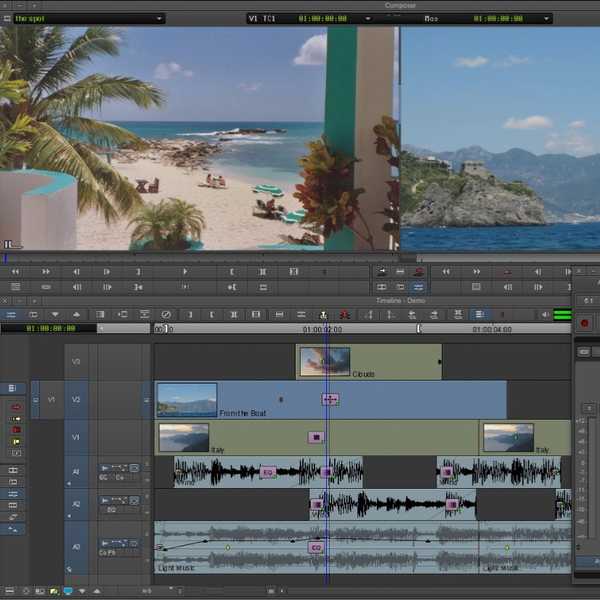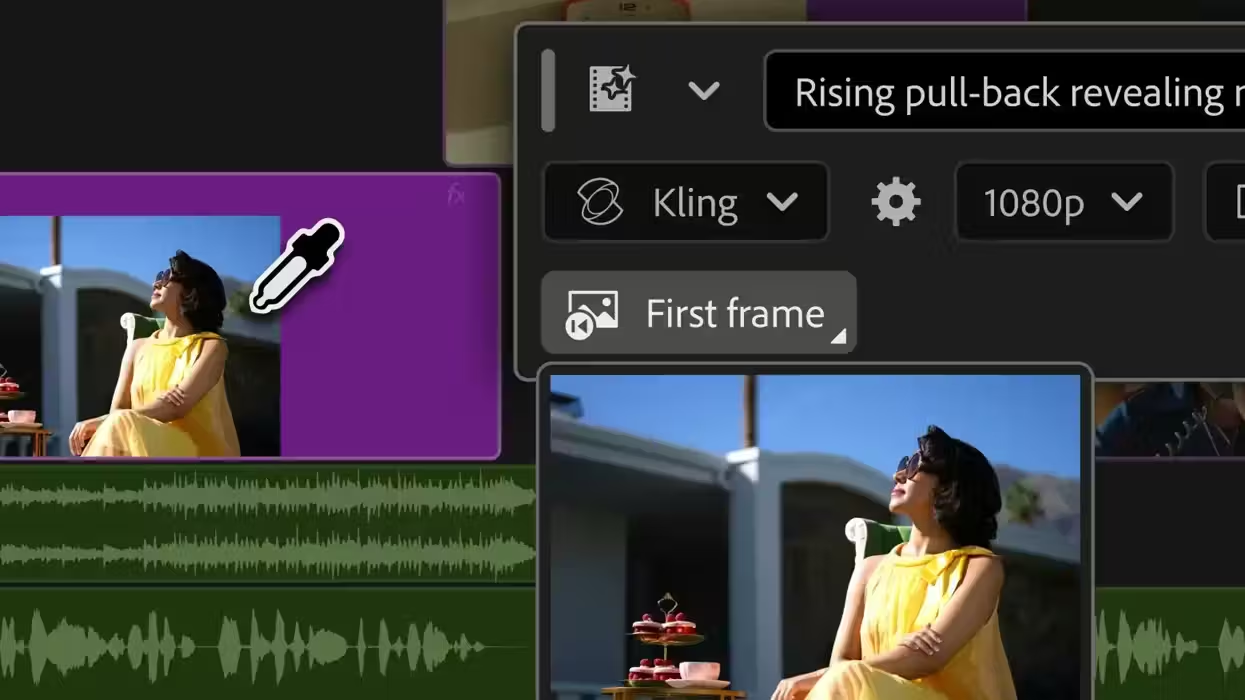
Believe it or not, more AI-powered tools and upgrades are coming to Premiere and After Effects. In fact, Adobe is also rolling out a new Generative Media Tool directly in Premiere that lets users generate video and sound effects in their timelines.
And while the direction of these new updates and features is not surprising, as Adobe has been developing AI tools and features for several years now, the addition of more of them directly in Premiere (and After Effects) is a bit new, as until now most of the major new AI innovations have been in the Firefly video editor.
Still, this is big news coming out of IBC 2026, where the company is showcasing these updates on the floor. Let’s take a look at everything new here in Premiere and After Effects and explore what might be the most useful for your workflows.
Adobe Premiere’s Generative Media Tool
As Adobe has shared before, the company’s latest Creators' Toolkit Report found that nearly 90% of its creators “accelerate the growth of their business or audience” when they use AI tools like the ones in Adobe’s suite.
And that continues to be the direction of the company, and most companies these days, as Adobe has unveiled Premiere’s new Generative Media tool, which will now allow editors to generate video and sound effects directly in their Premiere timelines.
The new tool promises to be quite intuitive and easy to use, as all you’ll need to do is simply select the tool and define what you want to appear. You just describe what you need, and Premiere will generate context-aware, fully editable video and audio clips that you can refine and iterate on without leaving the project.
At launch, users will be able to choose from different models, including Adobe Firefly and partner models like Google Veo, Kling, Runway, and Luma. Some of the other new tools in the taskbar will also include:
- Generate Video: Editors can generate video to fill gaps in their timeline, using reference frames sampled from their project to create footage that better matches the visual context of the surrounding edit.
- Generate Sound Effects: Powered by Adobe’s commercially safe audio model, editors can generate sound effects directly in the timeline and even use their voice to guide the rhythm, timing and intensity.
- Generate Soundscape (beta): Editors can analyze up to 15 seconds of video to automatically generate contextually informed audio with layers of ambience and sound effects customized and timed to their edit. Designed as a starting point, Generate Soundscape helps editors quickly sketch out audio they can build on and refine.
- Generate Music (beta): Editors can generate original music with multiple variations to choose from, with controls for tempo and looping. Generated music is commercially safe, with synchronization rights across any type of media.
More Premiere and After Effects Updates
Credit: Adobe
The company has shared that there are also some new, smarter audio tools and workflows being added to Premiere too, with the following new additions:
- Enhance Audio builds on Enhance Speech with the next generation of noise reduction, giving you independent control over dialogue, music, ambience and sound effects within a single clip, so you can remove elements you don't need, adjust layers independently or mute dialogue entirely.
- Separate Crosstalk automatically splits two overlapping speakers into independent tracks for separate mixing and editing, without re-recording.
- Dynamic Auto Ducking automatically balances dialogue, music and other elements without manual keyframes.
- Additional sound upgrades speed up everyday workflows including a new speed algorithm delivering natural-sounding duration changes across a wider range while preserving the original pitch and timbre.
We also have updates coming to After Effects, as AI Assistants will now be available in public beta in AE, which should unlock more ways to speed up compositions and workflows.
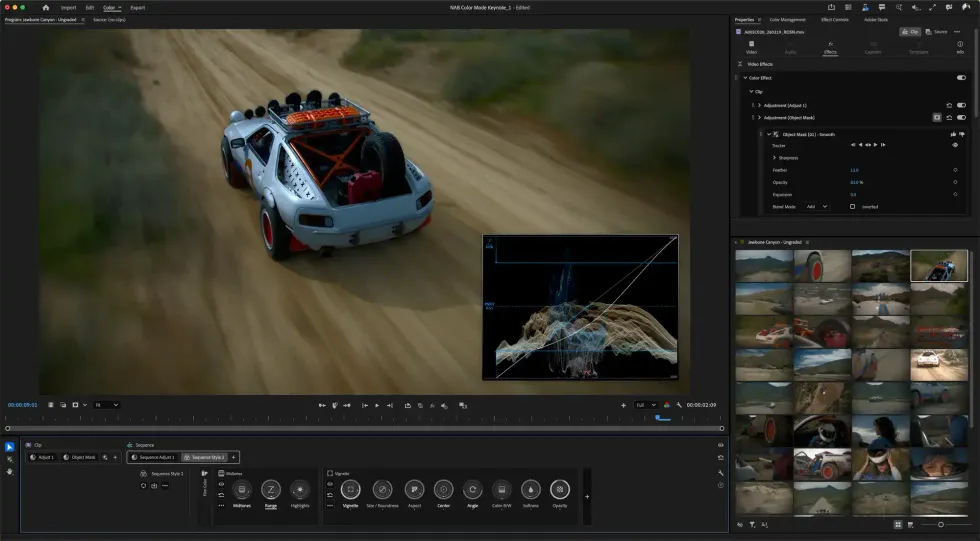
And finally, Adobe is adding faster grades and deeper control in its new Color Mode, including new Style Modules like Vignette and Midtones to help develop cinematic looks.
All told, lots of new updates, lots of AI, some non-AI, and plenty to explore if you just want to open Premiere or AE and dive in. You can also find more info on the company’s website here.
- Adobe’s Generative AI Video Model is Available Via a New Firefly Web App ›
- Adobe Continues its Double Down into Agentic AI With Firefly Assist Now Available in Public Beta ›
- Adobe Showcases Premiere Pro’s Generative Extend and Media Intelligence at NAB 2025 ›
- How Adobe’s Generative Fill Will Change Your Approach to AI Video Editing ›
- Adobe’s Generative AI Video Tools Are Finally Coming to Premiere Pro ›
- Adobe Unveils Photoshop Elements and Premiere Elements 2027 With New AI-Powered Capabilities | No Film School ›