Color grading plugin Magic Bullet Mojo gives very dramatic results very quickly, and for many shooters (especially those doing their own editing), a tool that makes video look more filmic -- and does so with only a few sliders -- is very handy. To be clear, it is not an advanced color correction tool for professional colorists (check out Colorista or the Magic Bullet Suite if that's what you're looking for). But I've got a deal for No Film School readers who want results quickly: Magic Bullet Mojo at 75% off. Normally $99, this coupon brings the plugin down to just $25.
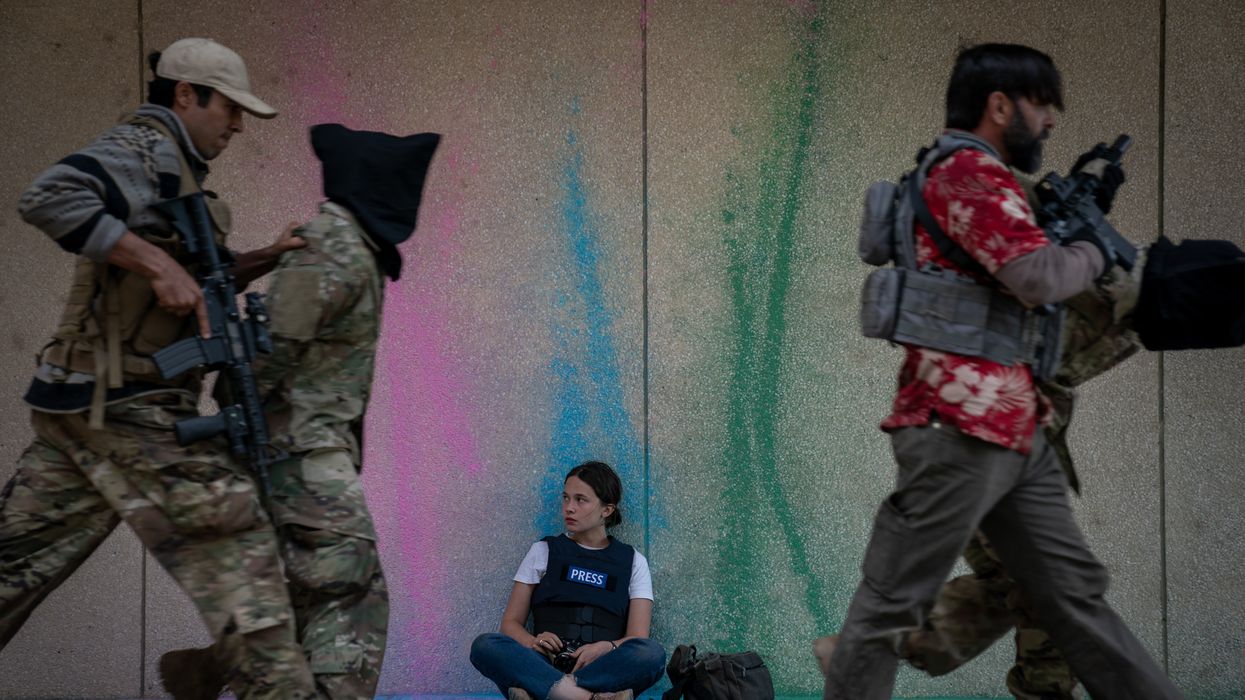
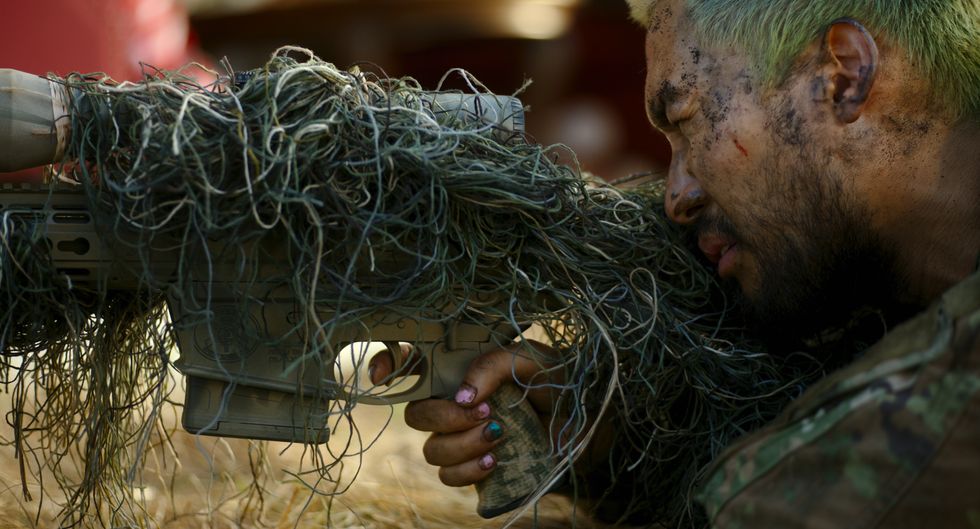
If you've seen A24's dystopian war epic Civil War, you surely noticed the unique costuming layered throughout the different militias and journalists throughout the film. Hawaiian T-shirts? Painted fingernails? Transparent red sunglasses? Pretty cool.
Civil War costume designer Meghan Kasperlik put a lot of time, research, and thought into how to flesh out director Alex Garland's dystopian United States. Working closely with Garland, she took inspiration from real life war journalists and considered what different militia members would realistically wear in this semi-fictitious (scarily possible) world.
She even made seven jackets out of a table cloth.
Read below for insights on Kasperlik's process, and her advice for aspiring costume designers at any level of experiance.
Editor's note: the following quotes from Meghan Kasperlik are edited for length and clarity.
Number One Rule of Costume Design? Research
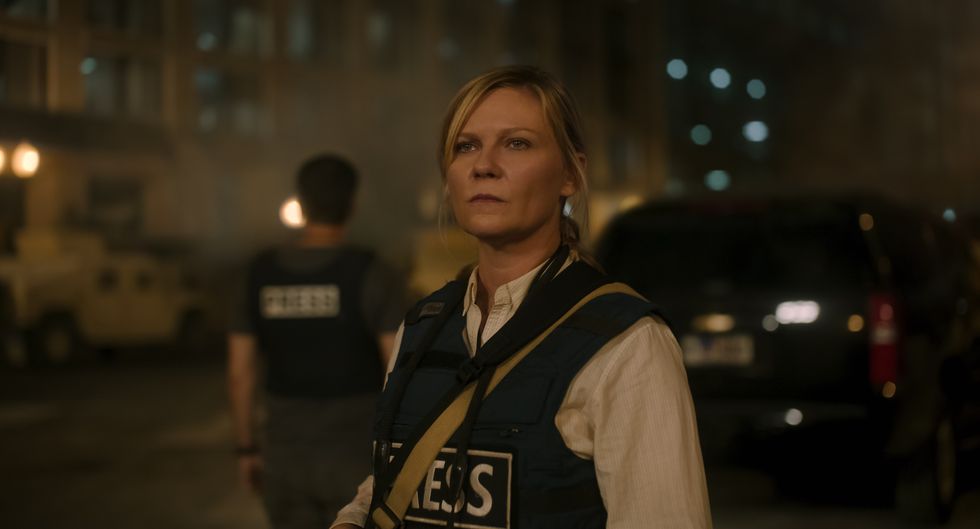
Kirstin Dunst in Civil War
Courtesy of A24
"I do a tremendous amount of research, and I'm really interested in getting into the character's head and what they do—what they do for a job, where did they go to college, or did they go to college? What do they eat? I go the full gamut and try to learn as much as possible.
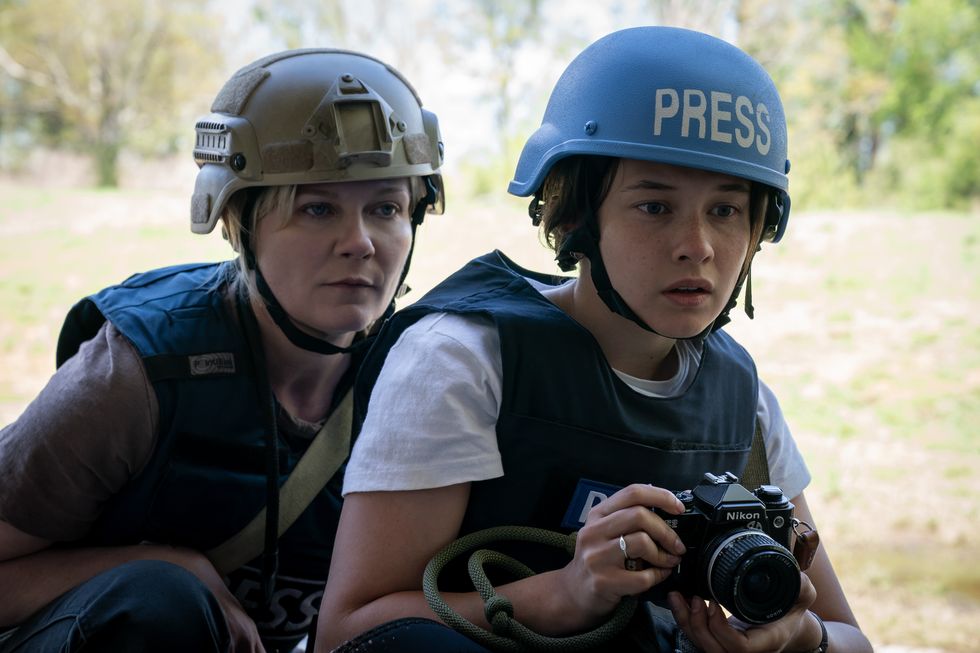
For Lee's character (Kirsten Dunst) in Civil War, I read a book by Lynsey Addario, a very famous female war photographer. As I was reading this book, I thought, oh, wow, the beginning stages of Lindsay's book are kind of where Jesse (Cailee Spaeny) is. As she gets more professional, it's like, oh, this is later in life, this is the stage where Lee is.
By no means are either of them Lynsey Addario, but I took inspiration from that, and then I started taking inspiration from other war journalists for Joel (Wagner Moura), and also Sammy (Stephen McKinley Henderson). So it's really important for me to do the research and [get to know where characters are] from, and then I kind of go from there."
What's Up With Jesse's Red Sunglasses?
"Jesse [Plemons] actually brought them to the fitting, and I mean, it was just so cool because most of the time the costume or the prop department will have a lot of those things. It was cool because Jesse really thought about how to take his character in a different direction.
At first I was very hesitant, because I was like, well, we haven't really done anything in the film like this yet. And we had the other two guys that had paint in their hair and fake nails, we haven't done this, and where did these come from? Who did they take them from? Did he kill the person?
All these things were going through my head, and I was very concerned if the audience would take this seriously, because his dialogue was very serious.
But then I was like, this is Jesse Plemons, of course this is going to work out. So we took it to Alex [Garland] and we asked Alex about it, and he was like, oh, yeah, that's cool. So I can't take full credit for Jesse's glasses because he brought them to the table.
How I made it work in our scenario is I wanted to make sure that sometimes we would break up the the military uniform, sometimes it would be like a T-shirt—the military issued T-shirt with pants, and I was like, we need to have everything uniform, so your focus is on his face and you're not looking at anything else.
So that's how I worked that out with the sunglasses."
Working With Alex Garland for 'Civil War'
Civil War
Courtesy of A24
"I worked very closely with Alex. I showed him all of my research, and then I put together with the script, like, okay, this is what's happening in this scene.
I imagined that we are on the road trip from New York to DC. These are the Americans that would truly live in these places, and these are the people that I think that are there now. And then I would pitch how I thought each of those groups would dressed.
That's where the Hawaiian shirts came in, and then the shootout, they were in uniform, but they had the painted nails and hair dye on them. And then also when we were in the football field, and it was basically all the people that were refugees. And when you're a refugee and basically living out of a tent, living out of your car, you only have your belongings. How many ways can you make that work for you?
So it was definitely, each area was a hundred percent thought out and discussed, and discussed, not only with Alex, but the production designer and props to make it flow."
How To Personalize Characters Through Costume
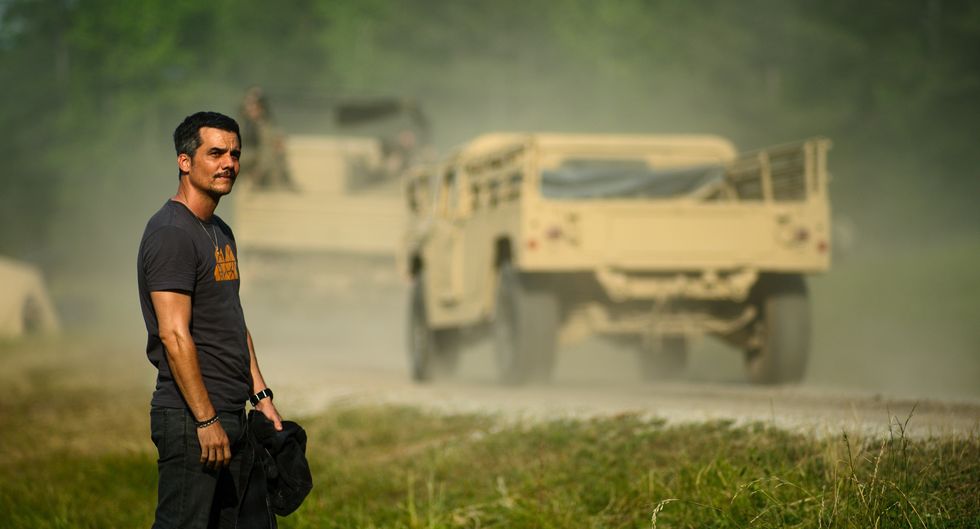
Wagner Moura in Civil War
Courtesy of A24
"With the main four characters it was about making sure that each one of them had individuality to them and made sure that the audience could see that.
Kirsten's character, Kaylee Bogner and Steven, they're all based off of inspiration from real reporters and war journalists. So I was taking the research that I had from them and how to incorporate it.
Joel's character is kind of based off a multitude of things. Yes, he's in America and he's an American journalist, but in America your average guy now is wearing a Rock t-shirt or a sports team or a flannel or something. So he doesn't stand out. He's definitely blending into that world in the way of your stereotypical guy. So that was very important to me because I didn't want him to stand out so much or any of these characters.
The whole idea is that they kind of blended into the environment, because as journalists, you can't stand out too much because you have to go in and work with everyone.
And then as far as the military uniforms, one thing that Alex and I talked about was that when I first interviewed, I was like, oh, and I will make this fictitious uniform. And he's like, no, this is almost like reality. It's a dystopian world, but I want it to hit home with the reality of what these uniforms really are. So basically, I wanted to make sure that they were the real uniforms, but how could we individualize each person?
We had a military advisor named Free Mendoza, and he said, when you're in the field, you don't just get a new uniform when you blow out the pants or when something happens that it tears. You have to sew up your own pants, or you have to like, oh, the jacket's ripped apart the bit, so I have to throw that to the side and just wear the T-shirt. So it's kind of like what you have on your back."
How to Make a Jacket Out of a Table Cloth
Kirstin Dunst and Cailee Spaeny in Civil War
Courtesy of A24
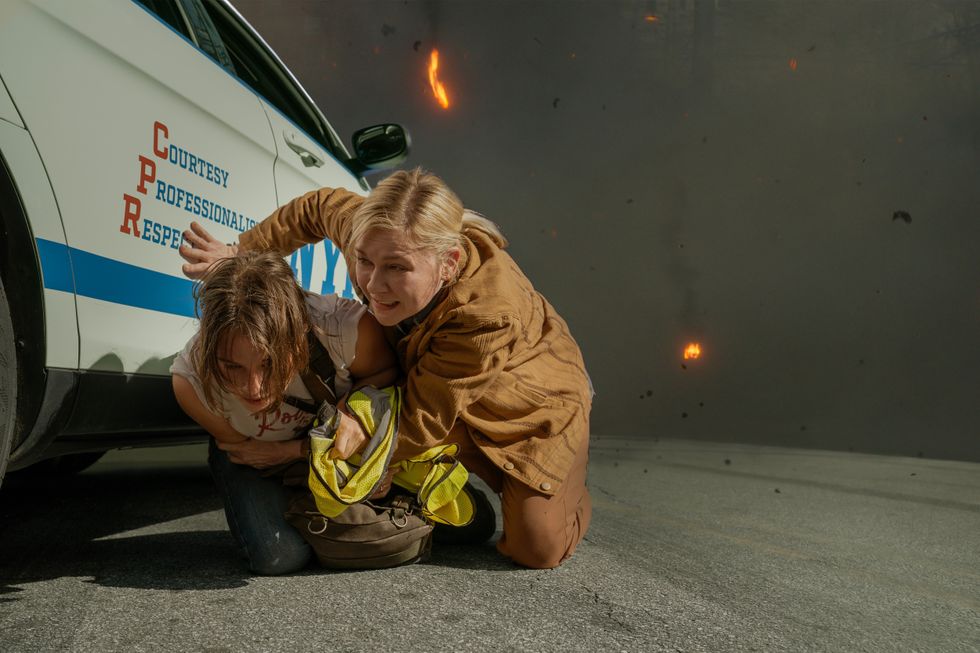
"Kirsten's jacket that she wears for Lee, it's kind of like a brownish mustard tone. I knew she needed a jacket. We were filming in Atlanta, and it was still cold.
So I couldn't find what I was looking for, and I needed the multiples. I was randomly in Target, and I saw these place mats sitting on a table, and there was a whole bunch of them. So I was like, oh, well, this would be great. We could make a jacket out of this.
So I picked up the place mats and I took it to my age Dyer, and he dyed them. So the base of the jacket is made out of a tablecloth, and the sleeves and the back yolk is made out of table runners, and they were all dyed and pieced together by my tailor, Jared. And I was like, great, let's make more, because we liked it and everything. And when I went to go get more, they didn't have any more in the store because there was a box of them that were set out that they found from Covid.
It was a discontinued style, but it was perfect. So it's like we were looking at eBay and Etsy, and my aunt was hunting them down in Chicago, and so we ended up making seven."
Advice For Aspiring Costume Designers
Kirstin Dunst and Cailee Spaeny in Civil War
Courtesy of A24
"I'm on an advisory board for school and I always tell people if you have the opportunity, jump on any film set, jump on any commercial TV series, anything that you can start and pay attention to what other departments are doing, because so many departments are so collaborative and we work together.
If you can't get a job in the costume department and you want to be a costume designer, but you can get a job in production or the art department, having that in to see what happens is really great.
I really love unconventional fabrics and ideas, so a placement, or I've made a costume out of a jacket or scraps the fabric so you can make anything out of anything. So just keep an open mind. It's really good to be trained in patterning and costume making, but it doesn't hinder you from actually being able to do it.
Just try to get in there. And a lot of states now have film incentives, so if you go to whatever state you live in, New York film.com or Georgia film.com or even Illinois, there is stuff that happens in Chicago and whatnot. Just go to Google filming, whatever's filming in your state, and there will be opportunities to PAs or people looking for extra help.
Even if it's for a day, you're giving yourself in there."
 Color grading plugin Magic Bullet Mojo gives very dramatic results very quickly, and for many shooters (especially those doing their own editing), a tool that makes video look more filmic -- and does so with only a few sliders -- is very handy. To be clear, it is not an advanced color correction tool for professional colorists (check out Colorista or the Magic Bullet Suite if that's what you're looking for). But I've got a deal for No Film School readers who want results quickly: Magic Bullet Mojo at 75% off. Normally $99, this coupon brings the plugin down to just $25.