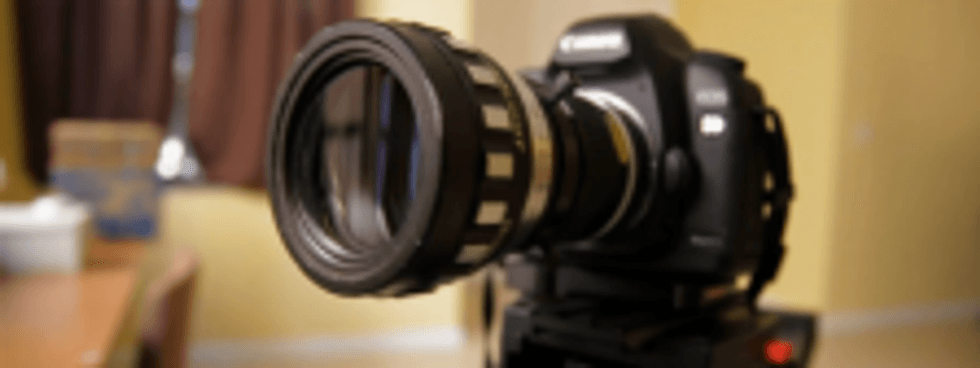
I’m assuming for this post that you’ve read the bonus chapter on basic cinematography concepts that’s included in the free expanded DSLR Cinematography Guide. Anamorphic lenses are used for CinemaScope productions, wherein an oval lens stretches the image vertically compresses the image horizontally in order to fully utilize the imaging sensor. To achieve a 2.35:1 aspect ratio during projection, a corresponding anamorphic lens must be used on the projector. This is all well and good, but is it possible to use an anamorophic lens on a DSLR, instead of just cropping the image in post?
It’s possible, but I’m not sure I’d recommend it. Vid-Atlantic productions makes a $65 “clamp” that allows you to mount an anamorphic adapter to your regular lens (with up to a 52mm lens thread). While the lens gives the characteristic lens flares that we associate with big budget productions, it also distorts subjects near the edge. Check it out:
However, while the clamp is cheap, the anamorphic lenses themselves can run $2k per lens. With this problem in mind, via planet5D we have word that DP Timur Civan has been working on a cheaper solution of his own. No word from Timur on exactly what the device is or how it works, but he has applied for a patent, so presuably that’s the reason for his being coy. Here’s a demo of his homemade device in action:
I get the appeal of shooting in the 2.35:1 aspect ratio, but it’s certainly not easy (unless you just want to mark your viewfinder/monitor and then crop in post). If you’d like to know more about anamorphic lenses, check out this post at planet5D.

Related Posts
- Tiny 100 Year-old Lens Makes Beautiful Images on a Canon DSLR
- DSLR Guide update: renting lenses
- DSLR Guide update: Cinemod by Duclos Lenses
8 COMMENTS
-
The best way to get a 2.35:1 frame on a 16:9 (1.78:1) frame is to use the Panasonic AG-LA7200G 16:9 anamorphic adapter Unlike most of the other anamorphics it only a 1.33 anamorphic unlike the film lenses which are 2x or sometimes 3x anamorphics, so you don’t waste any of the frame and you can have FCP restretch it out for you.
The only other thing I have to add is that Anamorphic lenses compress the information horizontally, it doesn’t stretch it vertically, this is an important distinction because the FOV math involved. In the little testing I’ve done I have fallen in love with the look of anamorphics on DSLR and I plan on shooting my next short with one.
Also, if you want a wealth of information as well as tests on HDSLR anamorphics you should check out EOSHD as opposed to Planet 5D, the author is obsessed with shooting with these lenses. -
Omar on 12.2.10 @ 7:17PM
“I’m assuming for this post that you’ve read the bonus chapter”
I haven’t read any of the chapters.
Why? The ebook page is just a blank page.
At least it is on my work computer and home computer.
I’ve emailed you about this twice and never got a reply.
I’m quite familiar with the opt-in/free ebook process as I’m a professional Internet marketer so you might want to have a look and fix that link as it may be effecting your email marketing success.
(Unless I’m the only one having this problem which would be odd as I’ve tried it on two different computers in two different locations and I’ve downloaded scores of ebooks after opting in to people’s email lists)
-
@Omar,
I’ll agree with you about the E-Book, I’ve had a problem having it freeze or not download since I signed up for the newsletter a few months ago. I was not as proactive in reporting it assuming it was an issue with Safari. I think it’s a good thing to let it be known. -
I respond to every email I get about it, perhaps yours isn’t coming through successfully. Here’s the problem: try RIGHT-CLICKING on the link, and saving the PDF to your desktop. I’ve tried to stress this on the download page but people seem to have problems downloading PDFs. The link is good and always has been. I will try to further clarify this on the page!
-
-
Any one have a great suggestion on what to use to mark your viewfinder for post crop?
-
get a cheap LCD protector, a sharpie, and an exacto blade, use the soft focus to assist your framing for action safe, this may be your best. stencel the action safe out on the LCD protector and then cut it out with the Xacto, you can cut it so the lines are still on the protector or if it’s cheap enough the soft focus of the protector should help you enough. This may be kinda bootleg but it should be a solid DIY fix.
-
1 pingbacks
- EOSHD Releases Anamorphic Shooter’s Guide for DSLRs | NoFilmSchool on 02.28.11 @ 9:06AM


.gif)


I must admit we have such a horrible fetish for cinemascope movies. Throwing out resolution, letterboxing…but then I do it to, cuz it just looks so cool.