Arrange Your Lights Faster With This New Layout View for the Sidus Link Pro
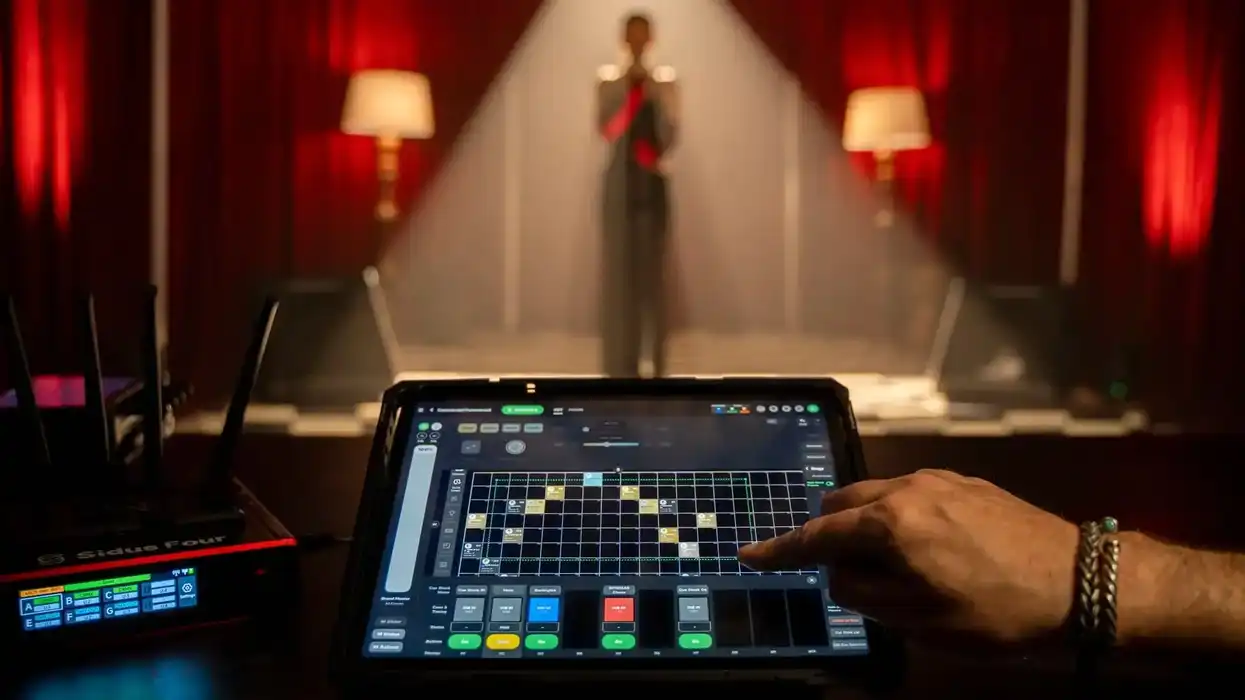
Aputure has introduced a new layout view in its latest update for the Sidus Link Pro 2.2, allowing users to arrange lights in a grid for easier selection.
Aputure Sidus Link Pro 2.2
Looking to manage your pro lighting setups conveniently from an Apple iPad? Well, then you’re in luck, as that’s exactly what Aputure’s Sidus Link Pro control system app offers. However, while it’s been a nice technology that we’ve covered before, it never hurts to give it a power-up.
This is what Aputure is doing with its new update, which is set to add a layout view feature that will let users mirror how lighting is placed in the real world. This update should make working with your lighting setups easier, faster, and more accurate, the company says.
Let’s check out what’s new with Sidus Link Pro 2.2.
Aputure Sidus Link Pro 2.2
The big news here for those who have been interested in, or already using, Aputure’s Sidus Link Pro control system is that the app is getting a new Layout View. This new feature is a spatial interface that will allow users to mirror how lighting is placed in the real world, making control faster and more accurate.
“Sidus Link Pro 2.2 fundamentally changes how users interact with their lighting setups. With Layout View, we’re giving filmmakers and lighting technicians a way to see their rig the way they experience it on set. Instead of searching through lists, you can simply look, select, and control. It’s a faster, more intuitive workflow that becomes even more powerful when combined with cueing and pixel control in our Pro and MAX plans.” — Ben Dynice, Aputure Director of Product (UI/UX).
This new Layout View should further Sidus Link Pro’s powerful control system by combining its visual programming with cueing and real-time previews for instant triggering of complex lighting changes.
Set to be available in both Pro and MAX, the Layout View will expand to support a real-time visual preview during cue playback and pixel control directly in layout, making it easier to see and manage what is happening across your rig.
Additional Improvements and Bug Fixes
Along with the new layout view feature, Sidus Link Pro is getting some other improvements and bug fixes, including:
- INFINIBAR Auto-Patch and Auto-Configure are now available: Automatically set up your INFINIBAR fixtures faster using Auto-Patch and Auto-Configure, when upgraded to Firmware V2.1, launching alongside Sidus Link Pro 2.2.
- DMX settings in one menu: All DMX-related functions are now centralized in the Connections Management Menu, making DMX management faster and easier.
- Expanded 16-bit precision: Achieve smoother adjustments and patch a wider range of professional lighting fixtures with new 16-bit DMX support for Variable, Strobe, Constant, and Control channels.
- Aputure Releases Sidus Link Pro 2.0 With Auto-Patching and Auto-Configuration Improvements ›
- DMX 101: Here’s How to Get Started With Aputure’s Sidus Link Pro ›
- Aputure Expands Sidus Link, Its Intuitive Wireless Control Platform to iPad ›
- Aputure Listens to Users and Delivers a New Free Plan for Its Sidus Link Pro iPad App ›
- The Free Aputure SidusLink Mobile App Controls Entire Aputure Lighting Ecosystem ›
- Aputure Adds Action Panel to Sidus Link Pro With Assignable Cues and Other Updates ›