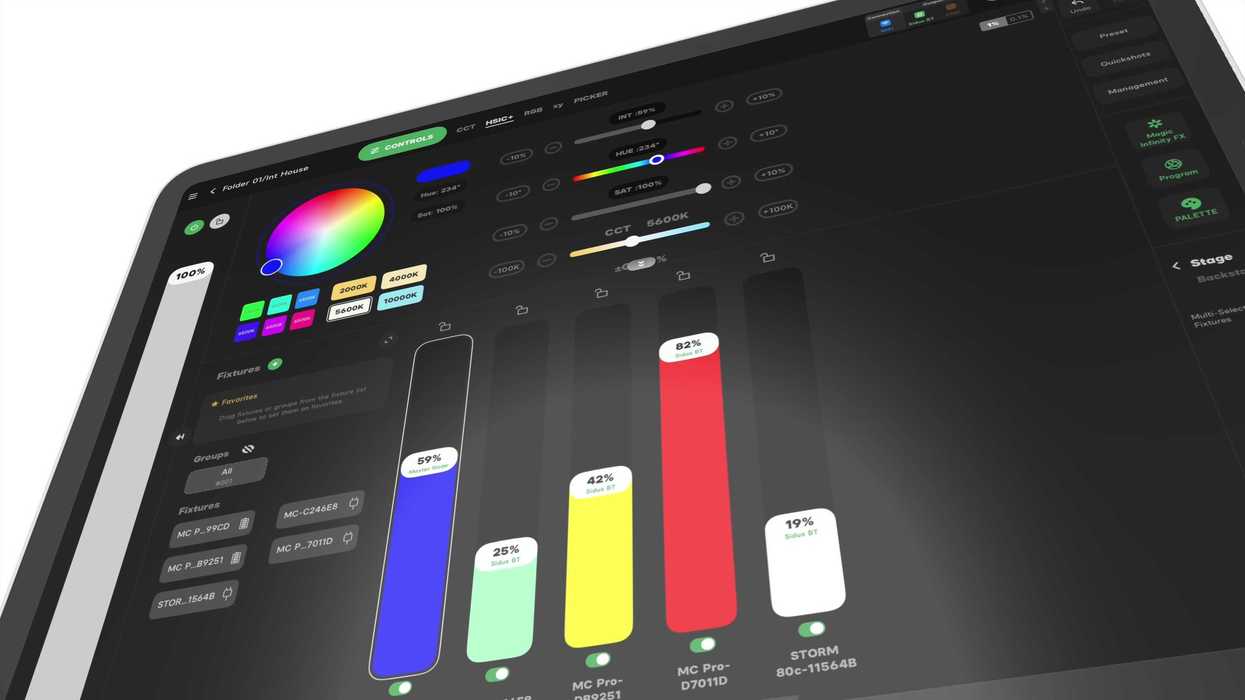
While the majority of the best features might still be under the pro-level subscription plans, Aputure has announced that the company has listened to its users and has decided to add a free plan option for its Sidus Link Pro 2.1 on iPad.
This free plan option now gives all users easy access to Bluetooth control of any Aputure and amaran lights. Along with this new free plan option, Sidus Link Pro is also now offering free Bluetooth control, including the full library of Light Modes, FX, Quickshots, Magic Program Pro and Go, Magic Infinity FX, and Diagram Master.
Here’s everything you need to know about this new free plan and how this solution can help manage your lights on set.
Aputure Sidus Link Pro Free Plan
So, the pitch is that everything that users loved about Sidus Link Legacy (formerly called Sidus Link for iPad) is now being offered for free as part of this new plan. The company is retiring Sidus Link Legacy here at the end of the year and has decided to give all users access to Bluetooth control of any Aputure and amaran light for free.
Sidus Link Mobile users will still be able to easily sync their projects to Sidus Link Pro by logging in, accessing the same presets and light plots, too.
And, as mentioned above, Sidus Link Pro 2.1 will give access to the company’s full library of Light Modes, FX, Quickshots, Magic Program Go and Pro, Magic Infinity FX, and Diagram Master in the Sidus Link Pro Free plan on iPad.
Plan Prices and Options

Credit: Aputure
Of course, the catch here is that while it does look like the free plan is giving quite a bit of functionality, including access to Sidus Hardware Monitor, Auto-Patching, and Auto-Configuration, and Aputure Light Firmware updates, which all remain free as well, if you’re serious about your lighting contro,l you still might want the Pro or MAX plan options.
Regardless, though, if you’ve been on the fence, the stakes are lowered, and you can always start with a free plan and upgrade later. If you’d like to find out more, you can check out the Sidus Link Pro page on Aputure’s website here.
- Aputure Releases Sidus Link Pro 2.0 With Auto-Patching and Auto-Configuration Improvements ›
- Sidus Link Pro To Give Users More Control Over Lighting Setups in New Update ›
- Control Up to Eight Lighting Universes With the Aputure Sidus Four Wireless Transmitter ›
- Aputure Expands Sidus Link, Its Intuitive Wireless Control Platform to iPad ›
- DMX 101: Here’s How to Get Started With Aputure’s Sidus Link Pro ›
- Arrange Your Lights Faster With This New Layout View for the Sidus Link Pro ›
- Aputure Adds Action Panel to Sidus Link Pro With Assignable Cues and Other Updates ›