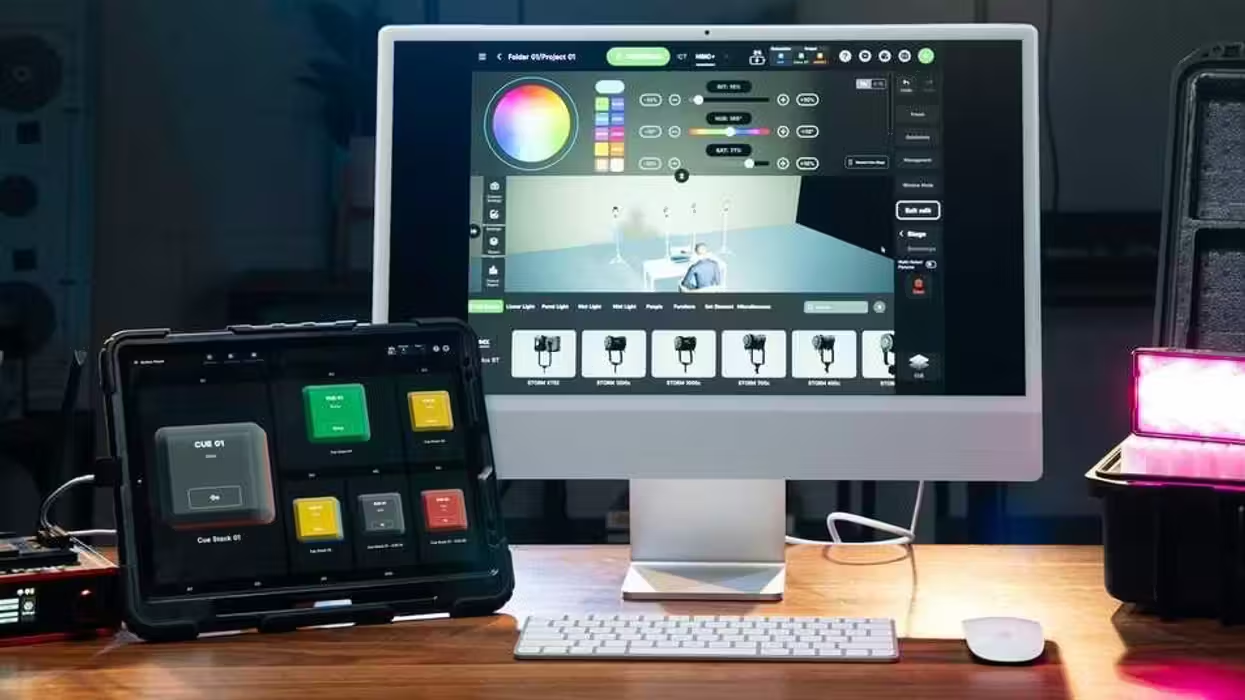
Aputure has a pretty major update for its popular pro wireless lighting control app, Sidus Link Pro. This new update, version 2.4, is set to add Mac compatibility and support, a much-requested update in itself that can enlarge a user’s programming window to a desktop monitor and allow for more precise keyboard and mouse control.
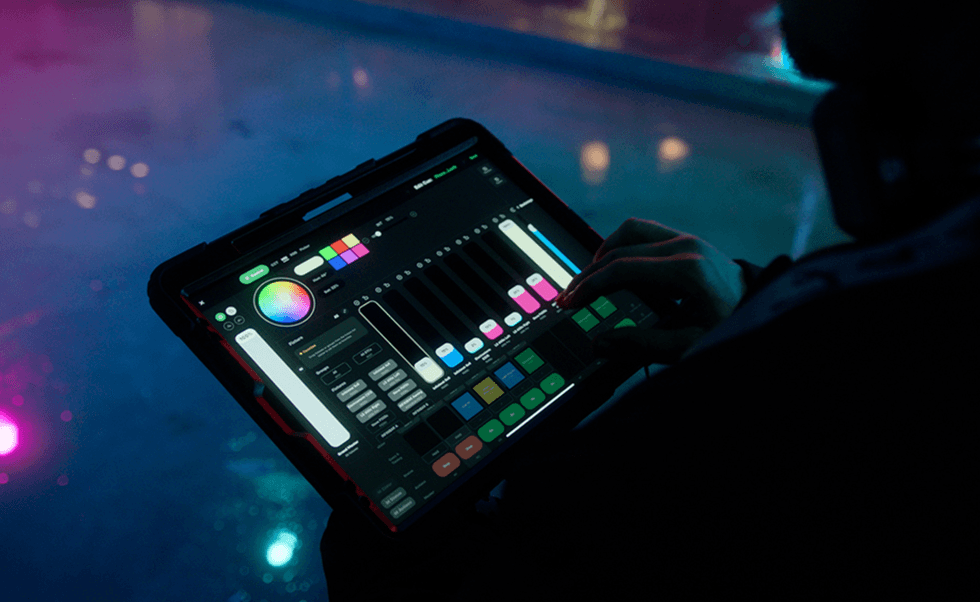
Sidus Link Pro is also getting an exciting new Action Panel that turns its 10 Cue Masters into a dedicated full-screen view with large, customizable buttons for even faster execution.
Curious about these updates? Here’s everything you need to know.
Aputure Sidus Link Pro 2.4 Update
One of the biggest updates so far to the company’s professional lighting control app, the biggest highlight of this Sidus Link Pro 2.4 update is going to be this new Action Panel, which will now provide a dedicated full-screen view that will allow users to assign cues and Quickshots to some new, large, and customizable “Go” buttons for speeding up operations on set.
“Action Panel solves a real workflow problem in professional lighting control. The person who programs the system is not always the person running it. With Action Panel, you can build a full DMX setup in Sidus Link Pro, assign cues and Quickshots to a dedicated control surface, and optionally lock it with a passcode to prevent exposing the full programming interface. It keeps the system powerful for programmers and simple for operators. For integrators and studio owners, it means safe handoffs and a lighting control system that feels powerful, scalable, and easy to manage. For gaffers and crews, Action Panel provides an easier way to run lighting without constantly looking down or navigating the full interface.” - Ben Dynice, Director of Product (UI/UX) at Aputure.
The update will also bring Sidus Link Pro to Mac, giving users more screen space, keyboard-and-mouse precision controls, and keyboard shortcuts.
Credit: Aputure
More Sidus Link Pro Updates
Along with Mac support and the Action Panel, the company says this Sidus Link Pro 2.4 update will also add keyboard shortcuts for iPad and Mac users, allowing quick jumping between Stage, Cue Stacks, Layout View, and 3D Visualizer options. From there, users can edit, label, and fire cues directly from the keys.
Another small, but not unnoticed update will be the added support for Quickshots on Cue Masters, which should further allow for saved Bluetooth looks to be assigned to Cue Masters and triggered from Action Panel buttons alongside cues.
You can check out a full walkthrough of the Sidus Link Pro 2.4 update in this tutorial video from the company, or follow along for specific scenes with these timestamp links below.
Price and Availability
As we’ve covered before, Sidus Link Pro is a good option for pro cinematographers and video teams looking for lighting support. It’s available with this latest update, with a Pro plan for $10/month, and MAX adds support for 4 universes of control.
For more info on pricing and availability, head to the company’s website here.
- Aputure Listens to Users and Delivers a New Free Plan for Its Sidus Link Pro iPad App ›
- Arrange Your Lights Faster With This New Layout View for the Sidus Link Pro ›
- Aputure Releases Sidus Link Pro 2.0 With Auto-Patching and Auto-Configuration Improvements ›
- Sidus Link Pro To Give Users More Control Over Lighting Setups in New Update ›
- Don’t Wait, Get These Major Firmware Updates Installed for These Aputure Lighting Fixtures ›
- Aputure Expands Sidus Link, Its Intuitive Wireless Control Platform to iPad ›