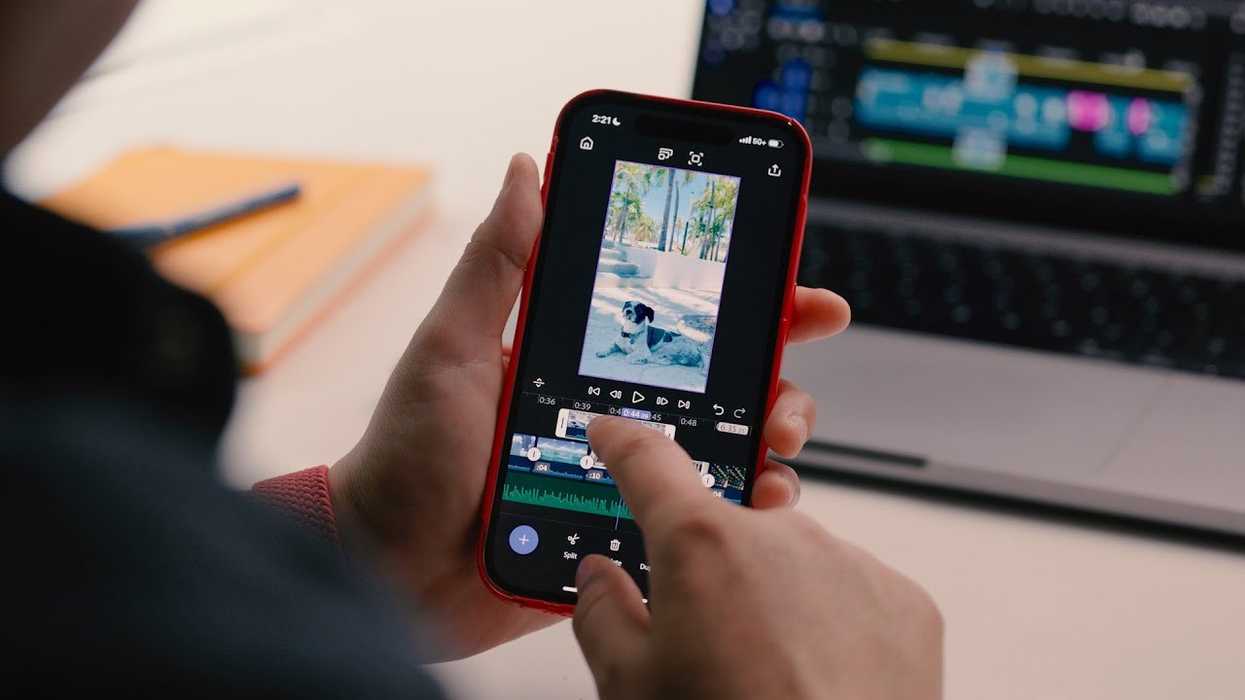
In the biggest news in the NLE world since Apple announced the release of Final Cut Pro for iPads, Adobe has just announced the launch of a new iOS version of Premiere Pro. Set to release later this month for free, Premiere on iPhone aims to bring all of the creative powers of Premiere Pro to your favorite smartphone system.
Let’s take a look at this significant announcement and what it could mean for video editors on the go and the ever-growing class of new-era mobile content creators.
Premiere Pro Comes to Your iPhones
Designed to be fast, free, and built for mobile content creation, this new iPhone version of Premiere Pro is set to combine pro-quality tools, studio-grade audio, and all of the same assets that you’d find in the desktop version.
Unless you’ve been living under a rock for several decades, you’re likely familiar with Premiere Pro and its legacy in the filmmaking and video editing world. Premiere Pro has been used on everything from Sundance premieres to Oscar-winning films, and from hit commercials to iconic music videos.
Premiere on iPhone will be free to download and use without watermarks. However, it sounds like it Adobe will make its money from generative AI credits, if you so choose to use them.
What Premiere on iPhone Will Offer
 Adobe’s Legacy NLE is Coming to Your iPhones, Available for Free Later This Month
While we’ll have much more to explore for Premiere on iPhone once it officially releases at the end of the month, here are some of the main features that Adobe has shared that Premiere on iPhone will offer:
- The power of Premiere, the simplicity creators need: If you’re familiar with Premiere’s desktop experience, you’ll recognize the multi-track timeline with vibrant colors and dynamic audio waveforms—and still have the freedom to trim, layer, and fine-tune with frame-accurate precision, all built for mobile. You also get automatic captions with stylized subtitles; unlimited video, audio, and text layers; support for 4K HDR; and more.
- Designed for the way creators work: The Premiere iPhone app gives you the flexibility to create on the go and finish on desktop. Start projects on your phone, export instantly to TikTok, YouTube Shorts, or Instagram with one tap, or send projects to Premiere Pro for precision editing. And it can automatically resize your video for each platform, keeping the main action always in frame.
- All the assets you could need or dream up: Choose from millions of stickers, images, fonts, and music to make your video pop. Or, create your own with Adobe Firefly built in: explore ideas and generate one-of-a-kind video content – with generative AI that respects creators' ownership.
- A mobile recording studio powered by your voice: Use your own voice to generate sound effects, and record studio-quality voiceovers with Enhance Speech – even in noisy environments.
- A fast, free, and uncluttered experience: Do as much or as little as you need, without distractions. It’s free to use – only pay for generative credits or cloud storage – and it’s ad-free.
Premiere on iPhone is set to be available for pre-order through the Apple App Store starting September 4. You can find out more info on Adobe’s website here.
- Premiere Pro Set to Become More Beginner-Friendly and Better for Color Management ›
- Adobe Premiere Rush Makes Editing Anywhere You Want to Be Easier ›
- Adobe Premiere Pro 14.9 Includes Faster Exports for H.264 and HEVC on Macs ›
- Adobe Premiere Pro and After Effects Now Supports ProRes RAW ›
- Adobe Premiere Rush Update Allows You to Separate Audio from Video Clips ›
- It’s Here! You Can Now Start Using Adobe Premiere on iPhone Beginning Today ›