This Screenwriting Software Is Way More Powerful Than You Remember
A breakdown of 10 Celtx features designed to supercharge your writing workflow.
Celtx
As a screenwriter, I know that your choice of software can feel a little overwhelming. We just want to type "FADE IN:" and get going with our script.
So you want to pick something that's easy to use and intuitive to your process.
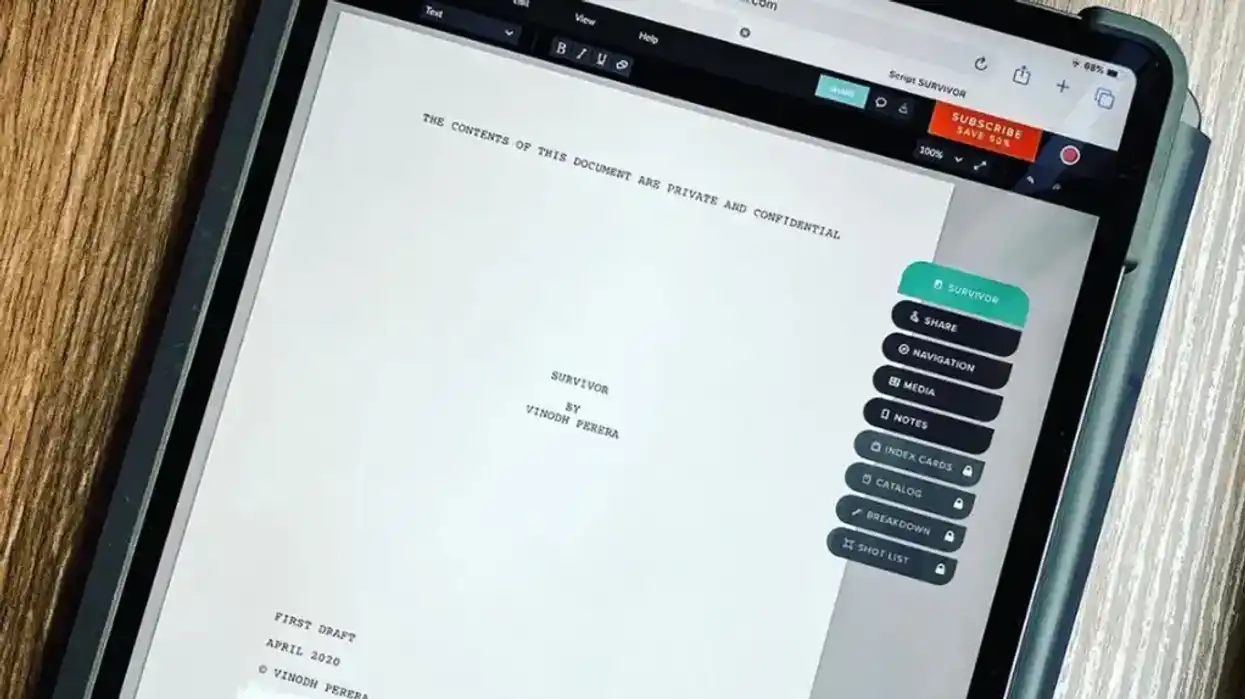
That's why I'm excited to talk about Celtx. You’ve probably heard of it, but I’m willing to bet you don’t know everything it can do. It’s evolved into a seriously powerful platform with features that go way beyond basic formatting.
We've got a lot to cover, so let's dive in and look at the features that make it a favorite with writers everywhere.
- YouTubeyoutu.be
1. Finally, Real 'Drafts'
This is a game-changer for anyone who’s ever second-guessed a creative decision. You can now create multiple versions of your script directly within Celtx.
Experiment with different plotlines, dialogue, or endings without the fear of losing your original work. Think of it as version control for your creativity. No more "Script_Final_V2_REALLY_THIS_ONE.celtx" files!
2. Custom Title Page Images
Let's talk title pages. The Title Page Image feature lets you upload a custom image directly to your script's cover. This is fantastic for branding, setting the tone with a lookbook image, or simply making your script stand out when you share it with execs or reps. It’s also incredibly easy to add and scale.
3. The Scene Navigator
Navigating complex scripts just got a whole lot easier. The Scene Navigator allows you to quickly jump between scenes and view a high-level summary of your script's structure. It’s like a visual table of contents that helps you keep track of your story's flow and make structural changes on the fly.
4. Better PDF Output Options
When it's time to share your masterpiece, the PDF Output Options have been significantly improved. You get more control over how your PDF looks—from watermarks to custom headers and footers. It’s all about professional output, every time.
5. True Dual Dialogue
For all of us writing dialogue-heavy scenes (aspiring Altmans, unite!), Dual Dialogue is here. You can now easily format two characters speaking simultaneously, side-by-side. This has been a highly requested feature for a long time, and it’s been implemented beautifully.
6. Night Mode
For those late-night writing sessions, say hello to Night Mode. Your eyes will thank you. This dark interface reduces eye strain and helps you stay focused during those marathon writing sprints when inspiration strikes at 2 a.m.
7. Full Color Customization
Beyond just Night Mode, there's a whole new world of Color Customization. You can personalize your Celtx interface with different color themes. It's a small thing, but making your workspace truly yours can make a big difference in keeping you focused and comfortable.
8. Element Assist
This one is clever. As you type, Celtx intelligently suggests elements like character names, character extensions (O.S., V.O.), subtitles, settings, time of day, and continuity. It genuinely speeds up your workflow and, more importantly, maintains consistency across your script. Less typing, more creating.
9. The Insights Module
If you want to get granular, the new Insights Module is invaluable. This feature provides analytics on your story—things like character speaking time, scene length, and element breakdowns. It’s a fantastic tool for balancing your story (is your protagonist really the protagonist?), but it also has huge implications for budgeting and scheduling further down the line.
10. Script 'Read Through'
Finally, let's talk about bringing your script to life. Celtx can now read your script aloud, using different voices for different characters. This is an incredible tool for catching awkward dialogue, checking pacing, and just hearing your story come alive before you even get to a table read.
Summing It All Up
That was a lot, I know. But it shows how Celtx has grown into an incredibly comprehensive tool.
It's still easy to use, but it's packed with features that writers should be taking advantage of, whether they're trying to break in or finishing their next masterpiece.
What's your favorite new feature? Are there any you're already using?
Let us know in the comments below.