Oh Hush! Adobe Introduces a Global Audio Mute Feature to Premiere Plus Other Updates
Adobe has rolled out updates to several of its top creative apps, including notable improvements to Premiere and After Effects, as well as the introduction of a new global audio mute feature.
Shhhhhhh, you hear that?
That’s the odd quiet sound of your Premiere project running with no audio at all being heard. If you’ve been there and needed that quiet to help you focus and find what you’re looking for, a global audio mute feature would have been a top-requested feature, for sure.
Outside of a fun, albeit not major, update like a global audio mute, Adobe has rolled out a sizable number of new features for several of its top creative apps. Along with updates to Lightroom and Photoshop, Adobe has some new features in Premiere and After Effects that you should know about.
Let’s dive in.
Adobe Premiere and After Effects Updates
So, alongside the global audio mute feature for Premiere, these two legacy video and motion editing apps are getting a decent number of new features and upgrades with this latest update. In particular, Premiere has some notable improvements tailored to help video editors do what they do best — actually work.
The updates for Premiere include faster AI masking, new effects, smarter audio controls, and tighter connections to Stock and Firefly. All improvements and new features are aimed at keeping you from jumping out of your timeline and helping you stay in the edit.
For After Effects, Adobe is rolling out some improvements to everything from rotoscoping to 3D rendering to vector files. The update list of upgrades includes removing tedious work that often creates friction and slows down creative processes, reimagining Object Matte, and now allowing import of SVG files directly.
Adobe Premiere Updates
Here’s the full list of Premiere updates:
- Global Audio Mute lets you silence audio across the entire app in one click. Marker Search lets you pull up any marker by color or name across every open project.
- With Channel Blur, Gradient, and Noise FX, you can handle precise compositing or add organic animated texture right inside the timeline.
- 3D Spinback and Slide transitions give you dynamic motion with professional-grade easing controls built directly into your editing workflow.
- Single Word Captioning puts you in control at the word level without disturbing the broader caption block.
- The new Stock Panel Checkout lets you preview and license Adobe Stock assets without leaving Premiere. When you send multiple assets into a project through Firefly Boards, a sequence is created for you automatically.
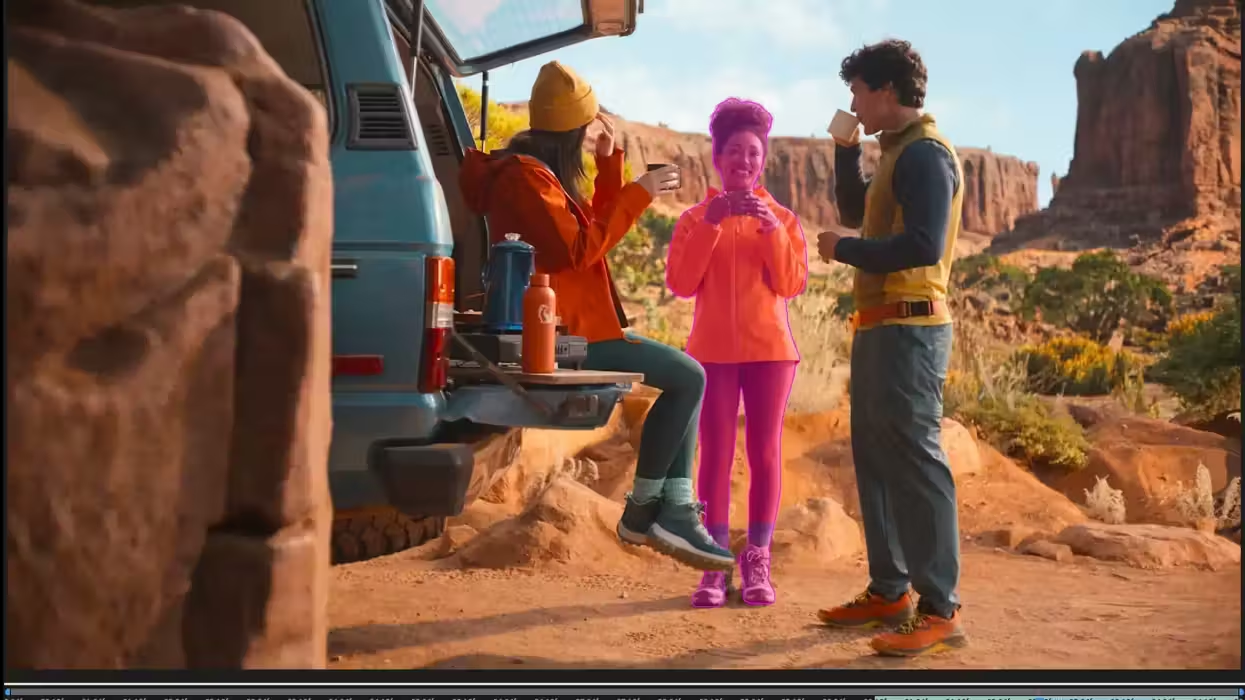
- Object Mask is now faster and more refined. You get softer, more natural masks, and if media goes offline and gets relinked, you can regenerate the mask without starting over.
- The Sequence Index Panel gives you long-form edit control in one place. A/V Display Mode shows video and audio waveforms together in the Source Monitor, so complex timelines are easier to read and navigate.
Adobe After Effects Updates
And here’s the full list of Adobe After Effects updates:
- Object Matte reimagines rotoscoping with four AI-powered tools, Object Selection, Quick Selection, Selection Brush, and Refine Edge, replacing the brush-only Roto Brush with the same AI precision already available and loved in Premiere.
- 3D in After Effects is getting a major upgrade, bringing your motion design work closer to full 3D production. You can now add real surface depth with Displacement Maps, apply cinematic Depth of Field across models, meshes, text, and shape layers, and use scripting APIs for Parametric Meshes for more control over complex scenes.
- You can now import SVG files directly into After Effects as editable shape layers, with gradients, strokes, and transparency all intact. And with a new copy-paste workflow from Illustrator, you can bring vector content across without any conversion.
For more info on what’s new in Premiere, After Effects, and the rest of the Adobe Creative Cloud, head over to the company’s website here.
- Adobe After Effects Just Got Its Biggest Performance Boost Ever ›
- Is Adobe CC Now an Affordable VFX Powerhouse? Updates to Premiere Pro, After Effects, and 3D Modeling ›
- What’s New in After Effects? Here Are All of the Latest Motion Design, Compositing, and Animation Updates ›
- Major Adobe Updates Are Here: Color Mode in Premiere, Frame.io Drive, and More AI Capabilities ›
- Adobe Adds Even More AI-Powered Editing Tools and Upgrades to Premiere and After Effects ›