3 Ways to Shoot a Scene with a Single Camera
Fewer setups, smarter shots.
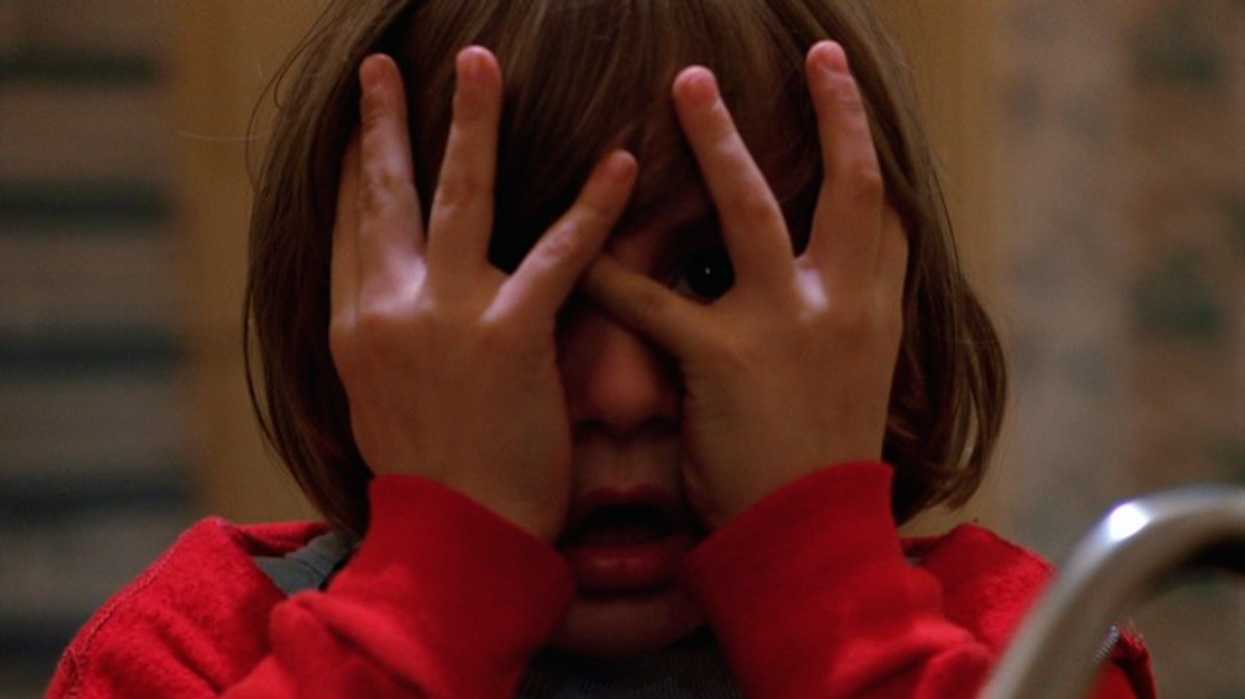
'The Shining'
Most indie filmmakers shoot with one camera. In fact, a lot of larger productions also shoot with one camera, unless you're Ridley Scott rolling on everything at one. It's not a limitation to apologize for. However, it can make things difficult if you have to get a lot of coverage, which means a lot of setups, which means a longer shoot schedule.
Sareesh Sudhakaran explains why it's still the default for most productions in a new video.
"Traditionally, film was expensive, so you didn't want to waste more film than you had to. Today, it's still rare to use more than one camera because it's hard to light a scene for different angles and still make it look good."
The lighting is the major factor. If you're going moody, especially, you're going to run into issues of some talent being in the dark or obscured by shadows. For example, multicam is more likely to work in a TV soundstage setup because the lighting is usually just super bright all the time.
Sudhakaran is a director and cinematographer with more than two decades of experience. His second feature, Gin Ke Dus, was released in Indian theaters in March 2024. He runs the YouTube channel Online Film School. In the video below, he breaks down three ways to shoot a scene with one camera, using Stanley Kubrick's The Shining as the example. Check it out.
- YouTube www.youtube.com
Let the Scene Play in One Static Shot
Start with the easiest option.
"The simplest way to shoot a scene is to let the actors act out the entire scene in one go and record all of it from one vantage point," Sudhakaran says.
You'll find this approach in a lot of older Hollywood films. They would just roll on a wide and let everything happen. The drive to the Overlook in The Shining plays out in one take from a fixed position. The car is moving, but Sudhakaran points out the conversation would work just as well parked on the roadside.
Kubrick used a wide-angle lens and put Jack closest to the camera, so he's the largest figure in the frame. Wendy sits farthest away and smallest, and Danny leans in between them. This is one of Alfred Hitchcock's rules: an object's size in the frame should match its importance to the story at that moment.
The trade-off is that you really have to trust your actors. If it's a lot of dialogue, they have to be off-book, and there's no room for a flub in the action or line delivery. Mess one thing up, and you have to do the whole take again.
However, a locked-off take still is a choice. Your blocking, your lens, and your dialogue do the work that cuts would otherwise do.
Move the Camera Instead of Cutting
The camera tracks alongside the characters and stops when they stop. The wide lens lets the ballroom's scale register, and the movement reveals more of the room as it goes. When Dick and then Danny approach the group, the camera pushes in. Everything stays motivated so the camera isn't just wandering around.
"This is a technique to eliminate more of the background and force the audience to focus on the characters," Sudhakaran says.
A push-in can do the job of a close-up without breaking the take.
Sudhakaran also points out details most viewers won't catch on a first watch. Jack slows down near the bar and ends up on the far edge of the group, and he keeps his hands in his pockets in a defensive posture.
Again, this type of take is still telling a story. You're establishing the space and people's place in it. But blocking, again, is super important. How are they moving in the space, and why?
Break the Scene into Pieces Only When It Earns It
When you're shotlisting, you'll probably come to beats that you know are more important than others. Therefore, you'll need to shoot inserts or different shot sizes to put the camera closer to the character or another detail. And you do that using the third method, which is is filming the scene in parts from different angles, then assembling it in the edit.
In The Shining, the kitchen tour mirrors the car scene's blocking, except now Wendy is the prominent one. In the dry-storage room, the blocking shifts. Dick moves to the right, Danny stands apart, and the camera stops pushing in.
"At this point, as a director, you ask yourself, why would I want to break the scene into smaller parts?" Sudhakaran says.
Kubrick finally cuts. He goes to a medium shot of Danny that zooms into a close-up, then to Dick, who asks Danny telepathically if he'd like some ice cream. This is the first time we see "the shine" in action. When cuts are rare, they have a ton more impact. It would be the same if you never moved the camera and then had a more cinematic move. Save those moments for when they matter.
Shoot the Fewest Shots You Need
When you're on a set, sometimes you're just desperate to get shots in the can. You might have a lot of fancy ideas for shots, but the fancier they are, the more time they take. Even simple setups can take half an hour at times. So if you can cut shots out, do it.
"To shoot a scene from multiple angles with one camera, you must first ensure there's a reason for it," Sudhakaran says. "Once you've done that, you must find the least number of shots it will take to accomplish this. You shouldn't just go about and shoot the scene from a million angles. Takes a lot of time and money to shoot all the extra shots, and the actors get numb."
Some directors have actors run the whole scene on every take, and others shoot it in pieces. Sudhakaran says there's no formula. If you want a fancy shot, put it last, and do it only if you have time. You'll thank yourself later.