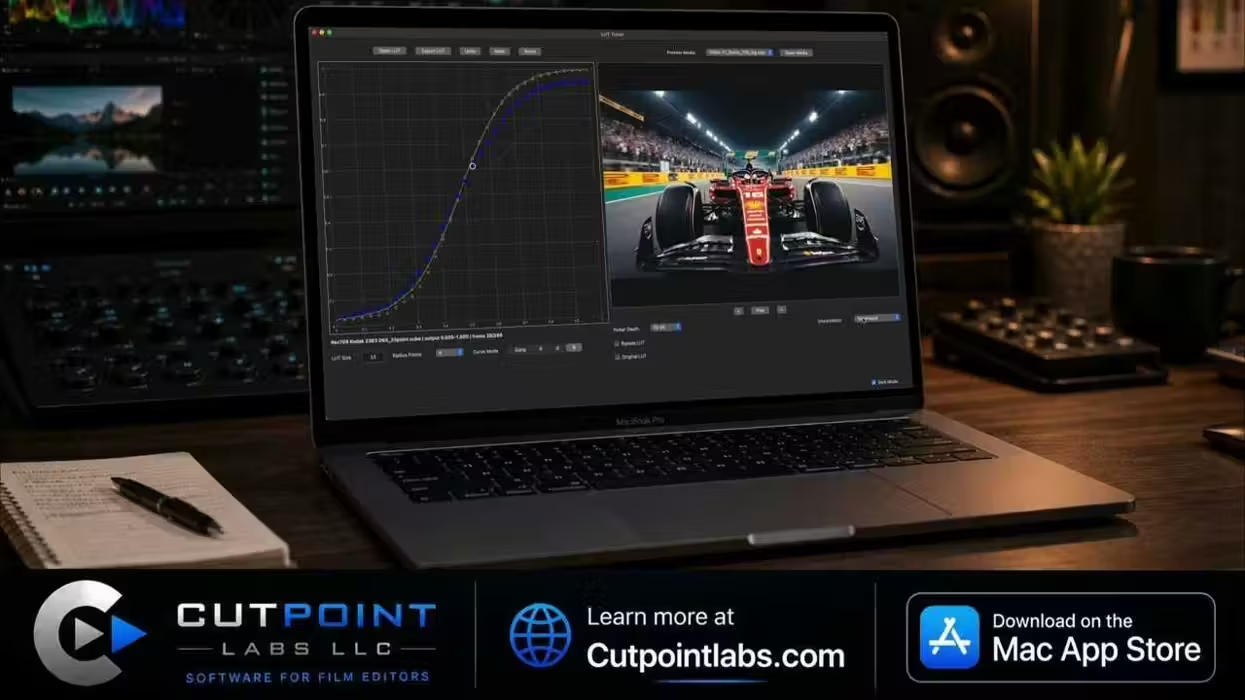
Looking for extra support with fine-tuning your LUTs? This new macOS app from Cut Point Labs aims to be a new solution in the space that post-pro teams and colorists might find appealing.
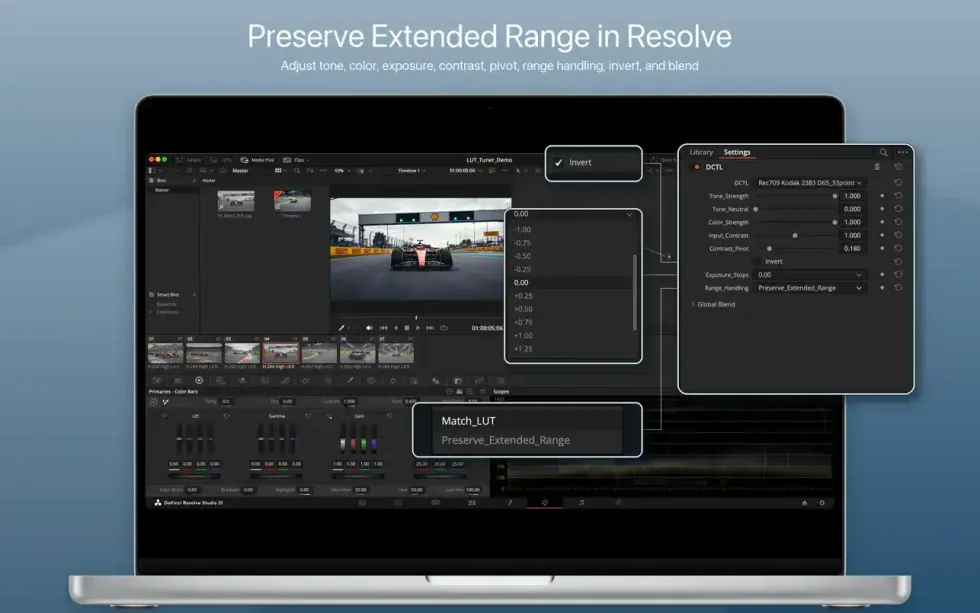
The goal here is to allow editors to edit LUT curves directly and then create a tunable Resolve DCTL approximation. Users can preserve an extended range beyond LUT clipping and, in Resolve, adjust, explore, contrast, and invert.
All great, helpful things for post-production teams to do directly, without opening a full grading project. Let’s check it out.
Cut Points Lab LUT Tuner
So, what’s cool about this LUT tuner is that it can directly edit the response curves in a .cube 3D LUT and then create a tunable DCTL approximation for use in DaVinci Resolve. Editors can use this tool to help to refine RGB channels individually or as a gang, which is helpful in allowing editors to further evaluate the result against the picture, and even export the edited LUT, a Resolve DCTL, or both.
Plus, unlike a bounded LUT that clips values outside its defined range, this exported DCTL can keep its preserved extended-range image data.
Ideal for streamlining workflows, LUT Tuner is a focused macOS application for inspecting, editing, previewing, comparing, resizing, and exporting .cube 3D LUTs without opening a full color grading project.
Price and Availability
Credit: Cut Point Labs
Not a major tool or super in-depth app with a ton of replacement-level features, but rather an ancillary option to streamline your workflows just a bit more, this LUT Tuner could be a nice option for the right colorist or video editing team to consider.
Here’s the full list of key features:
- Open and export standard .cube 3D LUTs
- Create forward DCTL approximations for DaVinci Resolve
- Preview the DCTL approximation on patterns, stills, or video before export
- Review mean, p95, and maximum RMSE fit metrics
- Define intended DCTL input and output color-space assumptions
- Tune tone, color strength, contrast, pivot, exposure, range handling, and blend in Resolve
- Invert the approximation when DCTL controls remain matched
- Direct RGB and ganged curve editing
- Still-image and video preview
- Original LUT comparison
- Bypass LUT preview
- Lasso selection and multi-point editing
- Radius-based neighboring point influence
- Keyboard nudging for precise adjustments
- Undo, redo, and reset
- LUT resize and resample
- Tetrahedral and trilinear interpolation
- Local processing on macOS
The LUT Tuner from Cut Points Lab is available via the Apple App Store for $14.99, where you can also learn more about its latest updates and go through a typical workflow.
- Download These Free 56 Cinematic LUTS for Your Next Project ›
- Colourlab Ai 1.3 Makes It Easier to Create the Ultimate Show LUT ›
- Build LUTs Faster With This Online Cloud-Based Color Editing Tool ›
- What is a Look Up Table (LUT), Anyway? ›
- Unlock the Full Potential of Your Apple iPhone Log2 Footage With This Free Rec 709 Conversion LUT ›