While truthfully, the last few years have been pretty much all about AI in the film and video space, this year’s revolution is agentic AI. Which, as you could guess, means AI agents performing tasks, executing complex and repetitive workflows, and, to the fears of some… coming for their jobs.
We’re still in the early stages, so it might be hard to tell just how capable, helpful, and replace-ive these tools might truly be. But for now, we simply know they’re coming as companies like Adobe have announced a major expansion of its creative agents across Firefly and legacy Creative Cloud apps like Photoshop, Illustrator, and Premiere.
Let’s look at how Firefly and Premiere, in particular, are set to add more agentic capabilities and enable creators to access AI platforms like ChatGPT, Claude, Copilot, Gemini, and more in their creative workflows.
Adobe Goes More Agentic
Announced today as a major expansion of the company’s creative agents across Firefly and Creative Cloud, the big news here is that the agentic capabilities in Adobe products are set to be more present, more capable, and more tuned into at least offering users the option to let these agents help deliver a “unified experience across every stage of creative work from ideation to creation to production.”
"Adobe has always been at the center of how the best creative work comes to life, and this is a major expansion of that promise. Every creative now has an agent capable of helping them execute across every app and platform where they work so they can set the vision, apply their taste, and make the calls that only they can.” - David Wadhwani, president of Adobe’s Creativity & Productivity business.
The company has announced that it is rolling out its creative agents across Premiere, Photoshop, Illustrator, InDesign, and Frame.io, all with the goal of giving creative professionals an AI Assistant that can orchestrate multi-step workflows based on outcomes as the user describes.
Adobe Firefly Agentic Capabilities
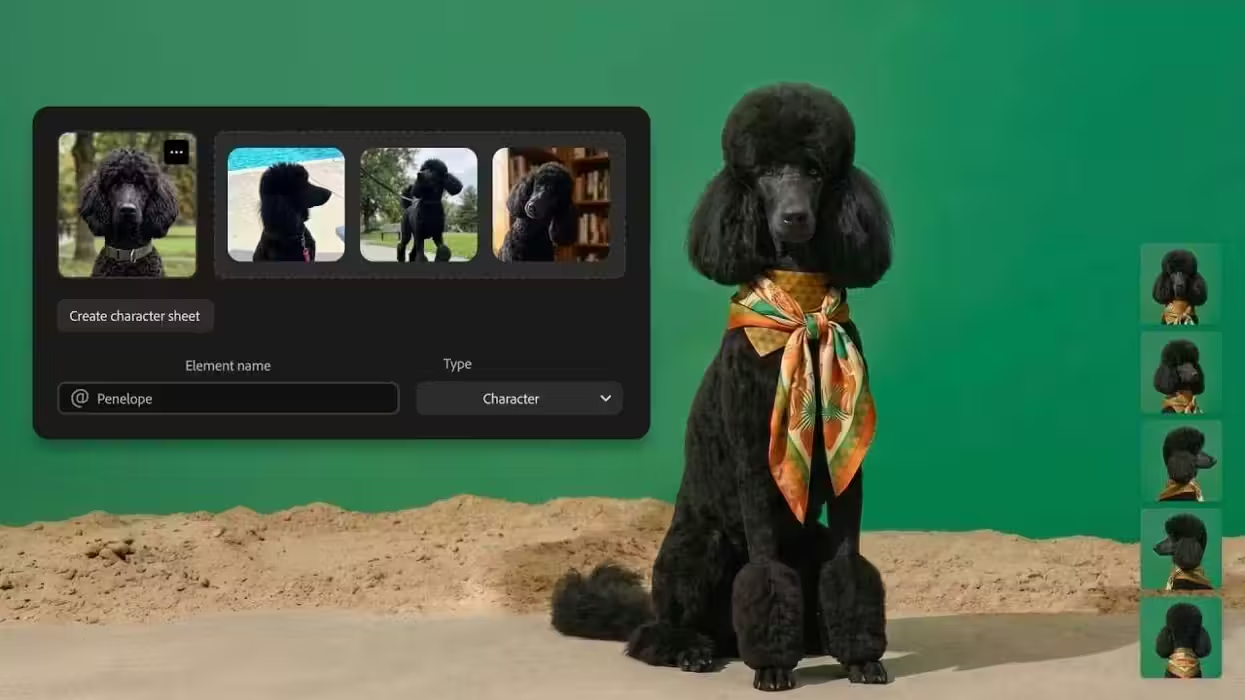
Looking first at Adobe Firefly, the company’s AI creator space, this expansion is set to add AI Assistant to Firefly that will bring pro-grade tools from across Adobe’s Creative Cloud apps into a single conversational interface.
This will allow, in theory, Firefly users to task Firefly with prompts and commands to perform tasks like the following, shared by Adobe:
- Brand kit creation: Describe your style, brand name, and color palette; AI Assistant in Firefly generates and saves a complete logo, brand identity, and color palette, ready to apply across every piece of content you create.
- Short product video creation: Turn product photos into polished, cinematic short-form videos with premium lighting, motion, audio, and brand styling — ready to publish.
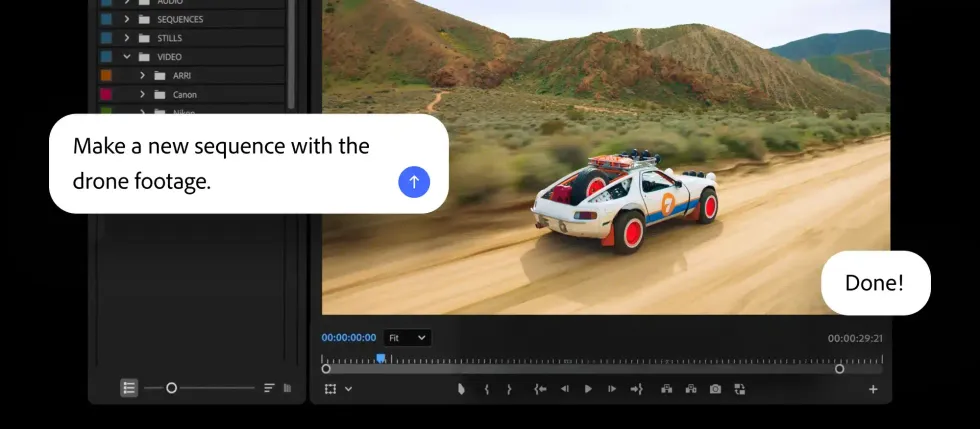
- Create a Quick Cut: Automatically assemble video clips into a polished first cut, edited around dialogue, narration, or visual content.
- Create storyboards and generate video from storyboards: Turn an idea into a visual scene sequence, then use those storyboard frames to generate video.
The goal is to eventually have these AI agents be able to take an idea from concept to finished content in a single seamless workflow in a new, upgraded Firefly creative AI studio experience, now in private beta. You can find more info here.
Adobe Brings Its Creative Agent to Premiere
Along with the updates to Firefly, the company has also announced that it is bringing its AI Assistants to its Creative Cloud apps as public betas, starting with some familiar names like Photoshop, Illustrator, and InDesign, and notably Frame.io and Premiere.
For all of the above, the goal is to let the creative agent power AI Assistant in each app orchestrate multi-step workflows so that professionals can stay focused on their craft as they choose what to hand off to the assistant, and what to handle themselves.
Here’s a breakdown of how the AI Assistant will work in each of the main creative apps:
- Premiere: The tedious set-up work is taken care of for you: sorting assets into bins, batch renaming clips, identifying interview questions, adding markers or even assembling a working starting point. If you can do it in the Project panel or Timeline, AI Assistant can help.
- Photoshop: Describe the desired outcome, such as swapping out a background, resizing assets for every platform or organizing layers, and the assistant executes across the entire composite, applying intelligent adjustments that can continue to be adjusted further.
- Illustrator: Ask the AI Assistant to support multi-step production jobs such as generating 50 versioned files from a spreadsheet, reorganizing layers across a document, or running a pre-flight check to flag color mode errors or missing fonts before anything goes to print.
- InDesign: Drop in a new brand PDF or open an existing template, then let the assistant apply updates across every layout, including copy, styling, and print-readiness checks.
- Frame.io: Provide creative direction, and the AI Assistant helps organize shoot assets, surface feedback across revisions, and generate B-roll, all within the project.
As of today, these agentic AI workflows are just coming to the apps above, as well as in After Effects, which is available in private beta.
Credit: Adobe
Price and Availability
If you’re interested in trying out these new capabilities for AI Assistant in Firefly, you can follow the links above.
However, if you want to check out the AI Assistant today in public beta in apps like Premiere and others, you can find out more info here.
- Adobe Launches Full Beta of Its Firefly Video Editor With Even More AI Capabilities ›
- Adobe is Adding Conversational AI Editing to Photoshop and Firefly Images. Is Video Next? ›
- Major Adobe Updates Are Here: Color Mode in Premiere, Frame.io Drive, and More AI Capabilities ›
- Adobe Continues its Double Down into Agentic AI With Firefly Assist Now Available in Public Beta ›
- The End is Near: Adobe Partners With Anthropic to Allow for Agentic AI Creation ›