DaVinci Resolve Gets 21.0.1 Update With More Accurate DNG and Apple ProRAW Decoding And More
A new update to DaVinci Resolve (version 21.0.1) is set to add new decoding options, improved HDR metadata handling, and other notable improvements. Check it all out below.
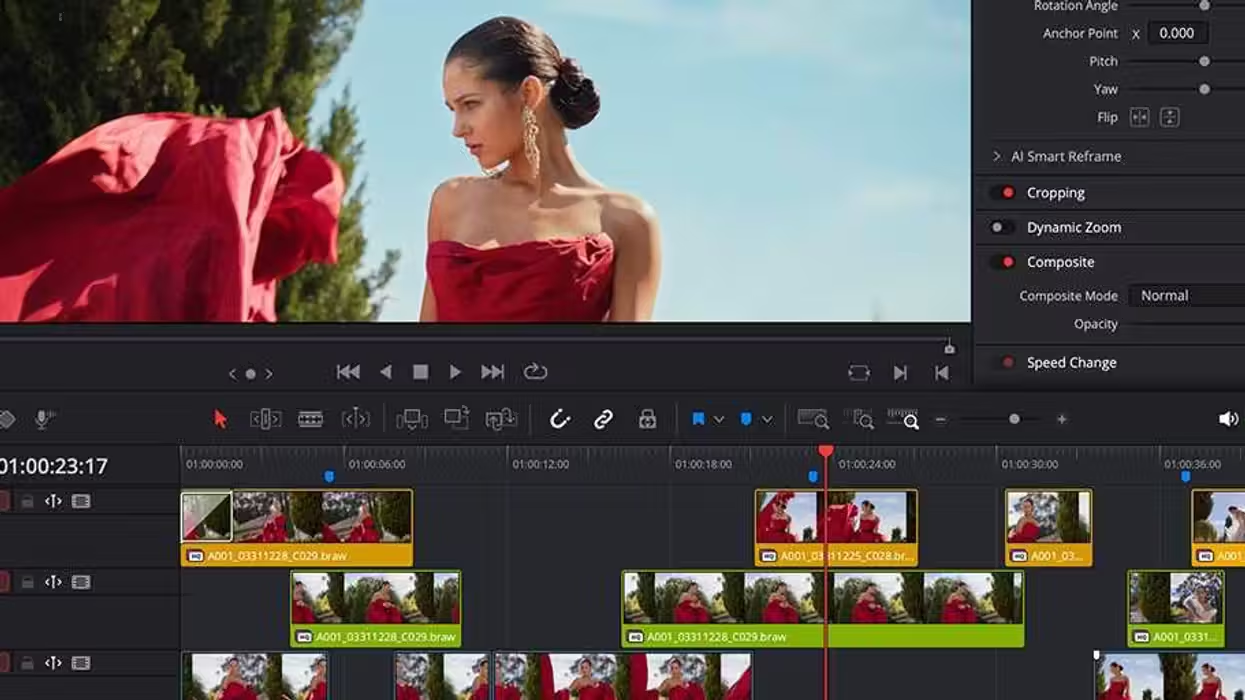
DaVinci Resolve
Dang, it had been a few weeks, and we were starting to get worried about Blackmagic Design. No text, no call, no check-in about new DaVinci Resolve updates until today. Don’t worry, we know you’re good at giving us lots of new features and improvements throughout the year, so we knew it would come eventually—and here we are.
Blackmagic Design has released its 21.0.1 update for DaVinci Resolve, which adds a decent number of new features, improvements, and minor bug fixes worth checking out and exploring to see how they could tweak your Resolve workflows.
Here’s what you need to know.
DaVinci Resolve 21.0.1 Update
While this isn’t a major update, it’s also not the least significant one we’ve ever seen. The big news here is that Resolve is getting more accurate DNG and Apple ProRAW decoding options for consistent image color and brightness. The video-editing platform turned photo editing workstation now also supports improved HDR metadata handling for H.265 renders, plus more consistent creation of new photo albums.
There’s also a host of minor issues addressed and fixed, which are worth reviewing as well. If you’re curious, here’s the full list of everything new in DaVinci Resolve 21.0.1.
- Addressed multiple DNG and Apple ProRAW color issues.
- Addressed issue with automatic smart bins after deleting keywords.
- Addressed issue with multiple linked audio in media management.
- Addressed multiple Resolve FX issues in photo page.
- Addressed issue with key shortcut to switch viewer in photo page.
- More consistent creation of new photo albums.
- Addressed color thumbnail refresh for photo transform indicator.
- Transcription now honors project settings language.
- Addressed exported bins not retaining generator and title properties.
- Addressed ease control display and sensitivity issues.
- Addressed keyframe issue when copying clips with Fusion effects.
- Addressed keyframe refresh for Fusion effects in the edit page.
- Addressed Fusion viewer color issue for some RCM settings.
- Addressed issue with saturation limits in Fusion gradient controls.
- Addressed Fusion display issues with dual screen layouts.
- Addressed issue with non-English character inputs in Linux.
- Addressed lag when toggling bypass grades and Fusion effects.
- Addressed occasional issue with Fairlight loudness meters.
- Addressed data burn display of good take tag in upgraded projects.
- Addressed project manager scroll lag for large project libraries.
- Support for Sony Alpha 7R VI ARW RAW stills.
- Support for decoding Affinity RGB 16-bit formats.
- Addressed a color issue with MainConcept H.265 HDR renders.
- Addressed a color issue with Windows native H.265 HDR renders.
- General performance and stability improvements.
How to Download and Install
As always, downloading and installing the latest updates for DaVinci Resolve is quite easy in-app or by heading to Blackmagic Design’s website here.
You can also review the minimum system requirements below.
Minimum system requirements for Mac OS
- macOS 15 Sequoia or later.
- 8 GB of system memory or 16 GB when using Fusion.
- For monitoring, Blackmagic Design Desktop Video 12.9 or later.
- Apple Silicon-based computer.
Minimum system requirements for Windows
- Windows 10 Creators Update.
- 16 GB of system memory or 32 GB when using Fusion.
- For monitoring, Blackmagic Design Desktop Video 12.9 or later.
- Integrated GPU or discrete GPU with at least 4 GB of VRAM.
- GPU that supports OpenCL 1.2 or CUDA 12.8.
- AMD/Intel official drivers from your GPU manufacturer.
- NVIDIA Studio driver 581.57 or newer.
Minimum system requirements for Windows for Arm
- Windows 11 for ARM.
- Qualcomm Snapdragon X Elite series processor.
- 16 GB of system memory or 32 GB for 4K or when using Fusion.
Minimum system requirements for Linux
- Rocky Linux 8.6.
- 32 GB of system memory.
- For monitoring, Blackmagic Design Desktop Video 12.9 or later.
- Discrete GPU with at least 4 GB of VRAM.
- GPU that supports OpenCL 1.2 or CUDA 12.8.
- AMD official drivers from your GPU manufacturer.
- NVIDIA Studio driver 580.119.02 or newer.
- DaVinci Resolve 21 Gets First Beta Update With Bug Fixes and More Intuitive Photo Crop Tools ›
- DaVinci Resolve 21 Gets New Beta 4 Update With Major Improvements Across All Pages ›
- DaVinci Resolve 21 Beta 3 Update Fully Integrates Photo Editing and Adds More Improvements ›
- DaVinci Resolve 21 is Finally Here: Here’s How to Get Access to Hundreds of New Features and AI Tools Today ›
- DaVinci Resolve 21 Introduced With Hundreds of New Features, AI Tools, and a Photo Page ›
- DaVinci Resolve 21.0.2 Update Adds Faster Image Bypass Switching, Improved H.265 Playback, and More ›
- DaVinci Resolve Gets New Ease Modes for Retime Speed and Frame Curves Plus Other Updates ›
- DaVinci Resolve Adds Support for Sony FX5 X-OCN and API Scripting With Latest Update | No Film School ›
- DaVinci Resolve Gets AI Assistant Integration and Other New Features With Latest 21.1 Update | No Film School ›