More updates here, both on the way and already here for DaVinci Resolve, as Blackmagic Design has kept its promise to consistently improve its popular NLE regularly throughout the year. This latest update, version 21.0.3, is set to be a pretty neat one as it adds new ease modes for retime speed and frame curves.
The update also adds some improvements for the handling of interlaced media, and QuickSync encode options for those working on older Intel systems. Here’s everything you need to know about this latest update and how to access the latest version for your edits.
DaVinci Resolve Update 21.0.3
As we mentioned above, this latest update isn’t the biggest of all time, but it’s also no insignificant update, as there are some new features and options to explore. The big news here is the addition of new ease modes for retime speed and frame curves.
There are also configurable keyframe ease actions, improvements in handling interlaced media, and the DNG pre-tone curve is now enabled by default in new projects. There’s also a pretty sizable amount of general performance boosts and fixes for minor issues.
Here’s the full list of all the new features and updates:
- New legacy speed mode retime curve option.
- DNG pre tone curve is enabled by default in new projects.
- Addressed issue with adding keyframe at a subframe.
- Addressed issue with pasting keyframes to linked audio clips.
- Added configurable keyframe ease actions.
- Inspector frame display for interlaced transition durations.
- Addressed interlaced generator and transition duration interpretation.
- Addressed audio duration for inserted segment of interlaced media.
- Addressed field dominance detection issue for some interlaced clips.
- Addressed Fusion issue with importing PSDs with disabled layers.
- Addressed bezier window move when adjusting vertex smoothness.
- Addressed issue with decoding some Sony BURANO X-OCN clips.
- Addressed preview issue with HDR still exports on some browsers.
- Addressed wrong audio mapping scripting results in some scenarios.
- Updated DaVinci Resolve 21 reference manual.
- Replay SDI output now always shows selected camera.
- Scripting API support to list project attributes in a project bin.
- Scripting API support for user preferences presets.
- Scripting API support for listing UI layout presets.
- Scripting API support for listing and deleting data burn in presets.
- Addressed installation issues on some Windows systems.
- General performance and stability improvements.
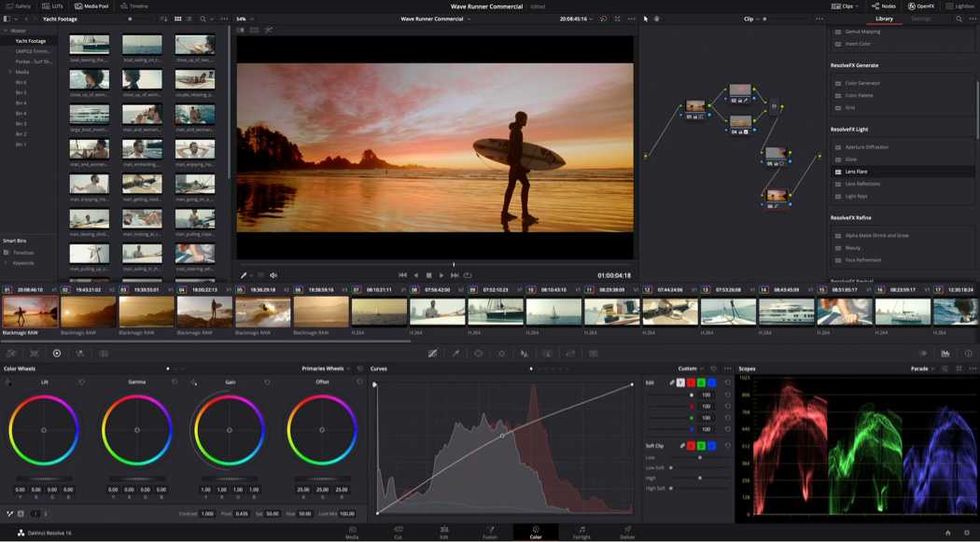
Credit: Blackmagic Design
How to Download and Install
As it has always been in the past, downloading and installing the latest updates for DaVinci Resolve is quite easy either in-app or by heading to Blackmagic Design’s website here.
You can also review the minimum system requirements.
Minimum system requirements for Mac OS
- macOS 15 Sequoia or later.
- 8 GB of system memory or 16 GB when using Fusion.
- For monitoring, Blackmagic Design Desktop Video 12.9 or later.
- Apple Silicon-based computer.
Minimum system requirements for Windows
- Windows 10 Creators Update.
- 16 GB of system memory or 32 GB when using Fusion.
- For monitoring, Blackmagic Design Desktop Video 12.9 or later.
- Integrated GPU or discrete GPU with at least 4 GB of VRAM.
- GPU that supports OpenCL 1.2 or CUDA 12.8.
- AMD/Intel official drivers from your GPU manufacturer.
- NVIDIA Studio driver 581.57 or newer.
Minimum system requirements for Windows for Arm
- Windows 11 for ARM.
- Qualcomm Snapdragon X Elite series processor.
- 16 GB of system memory or 32 GB for 4K or when using Fusion.
Minimum system requirements for Linux
- Rocky Linux 8.6.
- 32 GB of system memory.
- For monitoring, Blackmagic Design Desktop Video 12.9 or later.
- Discrete GPU with at least 4 GB of VRAM.
- GPU that supports OpenCL 1.2 or CUDA 12.8.
- AMD official drivers from your GPU manufacturer.
- NVIDIA Studio driver 580.119.02 or newer.
- DaVinci Resolve 21 Gets New Beta 4 Update With Major Improvements Across All Pages ›
- DaVinci Resolve Gets 21.0.1 Update With More Accurate DNG and Apple ProRAW Decoding And More ›
- DaVinci Resolve 21 is Finally Here: Here’s How to Get Access to Hundreds of New Features and AI Tools Today ›
- DaVinci Resolve 21 Beta 3 Update Fully Integrates Photo Editing and Adds More Improvements ›
- DaVinci Resolve 21.0.2 Update Adds Faster Image Bypass Switching, Improved H.265 Playback, and More ›
- DaVinci Resolve Adds Support for Sony FX5 X-OCN and API Scripting With Latest Update | No Film School ›