While the world anxiously awaits the release of the latest iPhone models, Apple is doing its due diligence to prepare its range of ancillary products to handle the iPhone 18 Pro and its unique shooting capabilities.
The company has announced a major update to its Final Cut Camera app that will deliver an almost full redesign, add support for available aperture on the new iPhone 18 Pro models, and unlock even more pro options with the release of iOS 27.
Here’s everything you need to know about this Final Cut Camera version 2.4 update.
Final Cut Camera Update 2.4
Credit: Apple
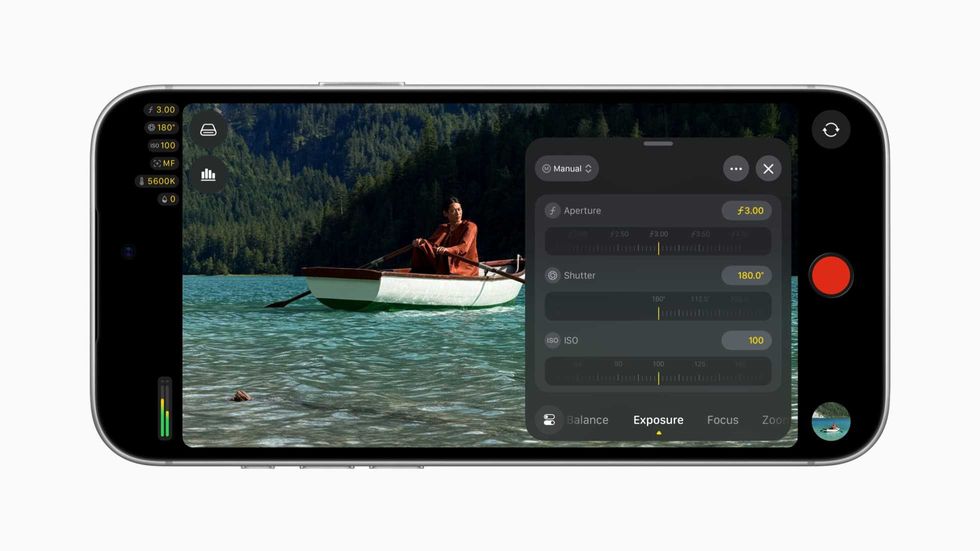
While any major update and expansion of sorts for a filmmaking app is good news, this Final Cut Camera update appears to really be spurred by the release of the iPhone 18 Pro and its unique shooting features. This version 2.4 update addresses this by adding support for variable aperture, one of the key features the iPhone 18 Pro is set to offer smartphone filmmakers and content creators.
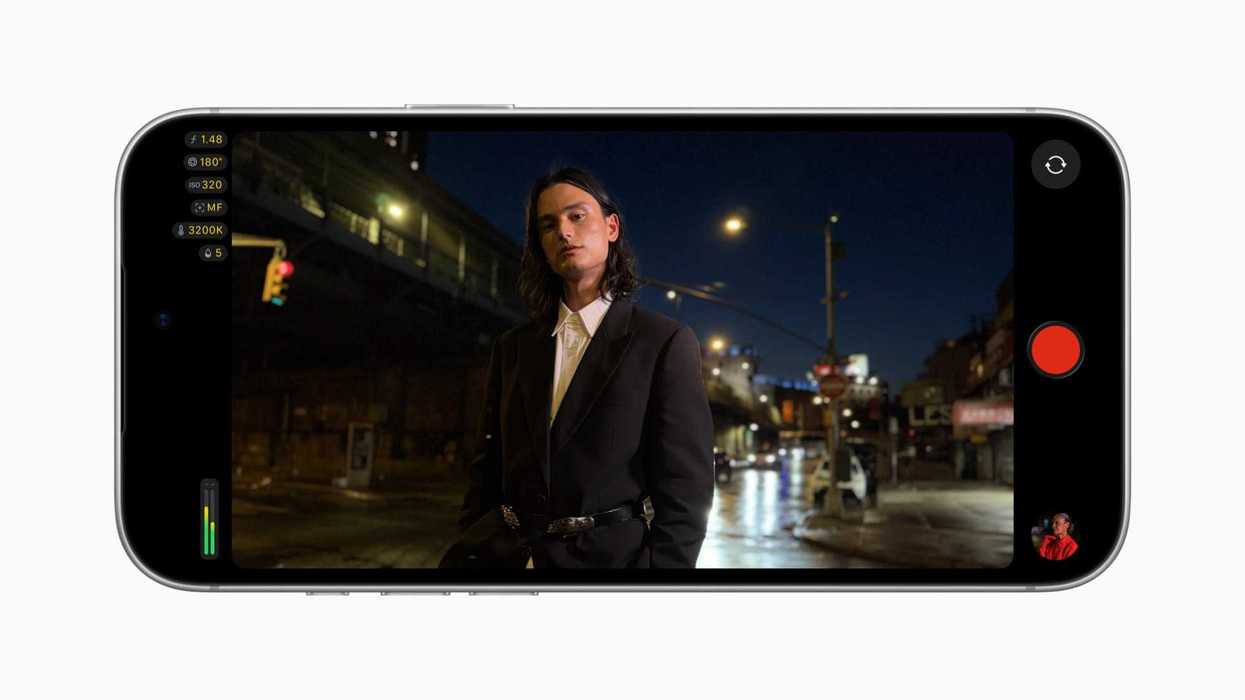
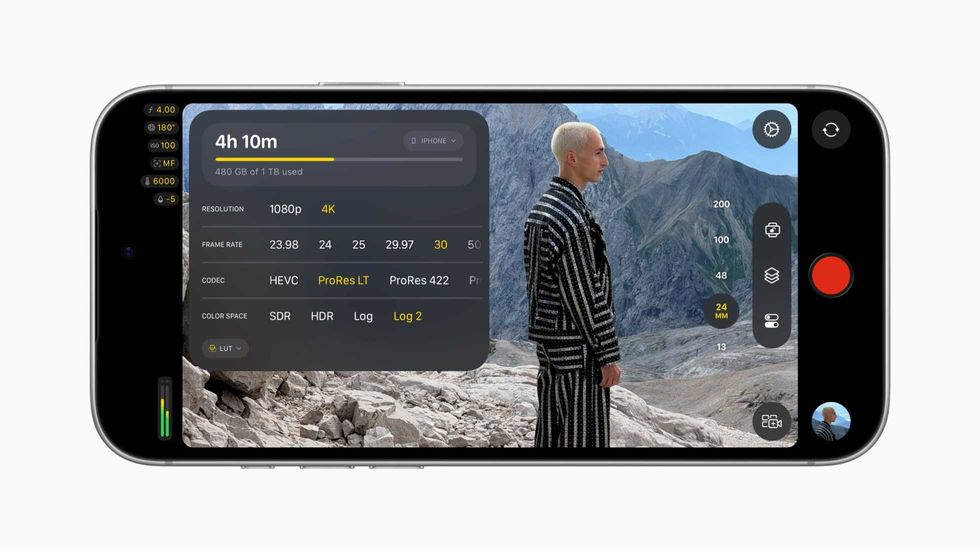
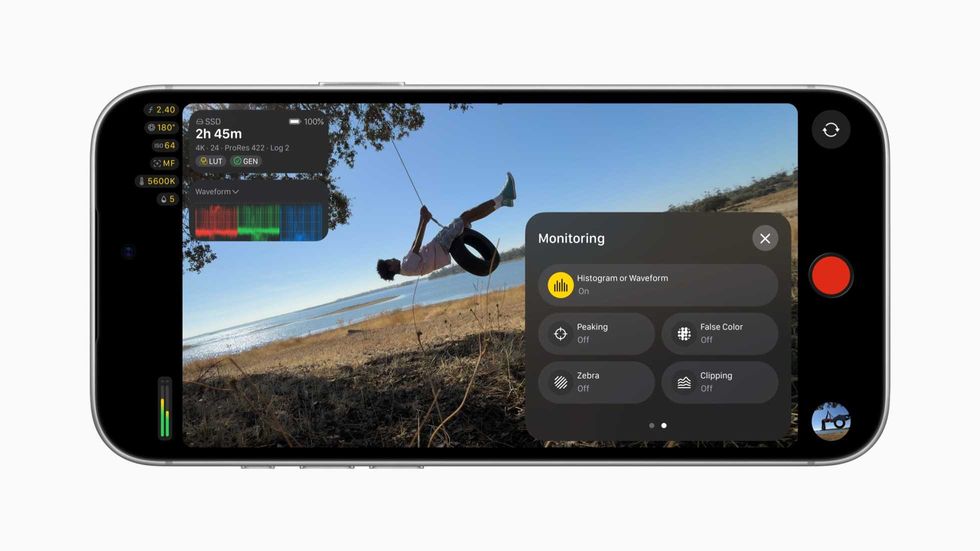
However, outside of the iPhone 18 Pro readiness updates, this new version is also pretty much a complete redesign, as the Final Cut Camera app will now give shooters even easier access to a ton of helpful settings like shutter angle, ISO, and white balance, along with customizable overlays, including false color and clipping indicators for proper exposure, and improved focus peaking with sensitivity control.
The update will also add a new tally light to indicate when recording is happening, as well as a new two-finger tap command that clears the viewfinder so users can focus on their next shots.
Full List of Updates
Credit: Apple
There’s actually a lot to unpack here, so here’s the full list of everything new with this latest Final Cut Camera Update 2.4.
- Explore a beautiful new design featuring easy-to-access settings, customizable overlays, two-finger tap to put focus on the viewfinder, a tally light to indicate recording, and more
- Capture stunning video using the 48MP Fusion Main camera with variable aperture from F1.48 to F4, with aperture priority, shutter priority, and manual modes*
- Monitor your video with the RGB parade and histogram**
- Dial in your exposure with false color and clipping indicators with threshold settings
- Nail focus using improved focus peaking with sensitivity control
- Get Cinematic mode effects from regular video, including support for ProRes and Apple Log, to achieve beautiful bokeh you can adjust in Final Cut Pro***
- Send a clean video signal using an HDMI-to-SDI converter for broadcast-quality streams****
- Set your genlock frame delay to compensate for image artifacts from a recorded display or latency differences between your iPhone and other genlocked cameras*****
The company has also recently added the following, which you might not have been aware of either.
- Use Clean HDMI Out to send a clean video feed without overlays to an external monitor or recorder so you can stay focused on the image being captured*****
- Choose from ProRes 422 HQ, ProRes 422, or ProRes 422 LT for incredible video fidelity and editing performance, with more options to balance image quality and file size******
- Disable digital zoom to ensure every shot records at full optical resolution
- Easily connect your iPhone to your Mac and import your media from Final Cut Camera into Final Cut Pro
And for the asterisk above, here are the corresponding requirements:
- Requires iPhone 18 Pro
- ** Requires iOS 27
- *** Requires iPhone 18 Pro or iPhone Duo
- **** Requires iPhone 17 Pro or later and iOS 27
- ***** Requires iPhone 17 Pro or later
- ****** Requires iPhone 13 Pro or later
Price and Availability
Credit: Apple
The Final Cut Camera app is free to download and use, and the latest version is available on the Apple app store here.
- Apple Releases Final Cut Pro 12.2 Update With Reduced Startup Time and Bug Fixes ›
- Final Cut Camera and iPad Mulitcam are Truly Revolutionary ›
- Preview the AI-Powered Updates Coming to Final Cut Pro for Mac and iPad 2 ›
- Capture Log-Encoded HEVC Video With the Upgraded Final Cut Camera 1.1 ›
- Impressive Final Cut Pro Updates Are Here To Compete With Premiere ›