While the main refrain for pretty much anything in the world of video editing these days is “AI this” or “AI that”, this latest update for Adobe Premiere is actually more of a mixed bag than you might expect. Yes, new AI-powered tools are on the way, but there are also many more updates that have more to do with collaboration and workflow improvements, too.
The big news here is a smarter AI search feature for both audio and video, bulk audio bleeping, and smoother timeline interactions and collaboration features. Here’s everything you need to know about Adobe Premiere 25.6.
Adobe Premiere 25.6 Update

Credit: Adobe
As mentioned above, there are some specific updates worth shouting out here at the top. The smarter AI search and bulk audio bleeping are the biggest headlines from Adobe’s announcement. However, buried in the news is the announcement of new N-RAW support so video pros can use the latest cameras from Nikon.
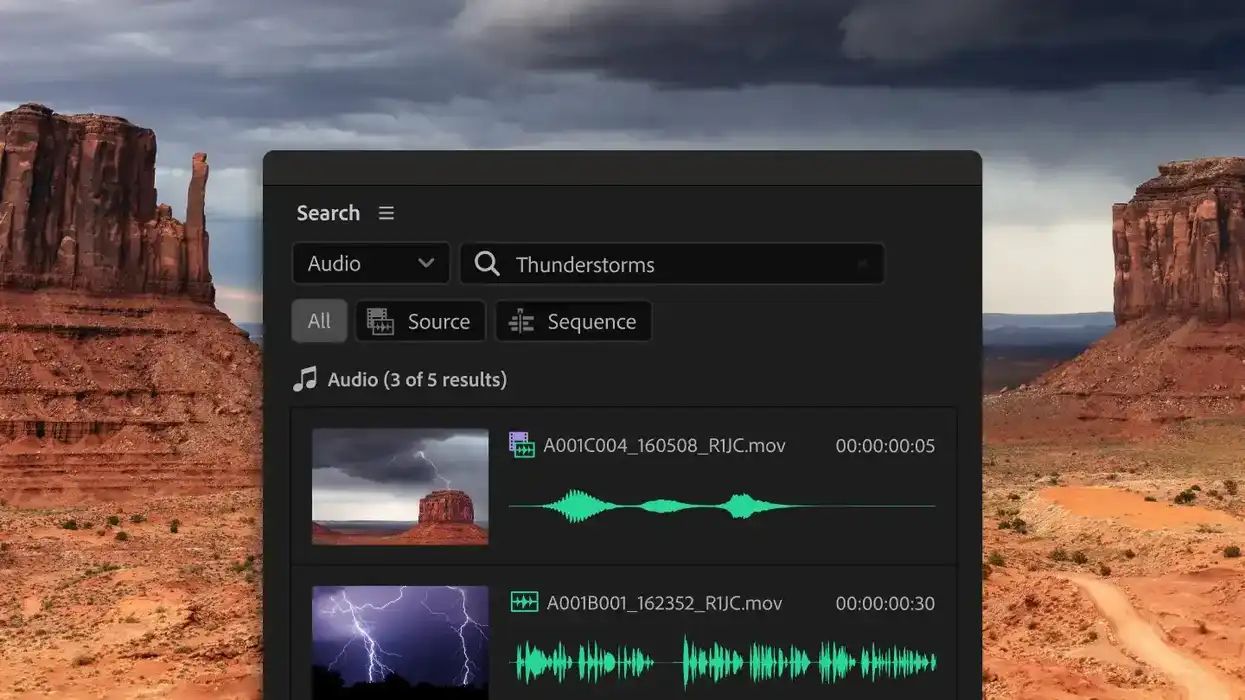
Looking first at the AI search feature, Adobe Premiere will now feature a new Audio Search in the Search panel, where you can describe what you’re looking for, and Premiere will find it from across all of your open projects.
There’s also a new Fine Similar feature that will surface clips that are visually similar to whatever you’re working with as well. It’s available via a simple right-click on results in the Search panel.
Censor Transcript Feature

Credit: Adobe
Another helpful new tool will be a new Censor Transcript functionality that will let users bleep, mute, or add a sound effect in one pass. Showcased at Adobe MAX 2025, this new feature can be kind of fun and funny to mess around with, but for editors looking to make quick work of editing out curse words, it should help immensely.
All users need to do is flag words or phrases, and Premiere will handle every instance across your whole project. You’ll even be able to add your own custom sound effects, too.
Collaboration Features

Credit: Adobe
The final updates all have to do with collaboration. As we covered with the latest Adobe Premiere updates from Adobe MAX 2025, Adobe Firefly has its own video editor now. If you’re interested in crossing projects between the two, you can now send your generations directly to Premiere in a single click.
Adobe is also adding a new Frame.io V4 panel in Premiere where you can bring in comments, media, and versioning, as well as ingest assets, share cuts, and sync notes without leaving Premiere.
To better coordinate with Adobe Premiere on iPhone, users can also now start a project while on the go by beginning to work on their iPhones before easily sending the projects to finish on Adobe Premiere on desktop.
If you’d like to read more about the updates to Adobe Premiere 25.6, you can get more info on Adobe’s website here.
- Adobe MAX 2025: Premiere Gets New AI Masking Features For Easier Adjustments ›
- It’s Here! You Can Now Start Using Adobe Premiere on iPhone Beginning Today ›
- Adobe Premiere Rush Makes Editing Anywhere You Want to Be Easier ›
- Learn How to Use Adobe Premiere Pro in 15 Minutes ›
- How to Create and Apply Lumetri Color Presets in Adobe Premiere Pro in 3 Easy Steps ›
- Are You 'Tagging' Your Clips in Premiere Pro? You Should Be ›