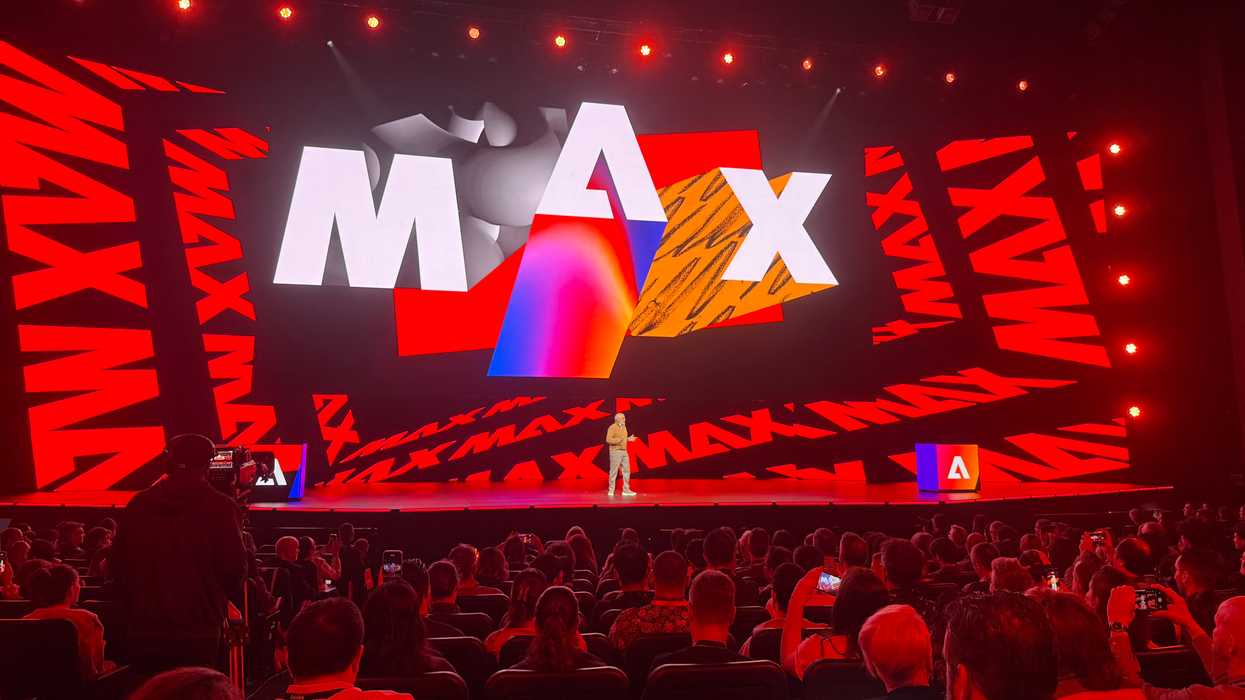
Packed into the main auditorium for this year’s Adobe MAX conference in Los Angeles, it’s clear that the buzz in the room is a familiar refrain. AI is here, and it’s changing everything.
While the initial shock of AI might not have worn off for anyone yet, what AI is offering for filmmakers, editors, and other miscellaneous creators has settled into a couple of camps. Generative AI and workflow AI tools and features offer quite different solutions these days, but they do come from the same source.
Adobe Firefly, the company’s main AI model, is getting many generative upgrades, and the Adobe Creative Cloud ecosystem is getting many AI-powered workflow updates. Here’s what you need to know.
Adobe MAX 2025 Updates
The big news in terms of AI updates for Adobe really is that a dozen different generative AI models will now be available to use in the Creative Cloud. Along with Adobe’s own commercially safe Firefly models, users can use models from other industry leaders like Google, OpenAI, Luma AI, Runway, and more.
Adobe has also launched Firefly Image Model 5, the company’s most advanced image generation and editing model yet, which promises to excel at generating photorealistic details.
The new Firefly Image Model 5 can generate images in native 4MP resolution without upscaling and produce sharp, detailed assets ready to put in your production flow. Users can also now edit images with just a prompt.

Generative Speech and Soundtrack
Adobe also unveiled some notable AI updates that have to do with sound, music, and speech. A new Generate Soundtrack feature is now live in public beta that allows users to tell Firefly the mood and energy they’re going for, and it’ll compose an original, studio-quality soundtrack tailored perfectly to your video — trimmed to your video’s length.
Some other, similar AI sound features will also include:
- Generate Speech (public beta): Looking for a clear, engaging voice-over to narrate your video? Upload your script and the new Generate Speech tool in Firefly will generate crystal-clear, lifelike voiceovers in multiple languages and fine-tune emotion, pacing, and emphasis for natural, expressive delivery.
- Enhance Speech: You’ve recorded your voiceover, but — as always — there’s annoying background noise. The Enhance Speech tool, launched earlier this year, will eliminate the distractions and make it sound like you recorded in a professional studio.
- Generate Sound Effects: Generate custom sound effects — or use your voice to prompt the sound effect and make sure the timing is just right with Generate Sound Effects, launched earlier this year.

AI Video Tools
The biggest news, though, might be the introduction of a new video editor where users can turn concepts into finished videos without ever leaving the Firefly app.
Capable of starting with just a reference image or just a description of what you’d like to see, users can use the Firefly Video Model, Runway Aleph, Moonvalley Marey, or Veo3 to generate footage in the exact style you’re looking for. Upload two reference images, and you can generate a unique transition from one shot to the other.
The Firefly video editor’s flexible and powerful multi-timeline interface makes it easy to combine footage you’ve generated and footage you’ve shot yourself, trim, rearrange, add titles and captions, and perfect your video’s sound.
If you’re curious to check this new video editor out, you can join the waitlist for early access here. We’ll have more updates from Adobe MAX 2025 that explore what else is coming to Premiere Pro here soon.- Want to Learn Everything Adobe? Adobe MAX 2022 Returns Both In Person and Virtually ›
- Adobe’s Firefly Generative AI Video Model Finally Releases to Public Beta ›
- Elevate Your Color Grading Skills in Adobe Premiere Pro with Karl Soule ›
- Adobe Sneaks Showcases How AI Continues to Push Video Workflows Forward ›
- Adobe’s Latest Firefly Update to Push Generative AI Further Than Ever Before ›
- Adobe Offering Unlimited Firefly Video Generations Through December 1st, 2025 | No Film School ›
- Adobe MAX 2025: Premiere Gets New AI Masking Features For Easier Adjustments | No Film School ›
- Adobe MAX 2025: The Future of Video Creation Speeds Up in These Wild Sneak Previews | No Film School ›
- How Dave Clark of Promise Studios is Striving to Bring Balance to the World of AI Filmmaking | No Film School ›
- NVIDIA AI-Powered Music Video Made by Adobe MAX Attendees Now Available for Viewing ›
- Adobe Firefly Overhauls Its Audio Capabilities With Music, Speech, and Sound Effects All Now in One Place | No Film School ›