Filling a gap that used to be vacant, but now has a handful of nice and helpful options for pre-production planning, storyboarding, shot-listing, and a bunch of other pre-pro features, Artemis Studio is another fun option to consider that gets a boost from being a companion app to the popular Artemis Director’s Viewfinder app.
And while the director’s viewfinder app might be what the company is still best known for, this new Artemis Studio is set to offer quite a few helpful features for those looking to get ahead of their pre-pro planning. Let’s check it out.
Artemis Studio for Mac
Credit: Chemical Wedding
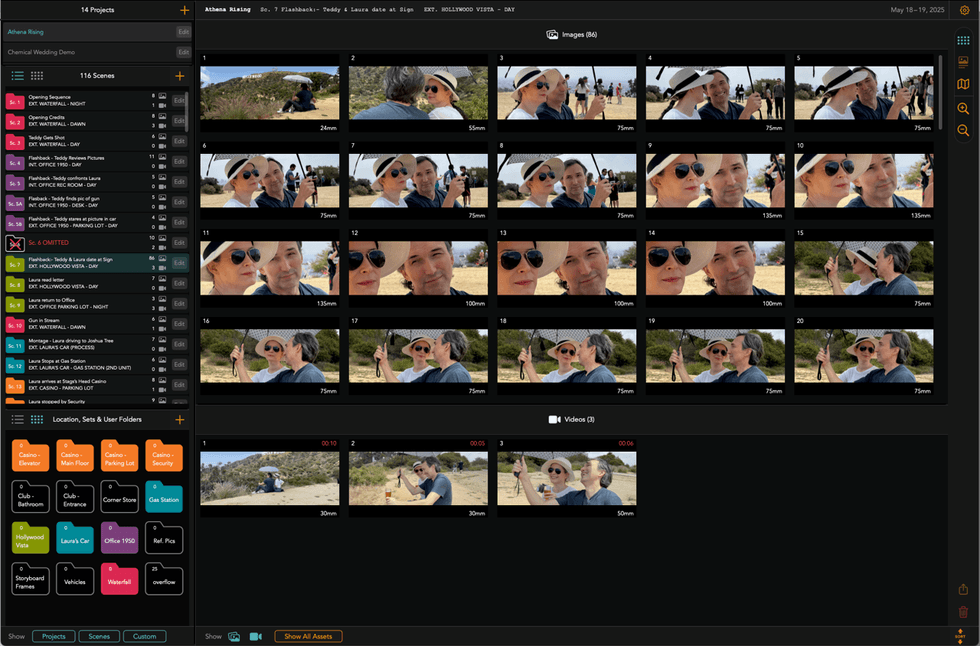
Set to now be fully macOS-native and ready for projects that can be synced with Artemis Gallery on your iPhones or iPads, this macOS app is here to help turn your shot ideas into clear, shareable storyboards or shot lists in seconds.
Users can start their ideation processes on their iPhones, then finish the concepting on their Macs, all while keeping everything in sync in real time. Ideally, a product built for directors, cinematographers, producers, ADs, or other pre-production teams who need to move fast without sacrificing precision or continuity, the app promises quite a bit—but it seems like it can deliver fairly well.
Here’s a full list of features and capabilities:
- Build a complete shot-list for a scene on your Mac at night, then review and tweak it on your phone in the van on the way to set.
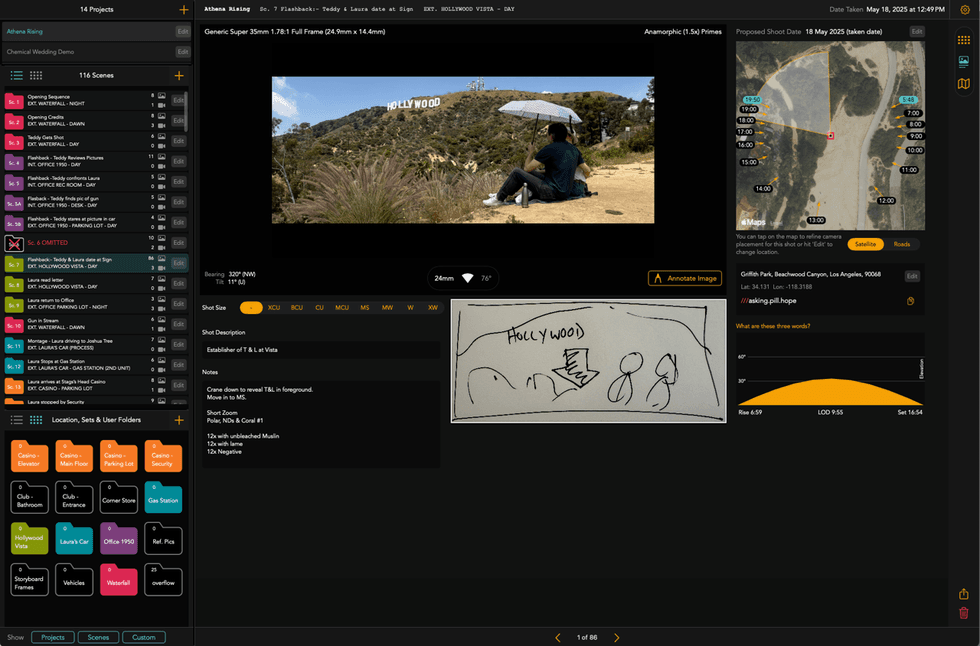
- Make detailed Shot-Plans with all the technical requirements to execute complicated shots.
- When the location changes or equipment changes, update your boards and push the latest version to your director, DP, AD, and production designer instantly.
- Combine framing and sun-path data, so you know exactly when a backlit wide, a profile close-up, or a silhouette will work best at that location.
Overall, the goal here is to save time, streamline processes, and free up more time to take on creative decisions about blocking, coverage, composition, and pacing.
Price and Availability
Credit: Chemical Wedding
To download, the company reports that you’ll need an active subscription and iCloud with sufficient storage, both of which are required to use Artemis Gallery. A free trial is available to see how Artemis Gallery fits into your workflow.
You can find more info on the company’s website here.
- The Future of Viewfinders is Here, and Its Name is Artemis Prime ›
- ARRI Sets New Stabilizer Standard with the TRINITY 2 and ARTEMIS 2 ›
- Apple Creator Studio Brings Major Intelligence Updates in Final Cut Pro ›
- Is the Mac Studio Good for Filmmakers? We Reviewed One to Find Out ›
- Does the New Apple M1 Chip Live Up to the Hype for Filmmakers? ›