For most of its history, Final Cut Pro and the other creative apps were a single purchase that lasted for the length of a version. You bought FCP7, and you got several years of use.
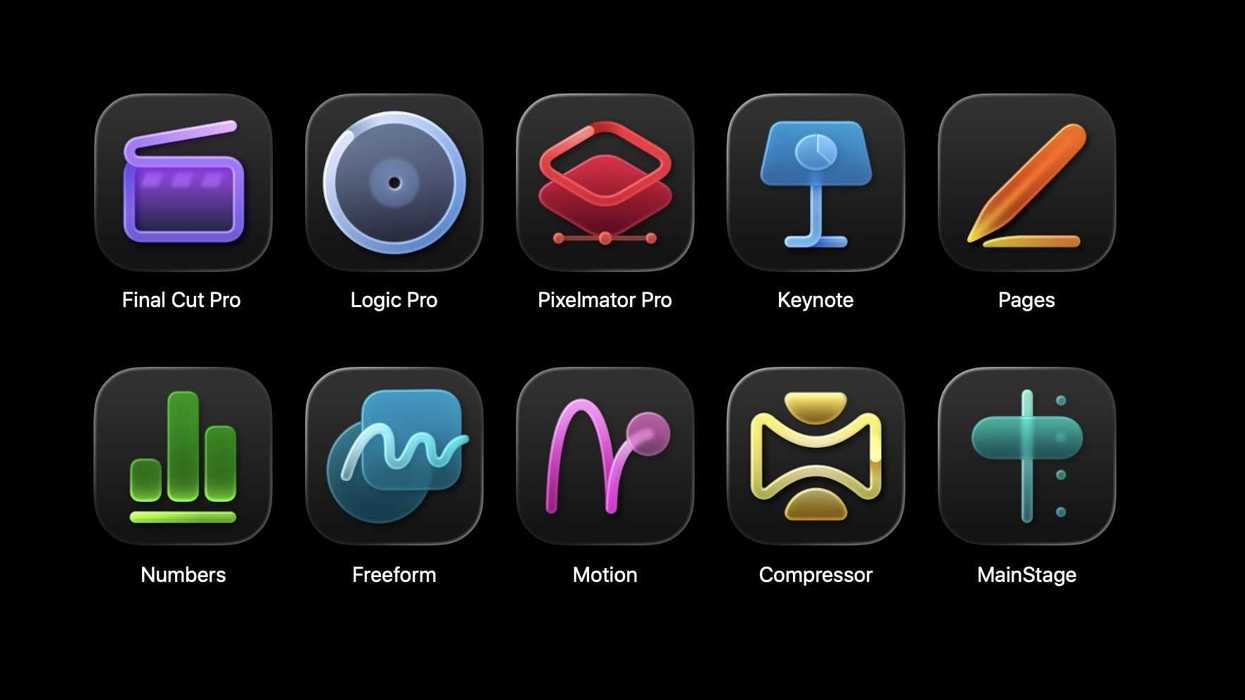
Now, Apple has rolled out a new pricing structure for its creative apps called Apple Creator Studio. In addition to new icons and a ton of AI features, the biggest change is that Apple is moving the apps to a subscription model.
Let's take a closer look!
Apple Creator Studio is here
Credit: Apple
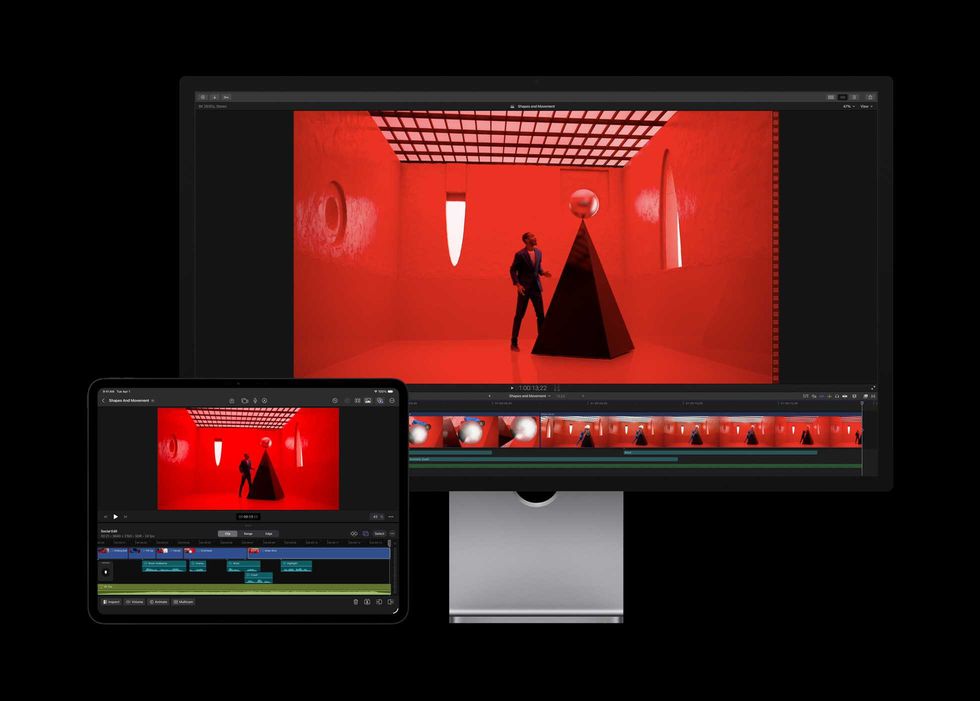
With the new release of Apple Studio, Apple is changing the pricing structure of their popular creative tools, going from a single purchase $299 app to a yearly subscription. In one of the most interesting decisions I've seen in a long time, they are doing a subscription, but you can also just buy the application outright. More on that below.
Apple Intelligence

Local Model AI powers a lot of the new features.
Credit: Apple
The biggest headline in all of this is the integration of a host of Apple Intelligence features into the software.
For context, I'm pretty much as far on the "against AI" spectrum as you can get. I've never opened ChatGPT. I use a search engine (Kagi) that lets me turn AI off, and I've turned it off whenever I've been given the choice. I'm just not a fan.
But I'm not entirely foolish, and the thing I have appreciated from AI is tools where it is legitimately designed to help make the work I'm doing faster. I don't want to have AI write a script for me (I like writing! It's fun!), but I am open to having AI take some of the drudgery out of the worst parts of filmmaking. I've been saying for a long time that if AI could handle my calendar for me and could document work processes, I'd love it. AI isn't quite used for that here, but it is used for making things faster, and that is something.
I will say I think Apple has done a pretty solid job of focusing most of their efforts on the workflow of people using these apps and making it easier. There is a new "montage" tool to cut a highlight reel of your footage, and, well, I guess, uh, I don't know when I'd use that, but I bet someone will. But there are two features I think will actually be very useful for a lot of people.
Image Search
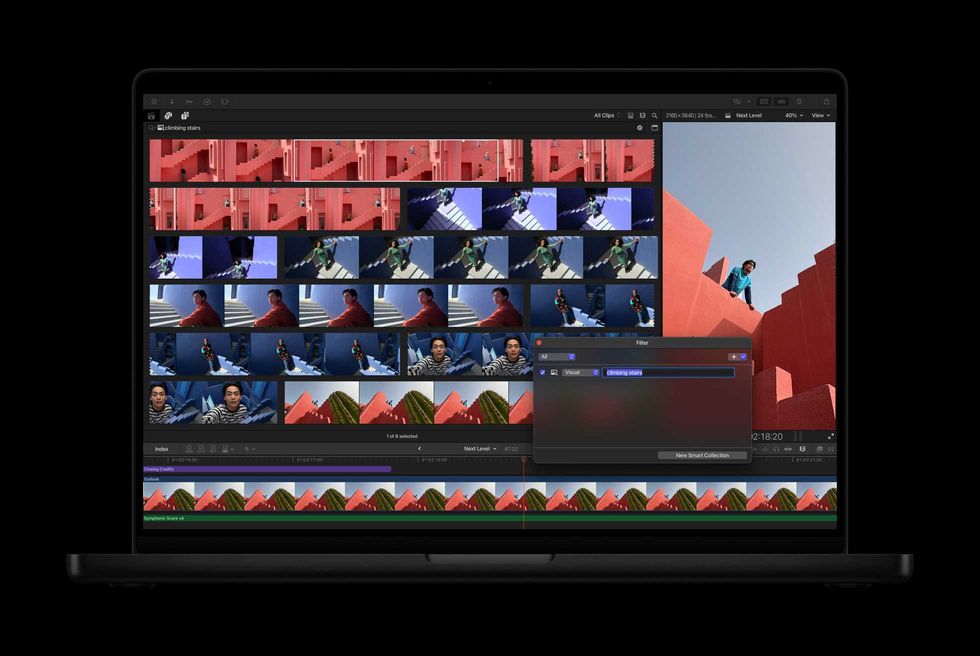
You can search images with natural language.
Credit Apple
In the '90s, if you wanted to find an email later, you had to put it into folders. Then Gmail came along, and the new model was "keep it all, search to find what you need." People stopped organizing their email and just used search.
Filmmaking has largely still been in the "you've got to sort your footage" world until recently. There have been improvements to how we organize that footage, a lot of them driven by Apple and Final Cut. It's now pretty awesome that instead of bins or folders, you can tag a shot, or a sub-section of a shot, and it can show up with search. This comes with the benefit of being able to tag a shot with a lot of different things. So if you have a shot of a dude with a beard drinking orange juice, you can tag it both "orange juice" and "beard." That has been much more natural than what we used to do, making an "orange juice" folder, putting all your orange juice clips in it, and hoping you remember that the sweater shot is in there.
But the new Final Cut Pro goes further than tags; you can just search for a shot that has been analyzed by the AI. And it appears. As you can see in the image above, type "stairs" and see all the shots with stairs. This was the first thing I wanted to test when I got my hands on the application, and it works. There is a slight delay as a shot is analyzed, but then pretty quickly it slides into place, and the shots you are working for appear.
Even better, you can save your searches to create smart collections. So let's say you do a search for all shots with beards... great! It's saved. But as you keep working, and adding new shots of folks, it'll notice when more shots of dudes with beards appear and keep collecting them. It is pretty darn neat.
This is going to change a lot of workflows. It's no longer going to be a world of sorting all your footage when you start. You'll be able to just start editing and search for the image. Combine this with built-in transcription, and you can just search for every time someone says what you are looking for.
There will be something lost with this evolution. It was probably good, for most projects, to watch all your footage and organize it. I know I personally would find myself thinking about the edit while watching the footage, putting it into "selects" timelines. I wouldn't always finish the whole footage breakdown before starting a bit on the edit, then going back and forth, breaking down and editing.
I suspect we'll see some of the time spent on breakdown go away, and that is valuable time to learn your footage. Editing will be different when it's organized this way. In a weird way, it'll be possible to edit a project without watching all the footage if you instead just start working with footage and search when you need things.
But the flip side is when it's 2 am, and you have to deliver, and you need to replace a shot because you lost the approval, and you just need to find that shot you know you have, and you can't find it...being able to search, well, that's going to be pretty pretty pretty cool.
Beat Detector
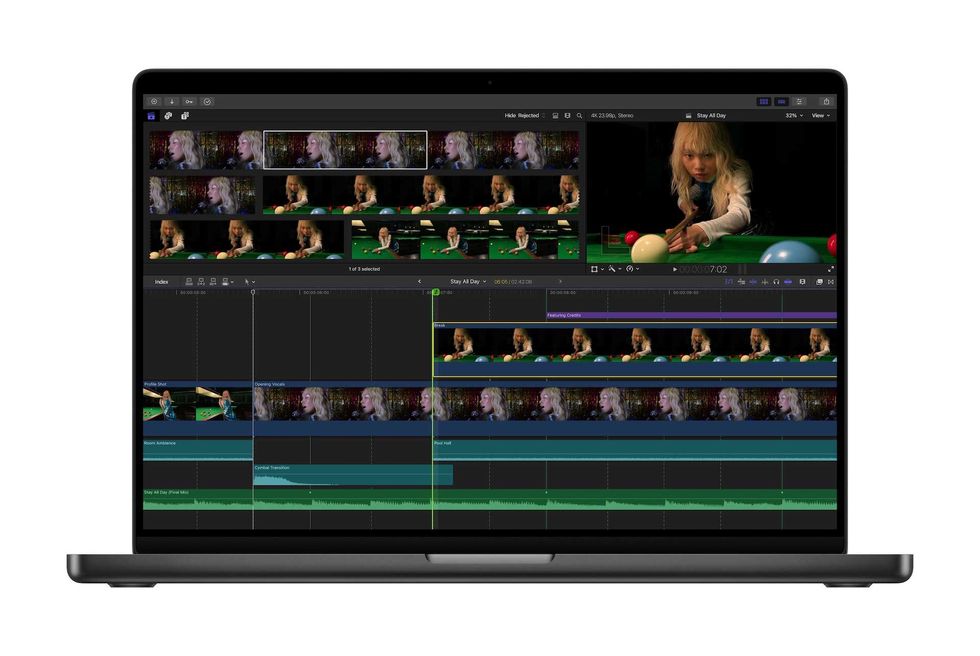
Find the rhythm in your edit.
Credit: Apple
One of the features that AI brings that I think will almost definitely be very useful is the beat detector. One of the first things you learn as an editor is to cut picture running with music on the downbeat. If you didn't come up as a musician, when you first start cutting to music, it can take some time to really learn how to work with the rhythm embedded in the track to make your edits sing.
As many filmmakers or editors are very visual, it's interesting to finally get a visual representation of the beats of a song you can use to edit against. You see those little dotted lines in the image above? Those are beats from the song, identified through Apple Intelligence. Line up your edits on those lines, and you should experience more "flow."
This was the second thing I wanted to test, and I dragged in some songs with rhythmic changes to see how it was handled. So far, in early testing, I was pretty impressed. If you are trying to go with the beat or deliberately against it, this will be a super useful tool in the toolkit.
Subscriptions Come to Final Cut

You can work across desktop and iPad.
Credit: Apple
Apple Creator Studio doesn't just include Final Cut Pro and Compressor, but also Motion and Logic, as well as versions of the productivity apps like Keynote and Numbers. You could previously purchase this software in a bundle, and there was even a time when you could buy a perpetual license as a student or educator for a very affordable $295 for life.
With ACS, Apple is now rolling out a subscription. Like Avid and Adobe before them, the subscription model is too tempting, leaving Blackmagic Resolve the final major NLE without subscription, though even there, you can subscribe to Blackmagic Cloud for storage.
First off, the old license still works. You won't get the new icons, but the old apps will remain, and as of right now, there is feature parity. It's the same app, and all the AI features will roll out for the full license as for the subscription.
That itself is pretty interesting. In a way, you can use this to test if Final Cut Pro is right for you and your workflow, or for a true beginner if you are even interested in film at all. Then, after a month or three, you can keep subscribing, or you can do an outright purchase if you are confident you'll use it for more than 2.5 years.
Conclusion

Credit: Apple
As I said above, I'm normally on the "AI isn't that interesting to me" side of the fence as a creator. However, what I am excited about here is that these features are clearly thought out by working filmmakers to make our lives faster. Image search is amazing. We've all had that time we wanted to find a shot and just couldn't. Natural language search will help as well, finding that soundbite we know is somewhere, but we forgot to tag it in the 80 hours of interviews.
The pricing, $12.99/month or $129/year, with a very generous education discount down to $2.99/month or $29/year, feels somewhat like a fair balance for the new power. I'll be honest, there have been times in my life when there was a shot that I couldn't find that wasn't in the right bin, and I probably would've paid $50 just to find that shot in that moment.
In addition, with family sharing, it can be shared with up to six people. I don't know if there are any small production companies or post houses that set up "family sharing," but if they did, well, there you go. An even better deal.
Final Cut Pro hasn't yet really gained back all the ground it lost a little while ago. But it's just a true fact that they keep rolling out features in Final Cut that all the other major platforms end up emulating. It is a truly innovative platform, and some of these tools will absolutely make your working life better.
I always tell students that if you want to work in post production, you need to master all four of the big NLE's since they'll all show up somewhere. With this release, I think Apple is showing that they plan for Final Cut Pro to stay firmly in the mix for a long time to come, and the editors who stick with it are being rewarded for their loyalty.
- Apple Delivers the Final Cut Update We've Been Waiting For ›
- Final Cut Pro Gets Its First Major Update As Part of the Apple Creator Studio ›
- Apple Releases Final Cut Pro 12.2 Update With Reduced Startup Time and Bug Fixes ›
- Apple Creator Studio Brings Major Intelligence Updates in Final Cut Pro ›
- Apple Creator Studio Prepares for the iPhone 18 Pro With New Templates and Cinematic Mode Effects | No Film School ›
- Here’s Why Apple is Issuing a Warning Against Users Giving Their AI Agents Full Disk Access | No Film School ›