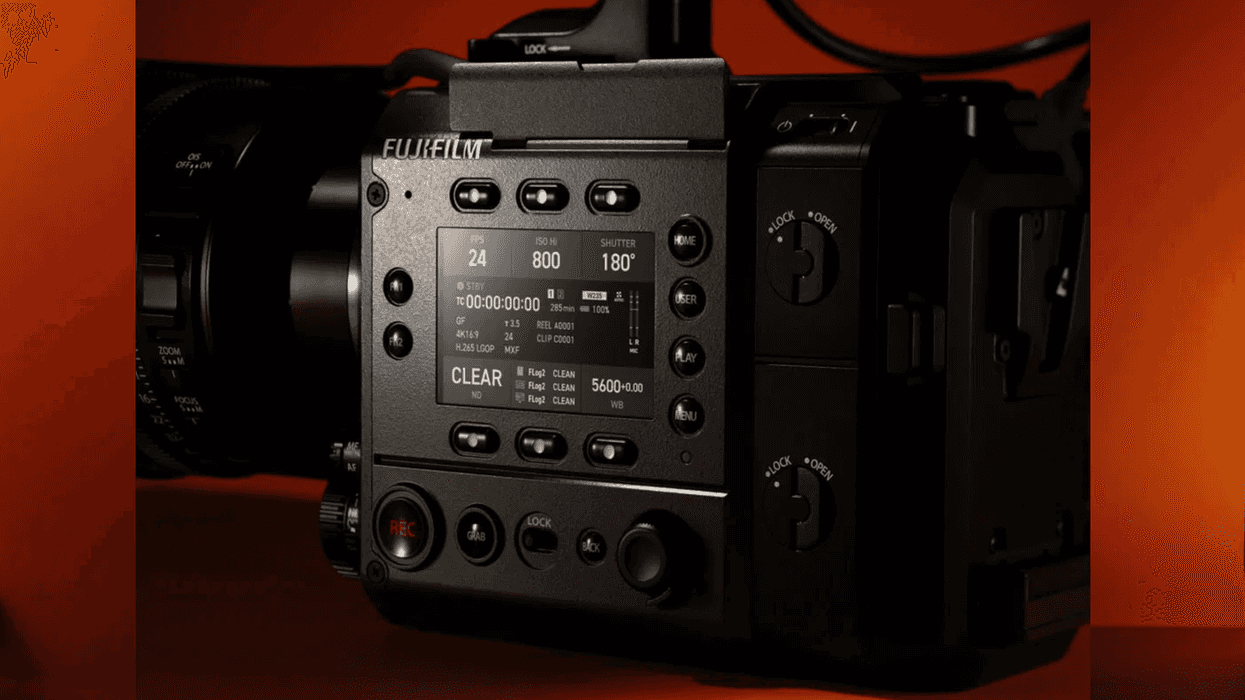
While not as impactful as the previous firmware version 1.02 update for the GFX ETERNA 55, Fujifilm has rolled out a new update that is here to address some minor but critical issues that some users may have experienced with the monitor display.
This 1.04 version update for the GFX ETERNA 55 incorporates a couple of updates and improvements, which are mostly focused on the display, fixing and improving a few bugs that had popped up. Not a major firmware update, but one worth checking out and updating sooner rather than later.
Here’s what you need to know.
Fujifilm GFX ETERNA 55 Update 1.04
As mentioned above, the 1.02 firmware update for the GFX ETERNA 55 was a bit bigger and more ambitious as it added external RAW recording capabilities to Atomos devices by way of HDMI and SDI inputs. We covered the 1.02 firmware update previously, but this 1.04 version isn’t quite as packed.
Still, it’s worth exploring as this 1.04 update addresses some issues with a display delay with external monitors connected via SDI or HDMI. This improvement will affect those recording in formats like 4K 16:9, 4K 17:9, FHD 16:9, and FHD 17:9.
The update will also fix a few mirror bugs that have popped up, where the camera may freeze after firmware updates are completed if the update is done when using only the rechargeable battery for your power supply.
Firmware Update 1.04 Details
Here are the full details for firmware update version 1.04 for the GFX ETERNA 55:
- Display delay of the external monitor connected via SDI or HDMI is improved.
This improvement affects only when using one of the following formats: [4K 16:9], [4K 17:9], [FHD 16:9], or [FHD 17:9], and when [RECORDING FPS] is set to 25 or lower, and [IS SETTING] / [INTERFRAME NR] is set to [OFF]. (Note: Display delay is improved by approximately 40ms reduction compared to Ver.1.03 and earlier.) - The following firmware bugs are fixed.
- The camera may freeze after the firmware update completes if the update is performed using only the rechargeable battery (NP-W235) for power supply. (Note1:Use an external power supply when updating the firmware this time. This improvement is effective after applying this firmware. Note2:After updating to Ver.1.04, the firmware updates will automatically turn the camera power OFF.)
- The camera it may freeze at the sensor cleaning screen when turning on the camera under the following settings.
- A PL mount adapter is attached.
- An external monitor is connected via HDMI, and the monitor’s power is turned off.
FUJIFILM GFX ETERNA 55 Cinema Camera

FUJIFILM brings its vaunted photographic history to a video-centric form with the GFX ETERNA 55 Cinema Camera.
- You’re Not Truly Using the Fujifilm GFX ETERNA 55 Until You Add This Major Firmware Update ›
- Can Fujifilm's First Filmmaking Camera Bring Balance to the Large Format Market? ›
- Rig Up Your Fujifilm GFX ETERNA 55 for Superior Audio With This New XLR Module ›
- Learn the Basic Functions of the Fujifilm GFX ETERNA 55 With Latest Hands-On Tutorial ›
- Despite Tariffs, Fujifilm Reports Strong Earnings and New Products in the Pipeline ›
- Fujifilm Releases Firmware Update for GFX ETERNA 55 Plus Roadmap Future Improvements ›