Struggling With Framing Up Your Shots? Here’s How to Let Your Sony Cameras Handle it For You
Sony released a helpful guide to its Auto Framing tool to help creators who are blind or have low vision keep subjects centered in their frames.
What’s been great about the digital camera revolution over the past few years is that it has not only unlocked more cameras for more people to dive into the worlds of photography, videography, and content creation, but it’s also developed new ways to bring accessibility to those who have perhaps never considered any of these avenues in the past due to physical limitations like blindness or low vision.
Regardless of why you might want to use a tool like this, Sony’s Auto Frame feature is powerful and can help in a wide range of situations. You just have to understand how to use it.
And that’s what this latest feature guide goes over, so let’s dive in.
Sony Auto Framing Accessibility Feature
Available on most Sony Alpha series cameras, Auto Framing is an accessibility feature that’s super helpful for those who are blind or have low vision, but it's also a sneaky-helpful feature for run-and-gun shooters and solo shooters looking for camera assistance.
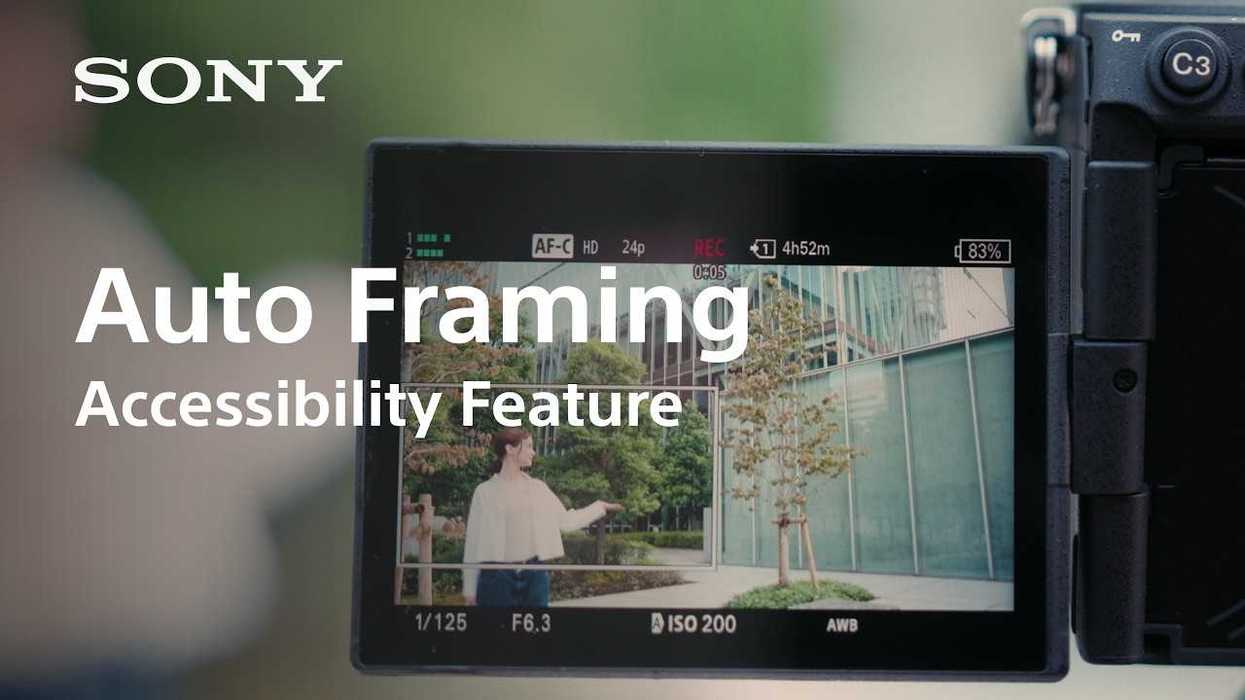
The Auto Framing feature works pretty much as you’d expect: it helps keep subjects centered in the frame, making it easier to capture content with confidence, even if you can’t fully see what you’re capturing for photo or video.
This video is pretty helpful too, as it goes over pretty much everything you need to know about getting started with Auto Framing for the first time, including how to navigate to it in your camera’s settings, as well as explaining how it works, with the cropping frame being able to follow your subject across your screen.
More Auto Framing Advice
The only other main trick worth mentioning is that this feature works best with wide- to normal-angle lenses, set up to give the camera and sensor enough space and information to track a subject that might move a lot in any direction in the shot.
Long lenses and tight close-ups can make this trickier, so keep that in mind when you set up your own cameras and shots, or when you help set up cameras for people with low vision needs.
Overall, this is a helpful accessibility feature that can make a world of difference for creators, filmmakers, or everyday users who might not have had access to cameras with tools like these in the past.
For more info on Sony Auto Framing, which cameras it works with, and how to explore it further, visit the company’s website here.
- Sony’s Autofocus Settings Explained ›
- The Sony FX2 Is Here to Offer Expanded Cinema Line Versatility to All Creatives ›
- Sony’s Latest Firmware Updates for Several FX-Line Cameras Offer “BIG” New Features ›
- Capture Live Sports and Streams With Sony’s Latest UHD 4K60 Camcorders ›
- The AI Composition Features of Sony's New PTZ Cameras May Change The Way You Frame ›