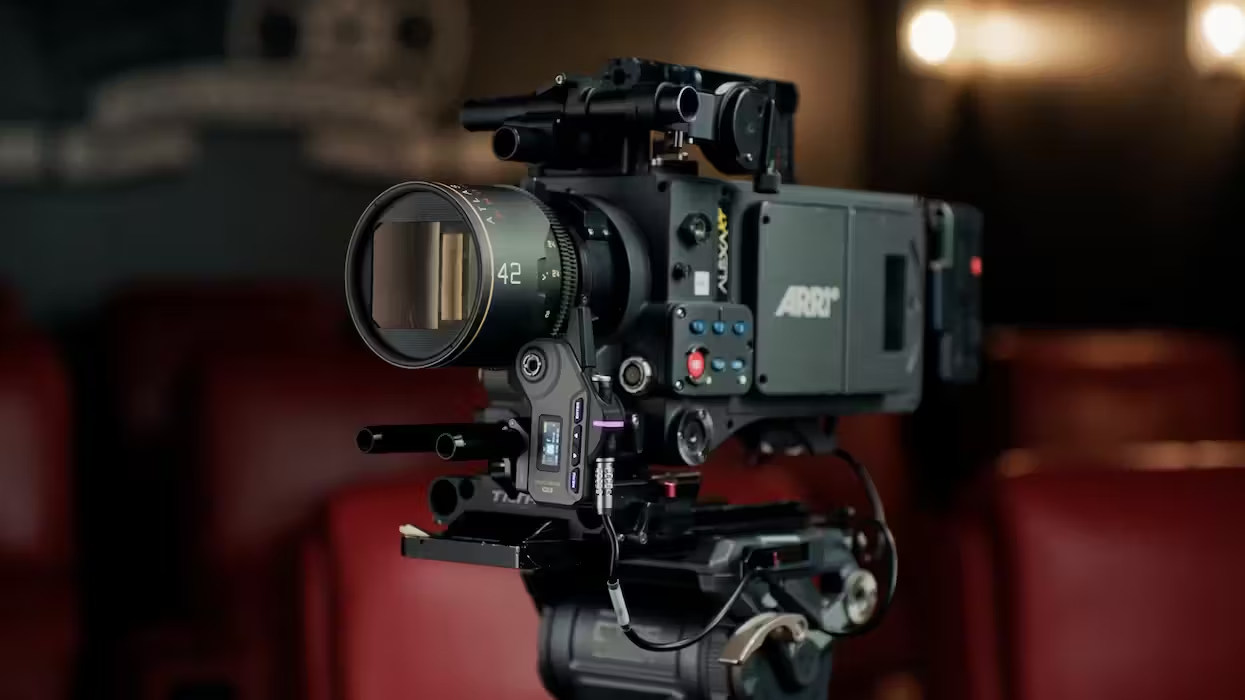
Everyone loves a good firmware update to start their day. That is, as long as the update actually provides improvements, and not new problems. Which can sometimes be the case. However, for the Tilta Nucleus-M II Wireless Lens Control System, we have several updates to catch you up on; you can update to the point you feel secure.
A general rule of thumb is that once an update has been out for a few weeks, if not a few days, it’s likely good to go if you haven’t heard of any issues. It can be hard sometimes, as some updates add cool new features, and it looks like we have some fun stuff to explore here.
Nucleus-M II Wireless Lens Control System Update
So, for the Nucleus-M II Wireless Lens Control System from Tilta, which we covered when it first came out, the updated model that debuted at NAB 2025 was a much-anticipated follow-up from the original model released 8 years ago, 9 years ago now.
The system supports up to four motors (focus, iris, zoom, and ND) and wireless camera control with a range of compatible cameras. This new firmware update expands the list of features and functions by adding more options to the lens library, improving touchscreen controls, and fixing issues that could cause the motor to lose its position when power-cycled without recalibration.
The updates also add support for the Nucleus Auto Focus and include other enhancements to the aforementioned motor and handgrip.
Full Breakdown of Updates
Since this is a multi-part update with new firmware updates for the FIZ Hand Unit, the motor, and the handgrip, here’s the full list of all the latest updates available from Tilta:
Motor Update Notes:
v2.1.4
- Fixed an issue that would cause the motor to lose its position when power cycled without recalibrating.
v2.1.2
- Removed the manual override function for motors other than Focus.
v2.1.1
- Added support for Nucleus Auto Focus
- Misc. bug fixes
v2.0.6
- Daisy-chained motors can now be controlled by different controllers when on different channels. The FIZ will need to be set to INACTIVE before the Hand Grip is powered on to establish the connection
- Added a Heavy Load Mode for the Hydra x Dan Ming Speed Pan System, available in the MODE menu option.
- Fixed an issue where 24V power sources could cause the motor to draw excessive operating current.
FIZ Hand Unit Update Notes
v2.8.2
- Optimized Auto Focus Adapter Manual Control Mode.
v2.7.13
- Locking the Touch Screen no longer disables the unit’s physical buttons.
- Added additional Lenses to the Lens Library (will require a Factory Reset. Please back up any previously mapped lenses)
- Lens Library is now sorted by focal length.
- Added a setting to disable auxiliary screens (MENU → FUNCTION → AUX SCREENS → (on/off))
- Replaced RESOLUTION with IRIS on the Camera Control Interface.
- Increased the time it will take for the unit to go to sleep from 3 minutes to 10 minutes
- Improved overall system stability.
- Fixed the issue where the auxiliary screen displayed overlapping information after startup.
- When mapping a lens, holding ENTER will allow you to move the position of a previously set mark.
- Fixed an issue where automatic screen brightness permanently enabled the Iris Slider LED
- Fixed an issue where the auxiliary screen flashed white upon startup.
Hand Grip Update Notes: v1.3.0
- Added Joystick Rate Menu option which allows independent sensitivities for up and down inputs.
- While INACTIVE, the Hand Grip REC button can no longer control recording.
- Improved Knob Calibration now requires calibrating at four points: two endpoints for long throw and two endpoints for short throw.
- When assigned to Motor No. 0, the Knob will control Joystick Speed.
You can find more info on how to update, along with directions to follow, on the company’s website here.
Tilta Nucleus-M II Ultimate Kit

The Tilta Nucleus-M II Wireless Lens Control System Ultimate Kit provides advanced, four-channel lens control for cine-style shooters.
- The Nucleus-M II Brings Major Updates to Tilta’s Popular Follow Focus System at NAB 2025 ›
- Tilta Updates Nucleus-m With 'Easy Mode' For Wireless Lens Control ›
- Meet Tilta's Next-Generation Nucleus Nano II Wireless Lens Control System ›
- Break Free From Closed Autofocus Ecosystems With This New Phase-Detection Technology ›
- Bring Modern Autofocus Performance to Your Classic Manual Cinema Lenses With This New AF Adapter ›