We know that indie filmmakers are trying to save money wherever they can. Budgets are stretched thin, and you need all your cash to hit the screen. That's why so many people are turning to AI to help streamline their processes and save them money.
So, we want to teach you how to make a pitch deck that looks professional for $0.
In order to take you through it, we used the logline from the AI vs. Human screenwriting challenge to run our own experiment and show you the results.
It was: "A burnt-out bodyguard and a naive, fame-obsessed pop star must team up to take down a ruthless crime syndicate after accidentally witnessing a murder, leading to a series of chaotic mishaps and unlikely friendships."
Now, let's examine the process.
1. Architect Your Narrative with ChatGPT
No matter what, you need to have your story in place and ready, because without that, you'll never find a real buyer. Don’t just ask AI to "write a pitch deck." You've got to be more detailed - the point is you're using your brain to get what you want from AI.
The Strategy:
Use ChatGPT or Google Gemini (the free version works fine) to act as your "Creative Executive." Instead of a generic prompt, use this "Indie Film Blueprint" prompt:
"I am an indie filmmaker pitching a [Genre] feature called [Title]. Here is my logline: [Insert Logline]. Act as an experienced film producer and help me outline a 10-slide pitch deck. Focus on: The Hook, The World, Tone & Aesthetic (referencing similar films), Character Arc, and the 'Why Now?' factor."
Pro Tip: Ask it to suggest "comparable titles" (comps) for your budget range. This shows investors you understand the market.
The Results:
Here is your 10-slide architectural outline, designed to move an investor from "How does this work?" to "I need to see this movie."
Slide 1: The Title Card (The "Collision")
- Visual: A stark visual split. The left side is "Tactical/Gritty" (matte blacks, gunmetal grey); the right side is "Hyper-Pop" (neon pinks, lens flares).
- Text: BODYGUARD (use a bold, industrial font).
Slide 2: The Hook (The "Wrong Place")
- Visual: A high-end smartphone lying in a puddle of blood, still recording a viral video.
- Text: One witness is a liability. Two is a nightmare. Especially when one won't stop live-streaming.
Slide 3: The World: "Glitter & Gore"
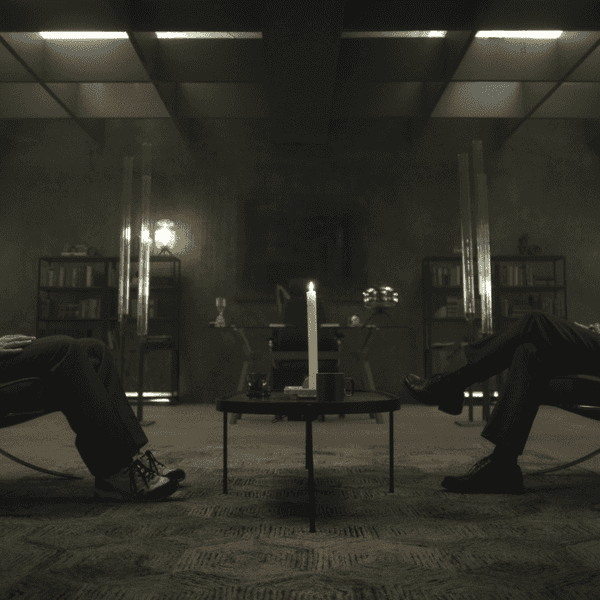
- Visual: A mood board blending the sterile, brutalist architecture of a crime syndicate’s HQ with the chaotic, oversaturated backstage of a stadium tour.
- The Vibe: We are contrasting the unseen underworld with the over-exposed celebrity world.
Slide 4: Character Profile: ELIAS (The Shield)
- Visual: Close-up of a man looking tired, perhaps stitching a wound in a hotel mirror.
- The Arc: From Numb to Alive. Elias has protected people he hates for so long that he’s lost his soul. Protecting someone "fame-obsessed" forces him to rediscover his own humanity through the chaos.
Slide 5: Character Profile: MIMI (The Spotlight)
- Visual: Mimi in a ridiculous, oversized, feathered coat, holding a heavy Glock like it’s a fashion accessory.
- The Arc: From Curated to Authentic. Mimi’s life is a 15-second loop. Being hunted by the syndicate is the first "real" thing that has happened to her in years.
Slide 6: Tone & Aesthetic (The "Comps")
- Text: The lethal precision of John Wick meets the chaotic banter of The Nice Guys.
- Aesthetic Note: We’re using a "Neon-Noir" palette. Think high-contrast shadows punctuated by the artificial glow of billboards and paparazzi flashes.
Slide 7: The Antagonist: THE SYNDICATE
- Visual: A sleek, corporate boardroom where the "monsters" wear $5,000 suits.
- The Threat: This isn't a street gang; it's a "cleaner" organization. They don't just kill you; they erase your digital footprint first.
Slide 8: The "Chaotic Mishaps" (The Set Pieces)
- Visual: A montage of storyboard-style frames: A high-speed chase in a pink limo; a shootout in a silent "ASMR" recording studio; a narrow escape through a crowded red carpet event.
Slide 9: Why Now? (The Social Commentary)
- Text: We live in an era of "Performance vs. Reality."
- The Point: This film explores the absurdity of our obsession with being "seen" at a time when staying hidden is the only way to stay alive. It’s a timely, high-octane satire of influencer culture.
Slide 10: The Team & Closing
- Visual: Elias and Mimi sharing a quiet moment—he’s teaching her how to load a magazine; she’s teaching him how to take a proper selfie.
- Text: BODYGUARD. Survival is the ultimate brand deal.
Your Next Step
To make this deck pop, you need Hero Images that don't look like generic AI.
 Credit: Google Gemini
2. The Muscle: Auto-Generating the Deck
There are a bunch of AI platforms that will now take your outline and build the actual slides for you. Here's the stuff people like and how they use them.
The Best Free Tools:
| Tool | Best For | Why We Love the Free Tier |
| Gamma.app | Speed & Innovation | You get 400 credits at signup. It generates a full 8-10 slide deck (images included) in 60 seconds. |
| Canva Magic Design | Aesthetic Control | Use the "Magic Design" feature to turn a prompt into a template. Huge library of free film-specific graphics. |
| LTX Studio | Cinematic Continuity | Specifically built for filmmakers, it creates storyboards and mood boards that maintain character consistency across slides. |
The Workflow: Copy your ChatGPT outline into Gamma. Select "Presentation," paste your text, and watch it build. If the AI-generated images look too "tech-startup," don't worry—we’ll fix that in the next step.
The Results:

3. The Soul: Creating "Mood" with AI Imagery
Stock photos are boring and overused. Get something that's tailored to your project. Use AI to be unique and to hit the tone you want exactly. You are selling them a vibe and a vision.
Create Your Own Concept Art:
Use Leonardo.ai or Microsoft Designer (DALL-E 3). These offer generous daily free credits.
- The Prompting Trick: Don't just describe the scene. Describe the cinematography.
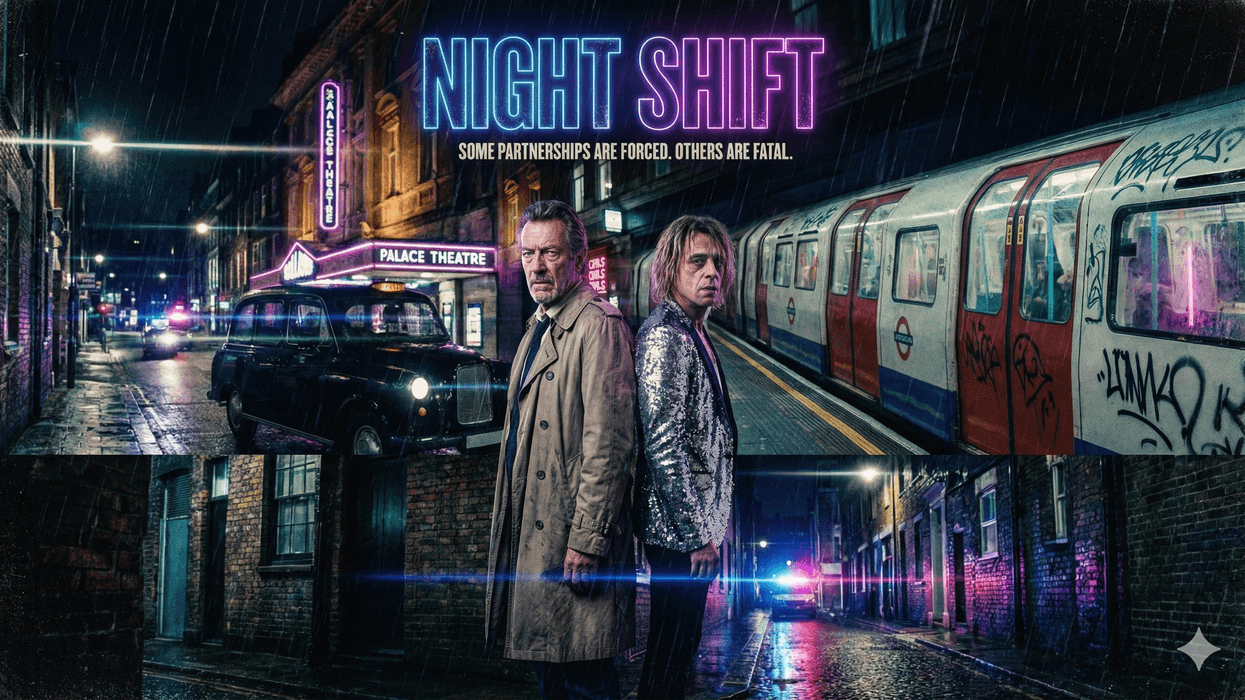
- Example: "Cinematic wide shot, 35mm film grain, moody chiaroscuro lighting, neon-drenched streets of London, anamorphic lens flares, high contrast."
We wound up using Gemini because it was free and more consistent to make these images.
 Credit: Gemini
For Character Mockups:
Use LTX Studio or Google Gemini. You can "cast" a character and then generate multiple shots of that same character in different locations, ensuring your deck looks like a cohesive movie, not a random collage.
 Credit; Gemino
4. The Polish: Final Edits
Look, we all know AI is very good at helping you be an architect. But you have to be the filmmaker with the vision to make this happen.
So when it comes to owning all this stuff, you need to have the final say and be the final voice.
Go back through the AI-generated copy and inject your voice. Make sure it sounds normal and accessible. Ensure the "Financials" or "Market" slides reflect reality.
Double-check all the facts and ideas.
AI can do a lot, but you need to make sure your ducks are in a row.
Summing It All Up
You no longer need a $2,000 design budget to get a seat at the table. AI can help you have the vision and create a deck that looks like it came out of a major studio’s development office.
Let us know what you think in the comments.