Blackmagic’s Latest Update Delivers Pro-Level 10-Bit YUVA Keying for DeckLink 8K Pro
Blackmagic Desktop Video update 15.3 is here with adding support for pixel-accurate graphics and other new fixes and features.
It’s almost Black Friday and Cyber Monday (stay tuned for more deals worth checking out in the film and video space), but what the kids are all really excited about are the latest updates to Blackmagic Desktop Video. Because who doesn’t love capture and playback cards?
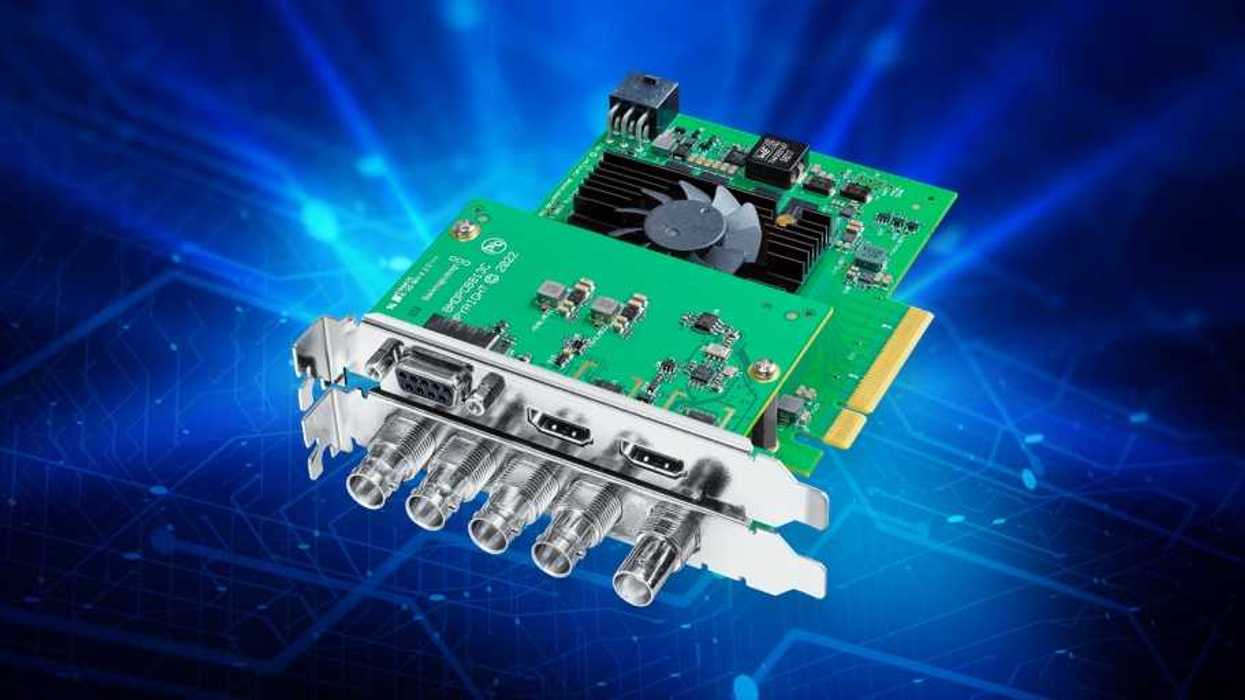
All kidding aside, this update for Blackmagic Desktop Video is pretty notable in large part due to added support for keying in 10-bit YUVA on the DeckLink 8K Pro as well as improved compatibility with HDMI 2.1 displays.
Here’s everything you need to know about Blackmagic Desktop Video update 15.3.
Blackmagic Desktop Video 15.3 Update
Along with your usual mix of bug fixes and improvements (most notably the fixing of incorrect audio levels on analog audio outputs—something that was actually worth fixing asap), this latest update for Blackmagic Desktop Video is really about these few key new supports and compatibility.
Here’s the full breakdown of the new features and bug fixes for DeckLink 8K Pro:
- Add support for keying in 10-bit YUVA.
- Add support for HANC packet capture and playback.
- Improve compatibility with HDMI 2.1 displays.
The aforementioned bug fixes with audio levels on analog audio outputs are for all Desktop Video models, so expect to see those improvements as soon as you update.
Supported Models
If you’re curious to see which models are supported for this update, here is a full list provided by Blackmagic Design:
- DeckLink Duo 2
- DeckLink Quad 2
- DeckLink Quad HDMI Recorder
- DeckLink 8K Pro G2
- DeckLink 4K Extreme 12G
- DeckLink IP HD
- DeckLink IP HD Optical
- DeckLink IP/SDI HD
- DeckLink Micro Recorder
- DeckLink SDI Micro
- DeckLink Mini Monitor HD
- DeckLink Mini Monitor 4K
- DeckLink Mini Recorder HD
- DeckLink Mini Recorder 4K
- DeckLink SDI 4K
- DeckLink Studio 4K
- UltraStudio Recorder 3G
- UltraStudio Monitor 3G
- UltraStudio HD Mini
- UltraStudio 4K Mini
- UltraStudio 4K Extreme 3
- Intensity Pro 4K
- ATEM Mini Extreme ISO G2
As far as third-party software support goes, the following apps and programs will benefit from these updates as well:
- DaVinci Resolve 19 and 20.
- Fusion Studio 19 and 20.
- Apple Final Cut Pro.
- Adobe Premiere Pro CC 24 and 25.
- Adobe After Effects CC 24 and 25.
- Adobe Photoshop CC 24 and 25.
- Adobe Character Animator CC 24 and 25.
- Autodesk Flame 2025.
- Avid Media Composer 2025.
- Avid Pro Tools 2025.
- The Foundry Nuke (Intel Macs only).
Blackmagic does note that if you have installed the drivers before installing any of these applications, they recommend that you uninstall and reinstall the drivers. This will ensure that all relevant components are installed in their required locations.
You can find more info on downloading and installing on Blackmagic Design’s website here.
- Want to Improve Audio Quality When Capturing from Your Computer? ›
- You Can Now Livestream with Blackmagic Video Assist Monitors ›
- Blackmagic Desktop Video Adds Native Apple Silicon Support on Media Composer ›
- New DaVinci Resolve Update Adds Cache Clearing and Fusion Effects Fixes ›
- Blackmagic Desktop Video 14.3 Adds New Camera Extensions in Final Cut Pro ›
- Blackmagic Design’s DeckLink IP 100G is Now Available and Offering Capture and Playback Support ›
- Blackmagic Design Desktop Video 16.0.1 is Released to Fix Minor Bug With DeckLink 8K Pro ›
- Blackmagic Design Adds New Professional Capture and Playback Options for Your Thunderbolt 3 Workflows ›
- Blackmagic Design Adds New Capture and Playback Support With Desktop Video 16.3 Update | No Film School ›
- Blackmagic Design Rolls Out Another Desktop Video Update for DeckLink IP HD Models | No Film School ›