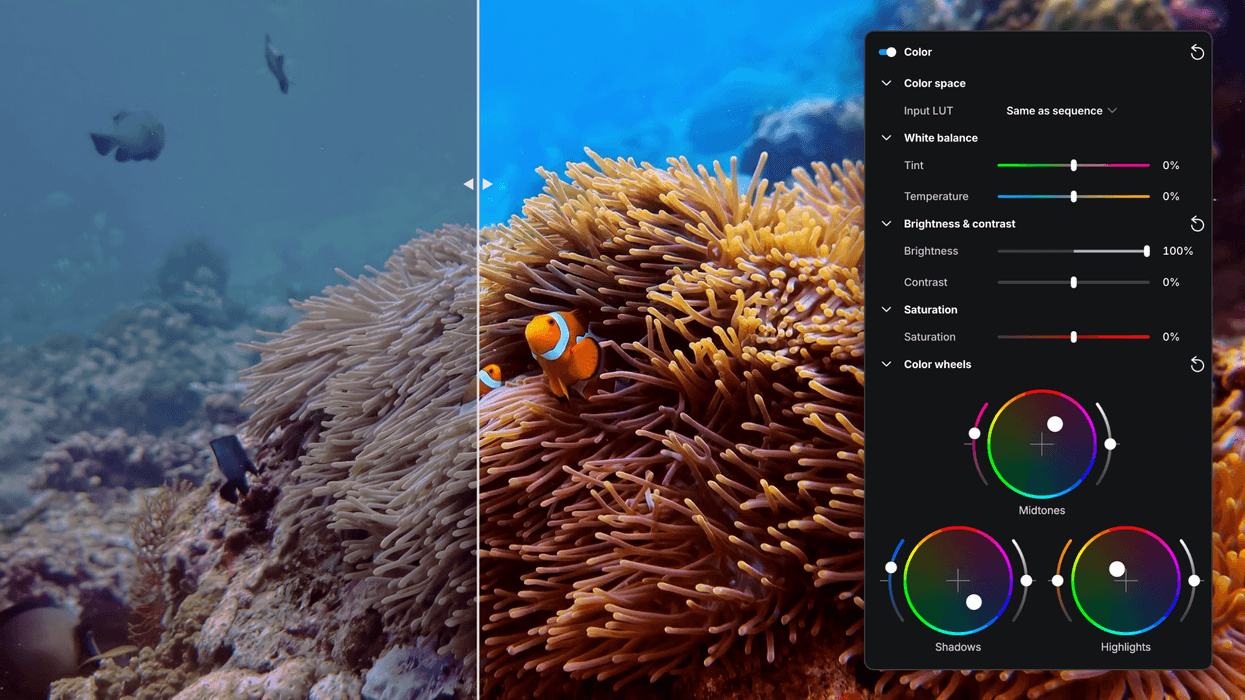
In the world of video editing, there are really two major players these days. Of course, there are more options, but most video editors seem to favor Adobe Premiere or DaVinci Resolve. Still, while those two platforms have great legacies and large, sophisticated ecosystems, it never hurts to consider other options.
elevate.io’s online video editing platform is both browser-based and highly collaborative. It’s also easy to run on lower-end workstations and laptops. And as of today, it has some pretty notable new features, including color wheels, the ability to input LUTs, and a new way to set in- and out-points.
For your consideration, here’s everything you need to know about these new features.
elevate.io Video Editing Platform
As we covered when it was first introduced last year, elevate.io’s video editing platform is really designed for ease of use and a multiplayer style of co-creation editing. It is also very AI-friendly, with many AI-assistive tools and the usual timeline-based bells and whistles.
Still, it’s a bit more unique than its biggest NLE competitors, thanks to its asynchronous collaborative features and dynamic real-time feedback. Yet, despite its unique qualities, some features have noticeably been lacking.
This update aims to add some of the more familiar and expected features to the platform, which should make it a bit more appealing.
Platform Updates
So, the big news here is that the elevate.io video editing platform is set to get the following new features. The first is Color Wheels, as the platform will give users the ability to independently adjust the color balance of shadows, midtones, and highlights in their compositions, and to overall shape the look and feel of an image with greater precision than before.
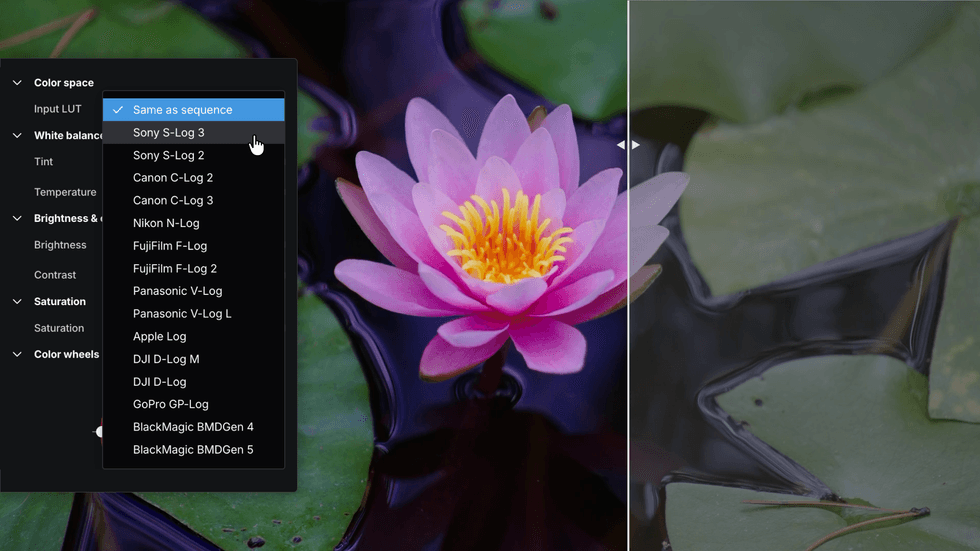
The platform will now support Input LUTs that correctly interpret footage captured in common camera log formats and convert it to Rec.709 for editing and viewing. This should be helpful for those working with popular log formats such as Canon C-Log, Sony L-Log, Panasonic V-Log, and others. This new Input LUTS feature aims to provide a faster, more accurate starting point for editors looking to transform footage into more natural-looking images.
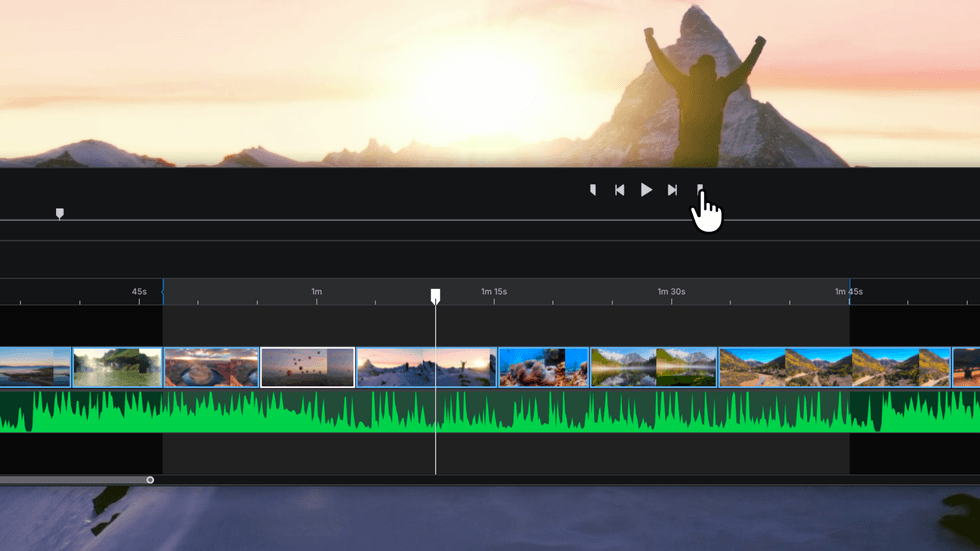
The platform will also now allow editors to define In and Out points directly on the timeline. In the past, users had to export an entire project every time, which obviously was quite archaic, so this is a pretty basic update that brings the platform up to many editors’ expectations.
The final addition will be a new Quick Animations feature that makes it easy to bring clips, text, graphics, and logos to life without manually building keyframes. Users will be able to apply animations at the beginning or end of a clip, as well as animations that continue throughout its duration.
Price and Availability
elevate.io is out and available now, and it's a subscription-based platform with a free, but limited, starter level and creator plans that start at $10 a month. You can find more info on the company’s website here.
- How elevate.io’s Newest Integration Just Shaved Hours Off Your Audio Post-Production ›
- Is Video Editing a Multiplayer Game? This New Online Editing Platform Says It Should Be ›
- This AI Editing Tool Just Left Beta and It’s Coming for Premiere and Resolve Users ›
- 5 Tips to Elevate Your Edits That Not Everyone Thinks About ›
- Major Adobe Updates Are Here: Color Mode in Premiere, Frame.io Drive, and More AI Capabilities ›