4 Tips to Make Your First Short Without Any School (or Money)
Stop waiting and try this YouTuber's methods.
Somewhere between "I have a great idea" and "we're shooting Monday," many first-time filmmakers get stuck.
You might tell yourself to wait. You don’t have the right camera, you don’t have the budget, you’re not sure about the script, you just don’t feel ready.
London-based actor and YouTuber Becca Watson is not a filmmaker by trade. She's a lifestyle and wellness YouTuber who auditioned for drama school, picked up self-taught editing skills on Final Cut Pro, and decided to do the terrifying thing of making a film with a friend and releasing it to the world.
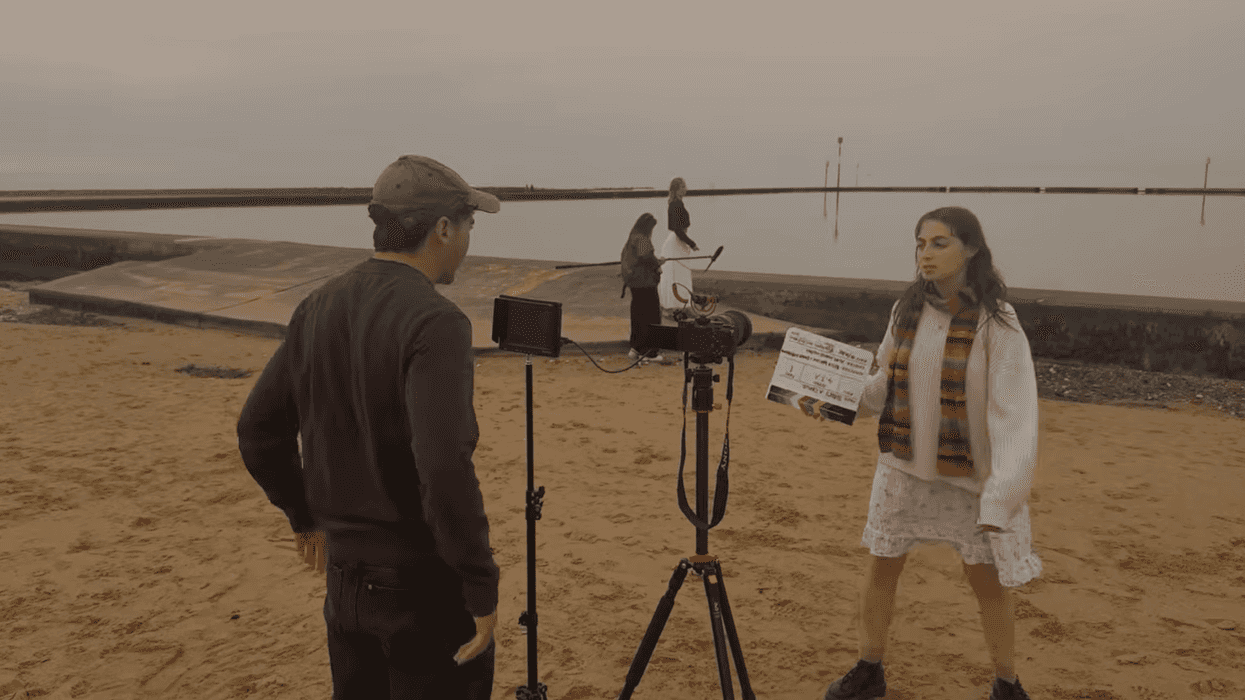
Watson teamed up with fellow actor Emma to write, direct, produce, star in, and edit Three's a Crowd, a short about female friendship. They did it with no funding, no crew beyond friends, and no film school background (which, hey, we love around here).
What makes her video so fun to watch isn't that it's a how-to from a seasoned pro. And she says as much herself. But she documents the reality of first-time filmmaking with transparency, and there's a lot in there that applies whether you've made 70 shorts or no shorts.
“I'm not talking as a pro,” she says. “I am not a pro. I've never been to film school. This is just, from start to finish, my tips on how I made my debut short film with no funding."
Let’s see how she did it.
Figure Out a Pre-Production Hub
When you start getting into the nitty-gritty of preproduction, you’ll need to think about breaking down your script, shot listing, and scheduling. There are tools to help you do those things, or you can do it the old-fashioned way with notecards or documents.
Full disclosure, Watson plugs Milanote here, and it is a paid partnership. Milanote isn’t an industry-specific tool. Her team used it as a visual digital whiteboard that let them keep mood boards, reference images, shot ideas, multiple script drafts, timelines, and to-do lists.
This might work great for you. But for preproduction, we’d recommend something like Spell Slate or StudioBinder or Filmustage. I'm using Spell Slate with my creative partner right now.
All that being said, it doesn’t necessarily matter what tool you use. When you're co-directing remotely or prepping with someone you don't see every day, across either a skeletal crew or a large production, you just need a single place everyone can access and build on without email chains or Slack threads chewing up your momentum. That could be Google Docs or any other cloud platform.
If you’re just getting started, check out our Pre-Production Basics from Storyboard to Shot List to Script Lining. Systematize your prep to communicate your vision clearly before you ever get to set.
Commercial director Jesse Senko builds a visual document for every project, even tiny ones, because "it forces clarity."
Storyboard, Maybe Even First
In Watson's somewhat counterintuitive process, she chose to storyboard first, then go to script.
She and her team used the online whiteboard to move from abstract ideas to a concrete story arc, with character development taking shape visually before moving into dialogue.
This runs against how many first-timers approach it. Usually, the script comes first, and you work through visuals later. But Watson's process essentially uses storyboarding as a discovery tool, not just a production aid.
There is a payoff in that, when you sit down to write the script, you already know what the movie looks like. The writing should go faster as a result.
"It allowed us to move from the vague ideas into actually starting to write the script, having the visuals here and a really clear idea of the story and the story arc that these characters were going to go on,” she says. “Cannot recommend doing a storyboard enough before going into your script."
We’ve got tips for storyboarding, too! They're all about connecting the script to the screen so the crew interprets your vision without it getting lost in translation.
And if you haven’t already, check out the “GOAT” storyboarding process, which treats storyboarding as a subtext tool, not just for shot-planning.
- YouTube www.youtube.com
Sound Is Paramount
Watson is blunter here than on any other point, and we agree when she says that bad sound kills a film. It was one of the few spots she spent money on.
Even on a skeletal, self-funded shoot, with just her and her friend acting, she and her co-director hired a dedicated sound recordist to hold the boom for the bulk of production. They also invested in a shotgun mic for their kit.
On a low-budget production, being dedicated to good sound means the production sound mixer may be the only paid crew member. But that's the right call, and it's worth it.
Similarly, Jesse Senko's list specifically calls out audio as one of the three things that make or break production value, alongside casting and color.
The reason this advice keeps coming up everywhere is that it's one of the few post-production problems you genuinely cannot fix. You cannot ADR an entire film cheaply or seamlessly, and it can wreck the whole thing.
We can tell you everything you need to know about recording production sound.
Edit with Someone Else in the Room
Watson spent about two months cutting the film herself in Final Cut Pro. But she brought her creative partner in for collaborative editing sessions, and credits those days with breakthroughs she couldn't have reached alone, including building out a Western-influenced scene around an original piece composed by Emma's partner.
When you've watched the same footage hundreds of times, you stop being able to assess it as a viewer. Fresh eyes could be the solution you need.
Watson also ran a small private screening for two pairs of trusted people before locking the picture and asked them to be brutally honest. Most of their notes centered on color, which sent her back into the grade, clip by clip.
Seeking feedback is a huge part of the creative process. One NFS contributor used an anonymous feedback form to gather outside notes on his cut, so the same principle, different method. It’s something we’ve discussed extensively on the podcast, too.
Throughout the video, Watson admits her lack of expertise in editing, lighting, color grading, and more. She learned by doing, which is amazing. Making your first short isn’t easy, especially if you’re taking it seriously and learning as you go.