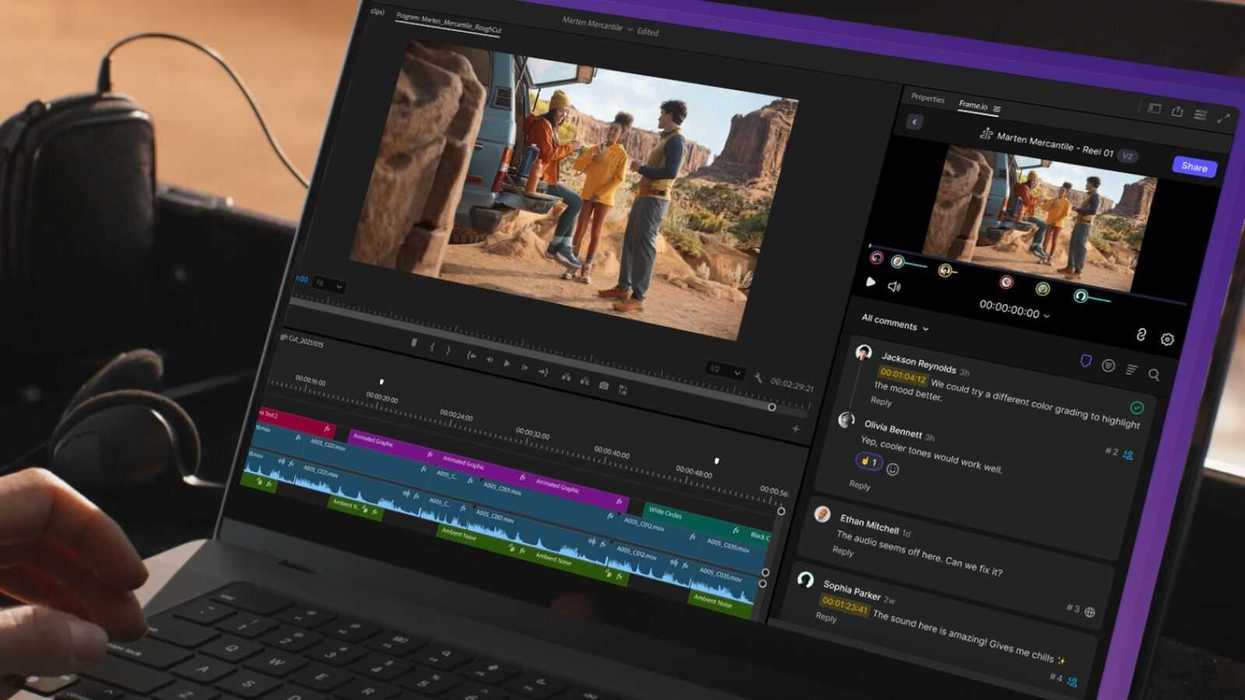
We know, it’s a lot to keep up with these days. From the huge barrage of AI apps, tools, and features hitting the market and changing the industry as we know it, the previous new technologies that shifted landscapes aren’t as big a deal anymore.
Or, at least it feels that way.
For those who might feel lost in the revolution, let’s take a moment to look at some of the newest features and tools that have been added recently to Frame.io. The popular cloud-based video collaboration platform, integrated into the Adobe ecosystem, has several new tools for those in the video editing space.
An Upgraded Frame.io Panel in Premiere
The biggest news shipped by Frame.io in the past few months might simply be the Frame.io panel in Premiere, which has now officially left beta and is fully available in Premiere Pro 25.6. Retailored and retooled from the ground up, this panel has been designed to help keep editors in their timelines and in the zone.
Users can browse and manage projects, files, and folders in their Frame.io library, import media into their project bins (including full folder structures), share sequences for feedback, and review comments that sync back as markers on their Premiere timeline.
Also, of note, the Frame.io panel now offers defaults to a Sequences view to help make it faster to export cuts. Batch imports also now let users choose originals, high-res proxies, or low-res proxies, so things are speeding up all over.
You can find out more about the Frame.io panel in Premiere here.

Credit: Frame.io
New Search with Media Intelligence
Similar to the update that has been rolled out in Premiere and other Adobe apps, Frame.io has gotten a completely new search tool that is powered by media intelligence. This new search tool allows users to find both your media and the information around that media—like metadata, keywords, and filenames—without wrestling with your folder structure.
Users can also now type queries the way they talk to a teammate to find results. For example, instead of remembering exact filenames, users can search for “Sunset clips of happy people, status is approved.” Frame.io will then use natural language processing to map the request to relevant assets across clips, images, audio, and documents, drawing on metadata and other indexed fields to surface strong matches.
You can check out more about this media intelligence search on Frame.io’s website here.

Credit: Frame.io
Frame.io Content Credentials
Another new feature that is shared across other Adobe apps and products, Content Credentials, has made its way to Frame.io as well, offering an easy way to view and verify the origin of media—including whether it was created with AI.
Users can upload assets from any source, and Frame.io automatically reads and preserves their credentials.
You can find out a lot more about Content Credentials here.
- Frame.io to Add Cameras from Canon, Nikon, and Leica to its Camera-to-Cloud Ecosystem ›
- Frame.io Version 4 Beta is Here with Major Framework and Folder System Updates ›
- Automatically Upload Proxy Files to Frame.io with These Canon Cameras ›
- Easily Send Large Files Using The New Frame.io Transfer Tool ›
- Frame.io Adds Enhanced Security and Fujifilm X100VI In-Camera Integration ›