For perhaps the third year in a row, Adobe MAX—the company’s annual creativity conference—had one undercurrent theme that dominated pretty much every keynote, workshop, and conversation.
AI was at the forefront of everything, as it has been for several years now, and despite some promising new features, panels, workflows, etc., in Premiere and other apps that we’ll explore separately, the big news for many might simply be the latest AI tools and features coming to… well… everything.
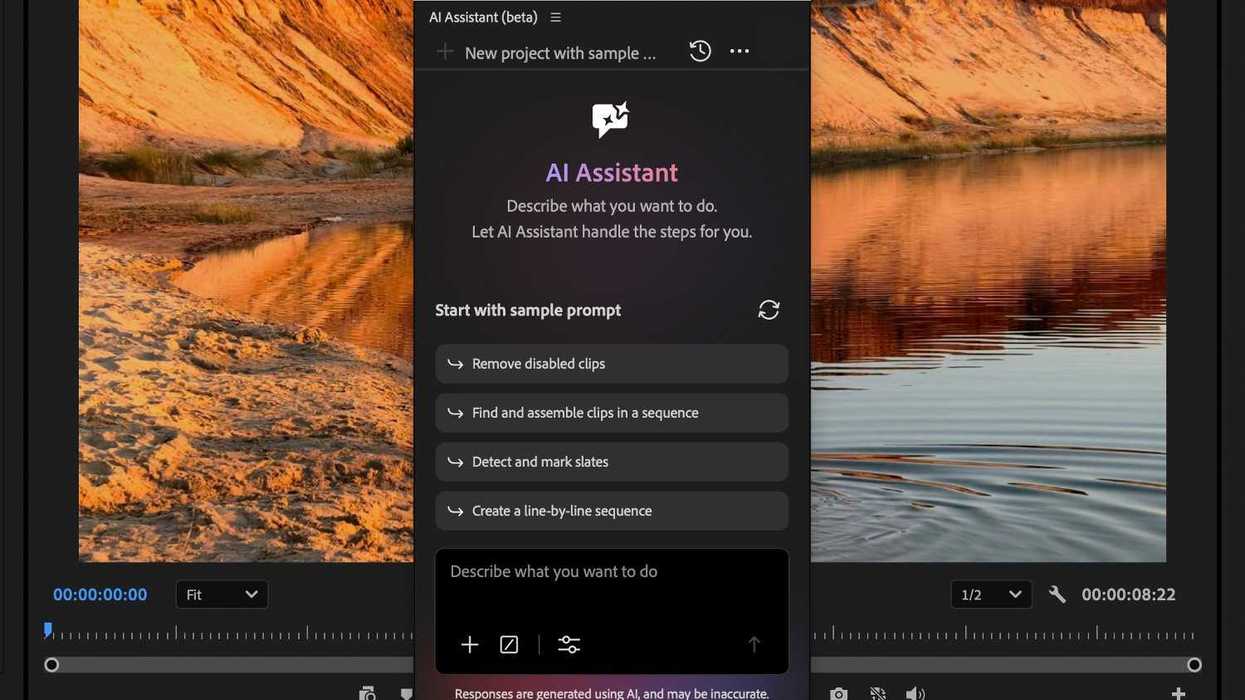
The biggest example from this year’s MAX conference in Miami, Florida, was the introduction of the Premiere AI Assistant, which is, as you might guess, an AI agent assistant in Premiere. Here’s what it is, how it works, and what you should know before deciding whether to try it.
Adobe’s New Premiere AI Assistant
Launched with the noble goal of helping video editors spend less time on repetitive editing tasks and more time on creative decisions, Adobe’s new Premiere AI Assistant makes a lot of sense on paper and could be quite helpful.
Using natural language prompts, you can ask your AI chatbox friend to organize media, assemble an initial edit, or refine picture and sound directly within Premiere. You can add additional reference files or selections from your project to give it context, and create custom skills for workflows you repeat.
All helpful things, but with caveats, of course. The first is that the Premiere AI Assistant is not free; it consumes Firefly generative credits, just like any other prompt request in the generative media toolbar and in Firefly.
There are also many questions about how helpful and useful this AI Assistant might be at launch and in the future.
How Does the Premiere AI Assistant Work?
Before we can really answer how well it works, let’s first look at how it works. As mentioned above, the Premiere AI Assistant is meant first and foremost to be worked with in a conversational workflow.
Here’s how to begin:
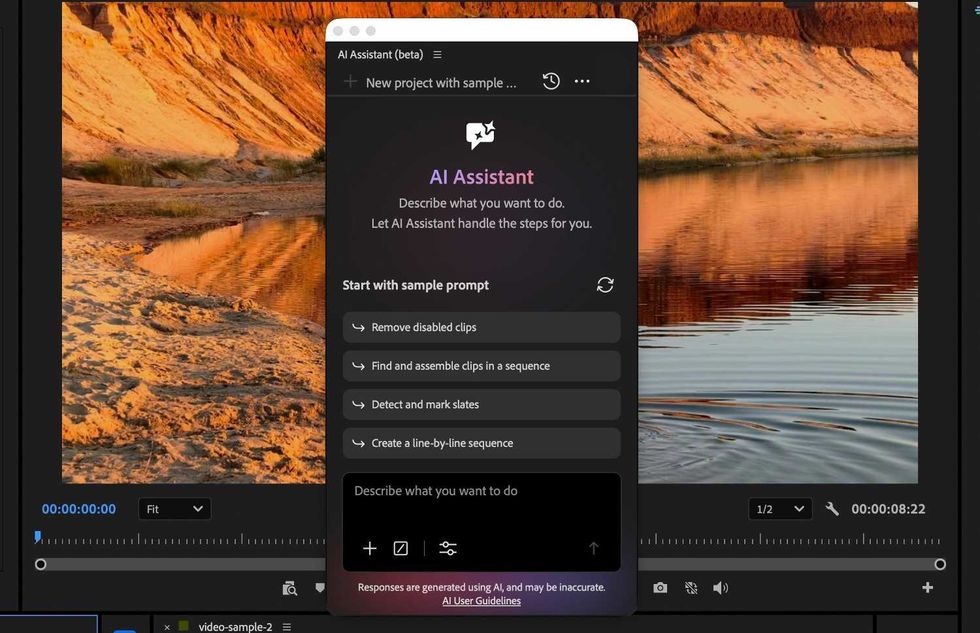
Select Window > AI Assistant to open the AI Assistant panel, then enter a request. (Adobe gives an example of prompting "Organize this footage into bins by scene" or "Build a stringout from selected clips," which the AI Assistant can then interpret your request and perform the required actions in your project.)
You can then review the results and continue the conversation to refine or extend the work. As the AI Assistant works, changes appear directly in your project. You can also continue editing while tasks are completed in the background.
Credit: Adobe
What the Premiere AI Assistant Can Do?
As far as what tasks the AI Assistant in Premiere will be able to take on handle, Adobe shares the following breakdown of the types of tasks the AI Assistant currently supports:
Organize projects
- Create and organize bins
- Move and rename clips
- Apply color labels
- Structure project assets
Prepare media
- Generate transcripts
- Detect slates
- Add markers
- Prepare footage for editing
Assemble edits
- Create stringouts
- Build rough assemblies
- Place organized media on a timeline
Refine picture and sound
- Create caption files
- Add effects and reframe footage
- Create masks
- Apply color grading
Credit: Adobe
Other Perks and Features
Overall, from the demos we saw at Adobe MAX, the AI Assistant in Premiere seems capable of handling simple, basic tasks similar to the prompts and items listed above.
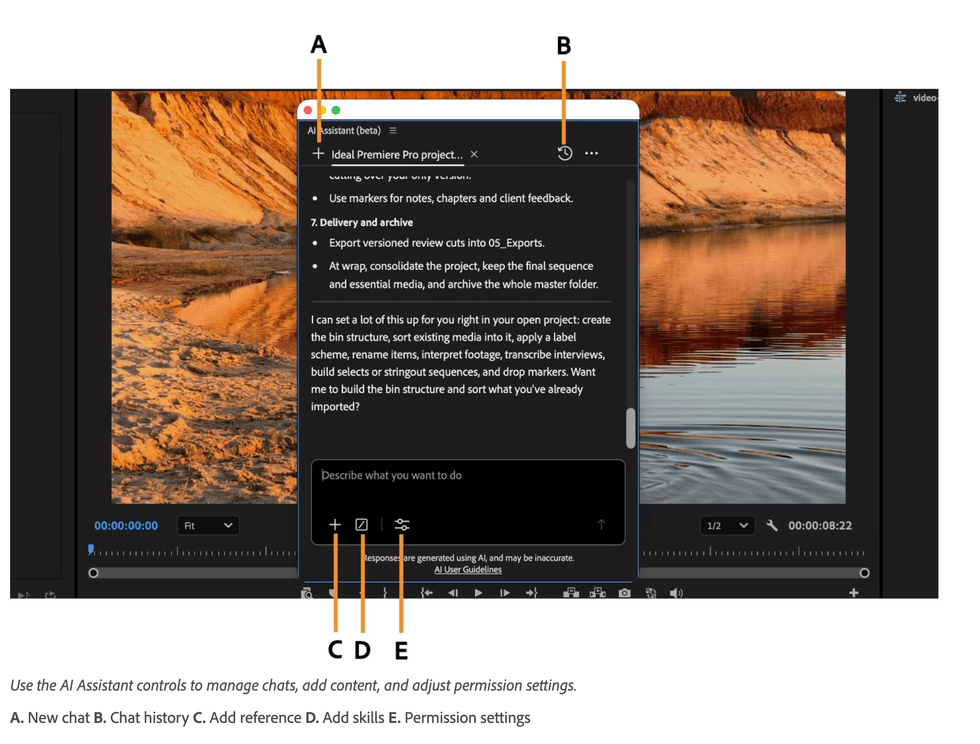
The Assistant panel adds a little clutter but is easy to access and resize. You can also manage conversations with it as you would with other convo-prompt AI models, and you can review its reasoning as it works, which can be helpful for understanding what it’s doing—or trying to do — at any given time.
Still, we’d have to try it out much more to get a full read on how helpful it could be for more complex edits and tasks. The hope is that it could speed up workflows and make video editors' lives easier, not replace them.
If you’re curious to check out the Premiere AI Assistant yourself, you can try it out in Premiere's public beta, or find more info on the company’s website here.
- Adobe MAX 2026: Firefly and Premiere mobile to Provide New Ways to Create and Edit Content ›
- Adobe MAX 2026: Local MCP Integrations Coming to Creative Cloud Tools (Like Premiere) ›
- AI Assistant for Premiere Pro Called “One of the Best Assistants” ›
- Eddie AI Launches its First NLE Extension With Adobe Premiere Pro Plugin ›
- Adobe Announces Massive Expansion of Its Agentic AI Capabilities in Firefly and Apps like Premiere ›