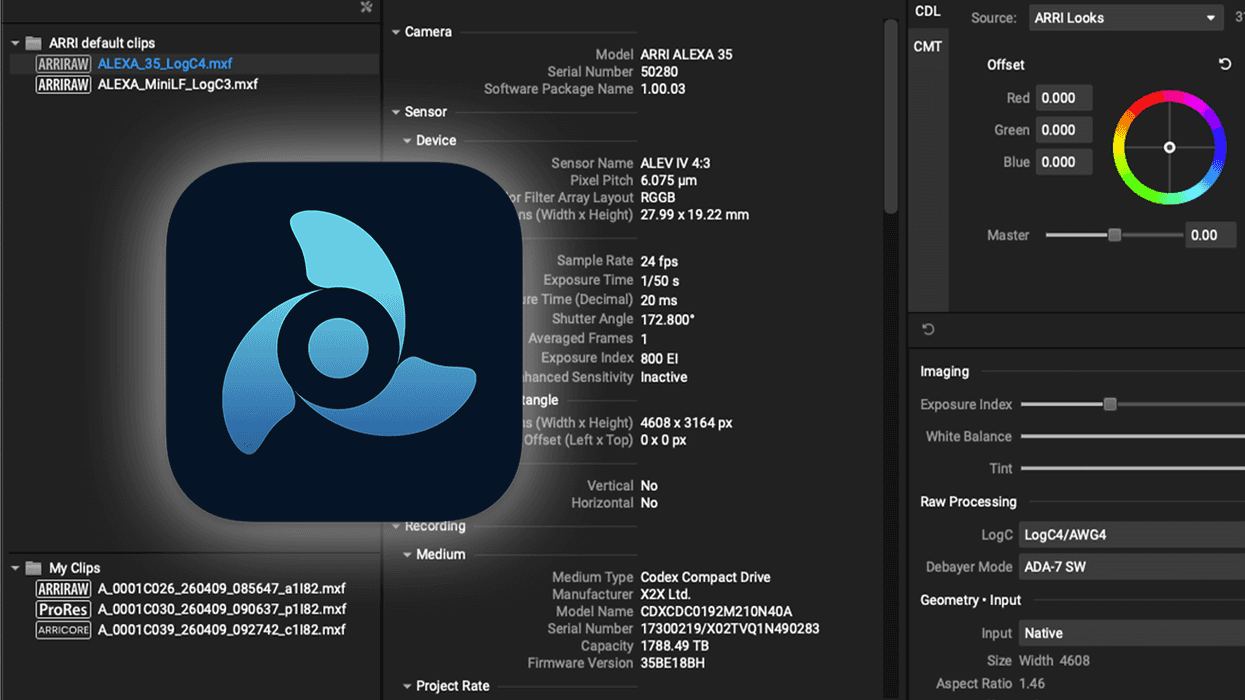
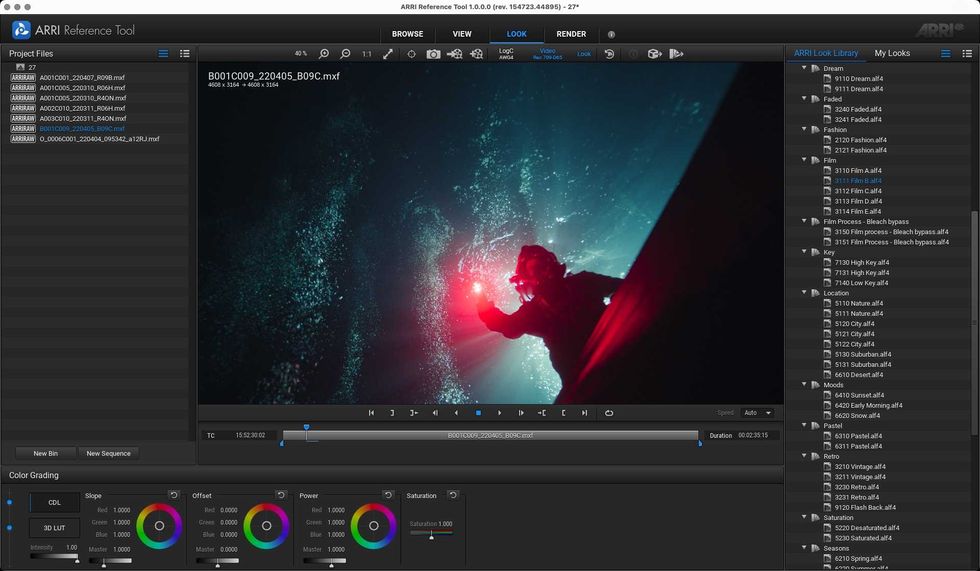
ARRI’s Reference Tool, often shortened to ART, combines many of the company’s previous tools into a single package. And it’s pretty helpful for those looking to unlock ARRIRAW processing as they review clips, check and extract metadata, create and extract look files, and transcode footage to a different format.
However, there’s always more functionality to be had, and this new update to the ARRI Reference Tool CMD is set to add more modes and features to a command-line tool that already supports processing many different formats.
Here’s what’s new.
ARRI Reference Tool CMD Update 1.1.0
At a base level, the ARRI Reference Tool allows filmmakers and DPs to render ALEXA 35/ALEXA 35 Xtreme or ALEXA 265 footage using our ARRI Debayer Algorithm ADA-7 and REVEAL Color Science.
The tool is backward compatible with all ALEXA and AMIRA cameras, which can be de-bayered to LogC4 and run through REVEAL as well. The tool already supports QuickTime/ProRes or MXF/ProRes, as well as the CODEX HDE (High Density Encoding) file format, and is available in GUI and CMD versions.
This CMD version is the one getting the update as it will support hte processing of the following formats:
- MXF/ARRIRAW according to SMPTE RDD 54/55
- MXF/HDE according to SMPTE RDD 54/55
- MXF/ARRICORE according SMPTE RDD 61/55 and
- *.ari ARRIRAW and *.arx HDE single file sequences according to the legacy ARRI V3 metadata header.
- Apple ProRes QuickTime in *.mov
Adding More Modes
This ARRI Reference Tool CMD Update 1.1.0 will also add several new modes and features to help out with your projects. Here’s a full breakdown.
Copy Mode
- Creation of a trimmed SMPTE RDD54/55 compliant MXF file for ARRIRAW, HDE, and Apple ProRes
- Reading of legacy ARRIRAW .ari and .arx files (incl. camera frame grabs) and output as SMPTE RDD54/55-compliant MXF file
- Creation of a trimmed SMPTE RDD61/55 compliant MXF file for ARRICORE files
- Overriding of static clip metadata from a JSON file (--metadata-overrides)
- MXF Recovery via copy mode of a not-finalized RDD54/55/61 compliant MXF clip
- new in 1.1.0: Output names built from clip metadata ([clipdir], [camera], [reel], etc.)
- new in 1.1.0: ASC MHL record of the written clips (see ASC MHL modes)
Verification Mode
- For individual (ARRIRAW & HDE) clips by recalculating the checksums of the individual video frames and comparing them with the checksums in the clip metadata
- For two clips by comparing the checksums of the audio and video data for ARRICORE
- For two clips by comparing the checksums of the audio and video data for Apple ProRes
- Creation of a JSON metadata report file
- for two directories with a structurally identical clip tree (batch verification)
- new in 1.1.0: Verification of ASC MHL manifests, Histories and collections (see ASC MHL modes)
- new in 1.1.0: Faster checksum verification on ARM64 (Apple silicon)
Process Mode
- Processing of ARRICORE, ARRIRAW, HDE and Apple ProRes (MXF and QuickTime *.mov) to Apple ProRes as SMPTE RDD55 compliant MXF file.
- OpenEXR 16-bit and 32-bit with compression mode in scenes linear
- TIFF in 16-bit integer in LogC and video color spaces
- Apple ProRes in LogC and video color spaces & embedded look
- Output size adjustment also for ProRes clips
- External ARRI Look Files (.aml, .alf4, .alf4c) with custom SDR/HDR DRTs; look-builder creates them from .cube LUTs
- new in 1.1.0: HDE encoding of ARRIRAW clips (--video-codec arriraw_hde) as replacement for ARRIRAW HDE Transcoder
- new in 1.1.0: GPU-accelerated scaling of ProRes clips, with --desqueeze and --letterbox-size also for ProRes
- new in 1.1.0: Option --deflip also for ProRes
- new in 1.1.0: White balance and exposure index without a parameters file (--cct, --tint, --asa)
- new in 1.1.0: Output names built from clip metadata ([clipdir], [camera], [reel], ...)
- new in 1.1.0: Rendering speed measurement without writing output (--output perf-measure)
- new in 1.1.0: ASC MHL record of the rendered output (see ASC MHL modes)
- new in 1.1.0: Processing also into ProRes 422 Proxy
Export Mode
- Original audio tracks as *.wav file
- Static and dynamic camera metadata as .json file or .csv file
- Reduced data size of JSON output files by omitting large string values
- Option to export metadata to either *.json or *.csv
- Extract (*.aml, *.alf4,*.alf4c) look files and *.cube 3D-LUTs from clips
- new in 1.1.0: output names built from clip metadata, ASC MHL record of the exported files (see ASC MHL modes)
ASC MHL modes (new in 1.1.0)
- "mhl" mode: standalone ASC MHL v1.1 or v2.0 manifests of a folder or a file (--mhl v2-xxh64, v1-md5, ...; C4, MD5, SHA-1 and xxHash, several joined by +), or a new generation of an ASC MHL history (--mhl-history)
- --mhl in copy, export and process records every written file in the history of the output folder and/or in a v1.1 manifest
- verify of ASC MHL manifests, Histories and collections, including the JSON report
- "mhl-diff" mode: compares two manifests, or a manifest or history with the files on disk, as JSON
- "mhl-flatten" mode: merges a history into one manifest
- creator-info templates (--mhl-emit-template, --mhl-creator-info), ignore patterns (--mhl-ignore), parallel hashing (--mhl-threads)
- compatible with the ASC MHL reference tool (ascmhl) and the Histories written by the ARRI HDE transcoder
Look Creation
- executable "look-builder" to create ARRI look files (.aml, alf4, .alf4c) from up to three .cube LUT files
Credit: ARRI
Find Out More
You can find more info on this update and the ARRI Reference Tool itself on the company’s website here. For more info on this latest CMD update, you can check out the full user guide here.
- ARRI’s Latest Update to Bring Full Focusbug Cine RT Integration to its 35mm and 65mm ALEXA Cameras ›
- ARRI Releases New Software Update Package to Address Minor Issues With ALEXA 35 Cameras ›
- The New ARRI Film Lab Plugin Harnesses the Soul of Analog ›
- ARRI’s TRINITY 2 Stabilizer Gets New User Modes and Zoom Sync Features ›
- ARRI’s Live Production Monitor Gets Some New Power Management Safeguards and Improvements ›