Move over AI, the future of video editing is touchscreen! (That’s a sentence we never thought we’d ever write, but here we are.)
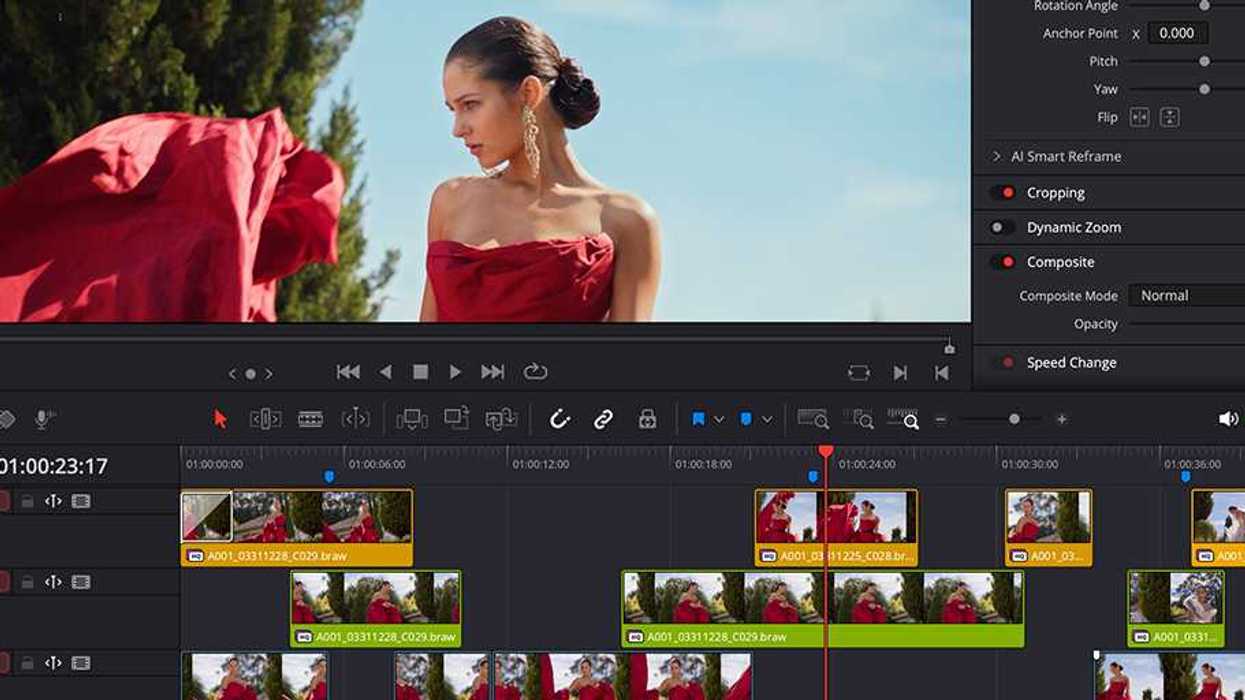
In anticipation of the new Apple MacBook Pro with PROLED XDR and its touchscreen capabilities, Blackmagic Design has rolled out a new update for DaVinci Resolve (version 21.2) that adds support for this touchscreen editing workflow.
The update will also add faster effects rendering and support for Blackmagic Generation 6 Color Science LUTs, so here’s what you need to know.
DaVinci Resolve Update 21.2
One of the most anticipated new MacBook models Apple has released in some time, the new MacBook Pro with PROLED XDR introduces a new technology many loyal fans never expected to see in an Apple product.
When first announced, we—like many—were a bit incredulous about its usefulness. But after trying it out, it does look like something filmmakers and other creatives could benefit from, or at least try out to see if it’s a helpful workflow for your own projects.
This new DaVinci Resolve update adds support for this touchscreen workflow, plus up to 5x faster effects rendering on M5 Pro and M5 Max chips, plus support for Blackmagic Generation 6 Color Science LUTs.

Credit: Apple
Everything New in Resolve
As mentioned above, this update isn’t just the touchscreen; a lot is happening here. For a full list of everything new in DaVinci Resolve 21.2, here’s a complete breakdown of the features that have been added or updated.
- Support for Apple MacBook Pro with PROLED XDR touch screens.
- Support for Blackmagic Design Gen 6 LUTs.
- Extracted audio files now retain source timecode.
- Multicam clips now open as source clips in source timelines.
- Open in Timeline with Source Viewer supports clips and multicams.
- Menu action and shortcut to restore last active edit points.
- Command or Ctrl marquee selection now uses last edit point type.
- Conform lock multiple timeline clips to one media pool clip.
- Convert in out to compound clip replaces clips in situ.
- Separate context action to create compound clip from in out range.
- Stop playback option applies to playhead nudges and mouse clicks.
- Edit menu options now persist after UI layout reset.
- Support for EXIF metadata in PNG files.
- Addressed network drive audio issues for some MXF clips.
- Addressed slow MP3 audio only renders.
- Addressed missing clips in some AAF imports.
- Addressed incorrect audio timecode for AAF with interlaced media.
- Addressed OGraf template loading from network and zipped paths.
- Addressed OGraf render timeouts and memory usage issues.
- Addressed slow loading of media from XDCAM drives.
- Addressed flashing media offline frames with some H.265 clips.
- Addressed source track changes in collaboration source timelines.
- Addressed hang editing MultiText keyframes during render cache.
- Addressed issues with italics in imported TTML subtitles.
- Addressed data burn scaling issues for render resolutions.
- Addressed HE-AAC decode issues for some clips on Windows.
- Addressed incorrect channel order for WAV files with iXML tracks.
- Addressed crash decoding some multi-channel DNG files.
- Addressed render in place handles for frame based formats.
- Addressed audio input device preference reset after restart.
- Addressed GPU memory error for some OpenFX on Windows.
- Addressed artifacts in Sony XAVC Long GOP MXF renders.
- Addressed missing Text+ inspector controls in older projects.
- Addressed anchoring issue with Text+ CLS box extend controls.
- Addressed issues with CustomTool LUT name controls.
- Addressed issue with clip EQ pasted Q and frequency attributes.
- Addressed ACES 2.0 artifacts on Windows and Linux.
- Addressed network paths with accented characters on macOS 27.
- Addressed file size estimates for spanned RED clips.
- Updated Fusion tool and scripting reference developer documents.
- General performance and stability improvements.
Credit: Blackmagic Design
Download and Install
This update for DaVinci Resolve is free to download and install. You can find more info on system requirements and other information on the company’s support page here.
- DaVinci Resolve 21 Gets New Beta 4 Update With Major Improvements Across All Pages ›
- DaVinci Resolve Adds Support for Sony FX5 X-OCN and API Scripting With Latest Update ›
- DaVinci Resolve is Getting Faster as Latest Update Boosts IntelliSearch and OGraf Playback ›
- DaVinci Resolve 21 Introduced With Hundreds of New Features, AI Tools, and a Photo Page ›
- DaVinci Resolve 21 is Finally Here: Here’s How to Get Access to Hundreds of New Features and AI Tools Today ›