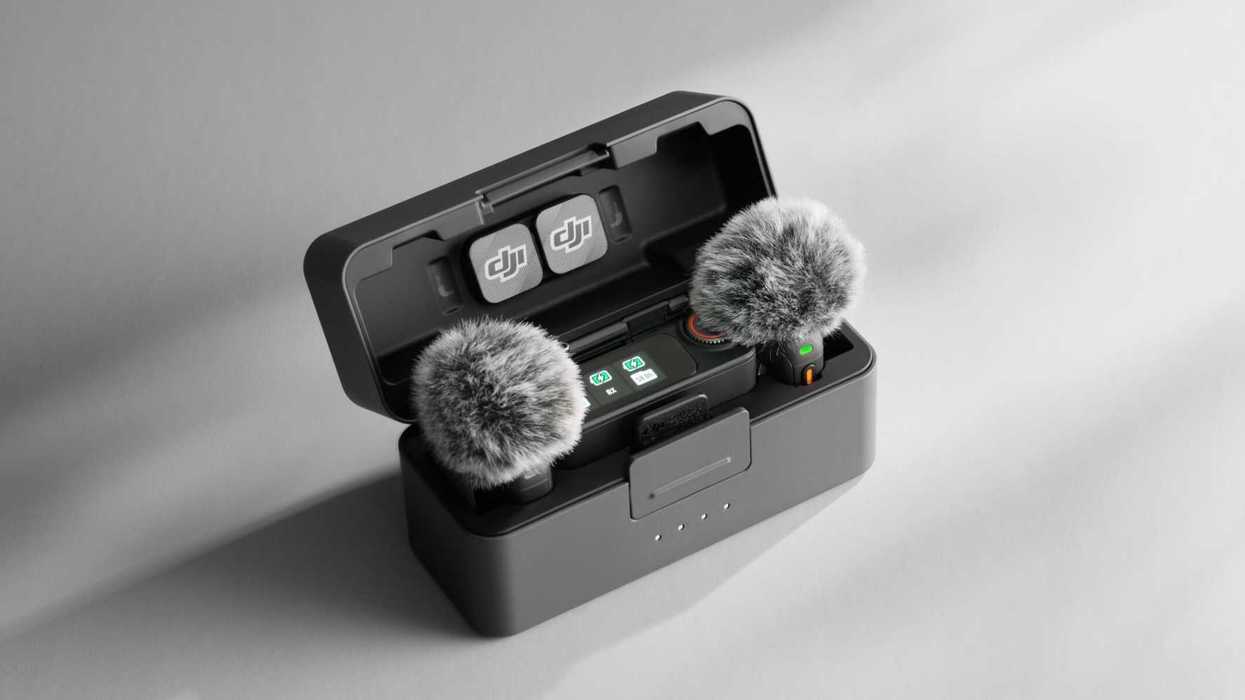
While the drone ban has now become official, and the Chinese-based company is no longer allowed to sell new drones in the United States, DJI remains steadfast in its commitment to its other non-aerial products, which are proving to be popular options for various types of film and video professionals.
The DJI Mic 3 was released a few months ago and aims to raise the level of your wireless audio workflows. Already proving to be a nice wireless audio option for interviews or on-the-run content creation, the Mic 3 didn’t need a drastic update, but it’s getting some improvements nonetheless.
Here’s what you need to know about the latest firmware update for the DJI Mic 3 system.
DJI Mic 3 Firmware Update
As mentioned above, this isn’t an earth-shattering update by any means, but the new firmware (version v02.00.08.10) is out for both DJI Mic transmitters and receivers, which should add some helpful improvements that could make your day-to-day use a bit easier and more streamlined.
The biggest improvement with this firmware update is going to be the new Lossless Audio status indicator that will help shooters know (and monitor) when the Mic 3 is recording at its highest quality audio levels.
DJI is also expanding the Mimo app to offer more settings and control options when the Mic 3 receiver is mounted on your camera, overall a nice workflow improvement that will make it easier for you to set levels or make adjustments without breaking your recording workflows.

DJI Mic 3 Firmware Update
Credit: DJI
How to Download and Install
As is the case with most firmware updates these days, downloading and installing these free updates is quite simple and can often be done either in the products themselves or in any corresponding apps like the Mimo app.
Here’s a full list of everything new with this latest firmware update for the DJI Mic 3:
- Added auto power off feature for receiver. The receiver will power off automatically if disconnected from transmitter for more than 30 minutes.
- Added LED off option for transmitter. Go to TX Settings > LED Brightness > Off to turn off the transmitter LED and reduce the light effect during recording.
- Fixed issue: transmitter audio data was occasionally lost when recording for a long time.
To find out more info or download the updates directly, check out DJI’s website here.

DJI Mic 3 Firmware Update
Credit: DJI
Price and Availability for the DJI Mic 3
If you’re curious about the DJI Mic 3 itself, it’s out and available now. Here are the full specs and purchase options.
- 1-Person Interviews, Videos, Streaming
- Connects to Cameras, iOS/Android Devices
- 1 x Clip-On Transmitter/Recorder Mic
- Compact Receiver, 4-Channel Output
- Two-Level Noise Cancellation Modes
- 32-Bit Float Recording, Timecode Support
- AMOLED Touchscreen, Onboard Controls
- Up to 1312' Wireless Range
- Dual-Band Wireless and Bluetooth 5.4
- Built-In Rechargeable Batteries
DJI Mic 3 Compact Wireless Microphone System/Recorder for Camera & Smartphone
Content creators of all experience levels can raise the production values of their videos, interviews, and streaming with the DJI Mic 3, an easy-to-use, truly wireless digital microphone/recorder system that offers vivid audio quality while supplying all the elements needed to capture audio from your subject to a DSLR/mirrorless camera or iOS/Android smartphone.

- Unlock Wireless Drone Recording With the New DJI Mic Mini ›
- Christmas Comes Early as DJI Adds 8K Video for the Osmo Action 6 ›
- DJI Fly App Gets New Firmware Update That Adds and Improves DJI Flip Maneuvers ›
- DJI Goggles and FPV Drones Get Major Boost with Advanced INAV Support ›
- DJI Osmo Pocket 3 Gets New Med-Telephoto Mode and Other Improvements ›
- So, Can Your DJI Drones Still Get Firmware Updates in the United States? ›