The world of video editing keeps changing as the AI shakeup further shifts the bedrock of what we’ve known and held dear in digital video editing.
While the most intense, if not scary, developments in AI still have to do with generative AI models like Seedance, Kling, and others, the world of AI assistance is probably the best bet for those looking to take advantage of AI powers without fully succumbing to the full generative and replacement-type models.
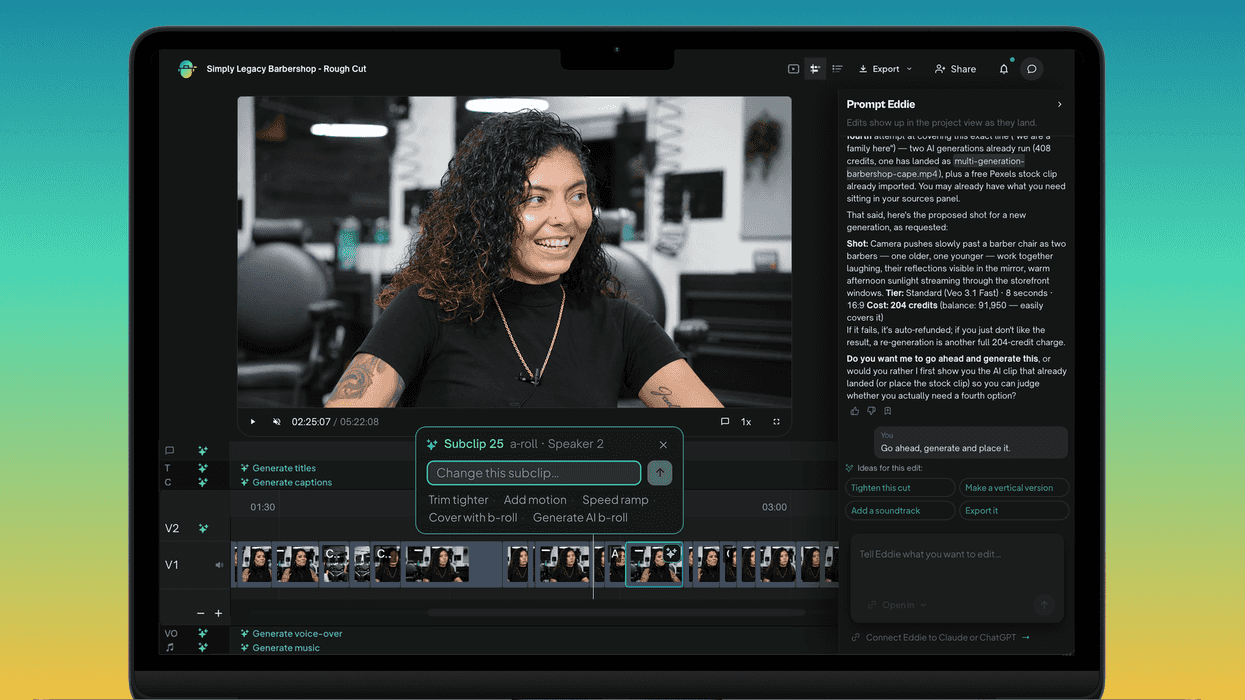
If you’ve been curious about these AI assistance options, you’ve likely seen our coverage of tools like Eddie AI and others that offer chat-based assistance for pre-editing footage, pulling transcripts, soundbites, assembly, b-roll, captions, etc.
Eddie AI is now offering new ways to use its service with a pay-as-you-go model, which could be up to 50% more cost-efficient, along with new integrations and an iPhone app. Here’s what you need to know if you’re interested.
Eddie AI Pay-As-You-Go
The big news is that the company is now offering a pay-as-you-go model that lets users buy what they use, with no monthly fee to access the product. The assistant video editor app can also work directly from Claude or ChatGPT as an MCP server too, so anyone interested can cut their footage by talking to the assistant they already have open.
This should unlock around a hundred tools for those who might be into this type of thing, including transcripts, soundbites, assembly, b-roll, captions, music, voiceover, multicam angles, NLE export, and other features. All of these will be available inside ChatGPT, where the edit can come back as playable cards with real frames from your footage, not an external link.
Credit: Eddie AI
Eddie AI iPhone App
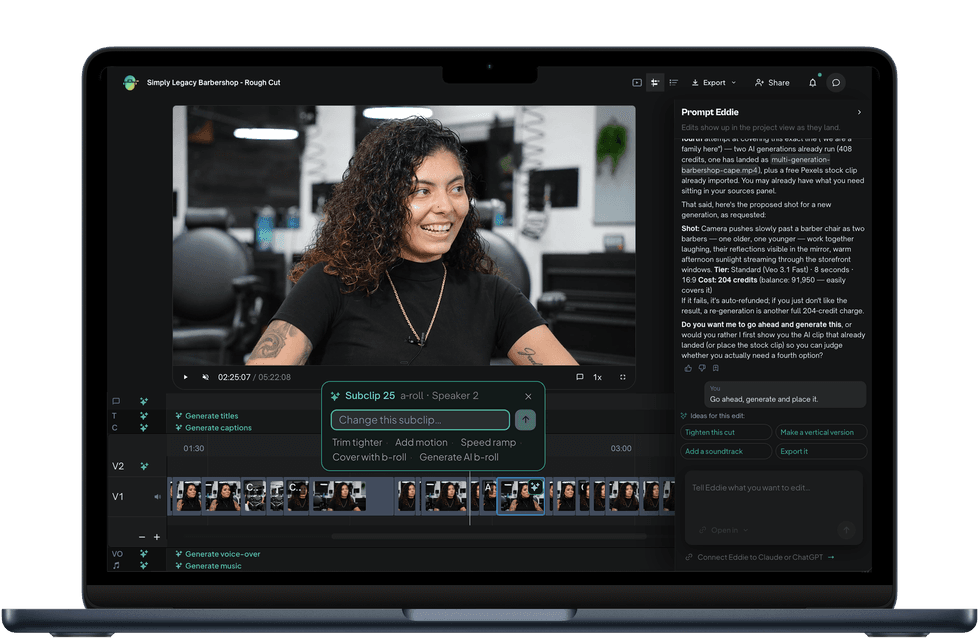
The company has also released a native iPhone app on the App Store, giving video editors another option to work more directly with an AI assistant editor on their projects. The app uses a simple workflow: users can prompt an edit, watch the finished cut in a gapless player, save the MP4 to Photos, or share a link.
Footage can be imported directly from your camera roll, Drive, or Frame.io, and a push notification tells you when it is ready, so you can start the job and put the phone away. This app uses the same cloud projects as web and desktop, which live in the cloud and can sync live across web, desktop, and phone.
Credit: Eddie AI
Plenty of Updates
Overall, Eddie AI has rolled out a lot in this space over the past few months, including generative sound and b-roll, as well as its own AI video editing model, EddieEditor1-9B. Eddie AI isn’t the only company working in this space; other assistant video editor apps are launching, and similar offerings are being built into Premiere, but with a wide range of tools, it’s certainly one of the most expansive options right now.
If you’d like to find out more, the company shares that it will be at IBC2026 at RAI Amsterdam, 11–14 September at Hall 7, stand 7.A38 — the main booth, live demos throughout the show — and Hall 14, Future Tech pod 14.B51, in the AI zone.
You can find more info on the company’s website here.
- Why I Tried to Replace My Editor with AI (And What Happened Next) ›
- How to Let AI Log and Organize Footage For You ›
- Speed Up Your AI-Assisted Edits With New Feedback and Unified Logging Modes ›
- More Agentic Editing, Longer Rough Cuts, and Smarter B-Roll Logging Updates Coming to Eddie AI ›
- Eddie AI Introduces Night Shift to Let AI Help Process Footage Overnight After a Shoot Day ›
- Eddie AI Launches an Agent Marketplace of Editing Agents Built on Great Filmmakers | No Film School ›
- More AI Editing Assistance is on the Way as Eddie AI V4 is Unveiled Ahead of IBC 2026 | No Film School ›