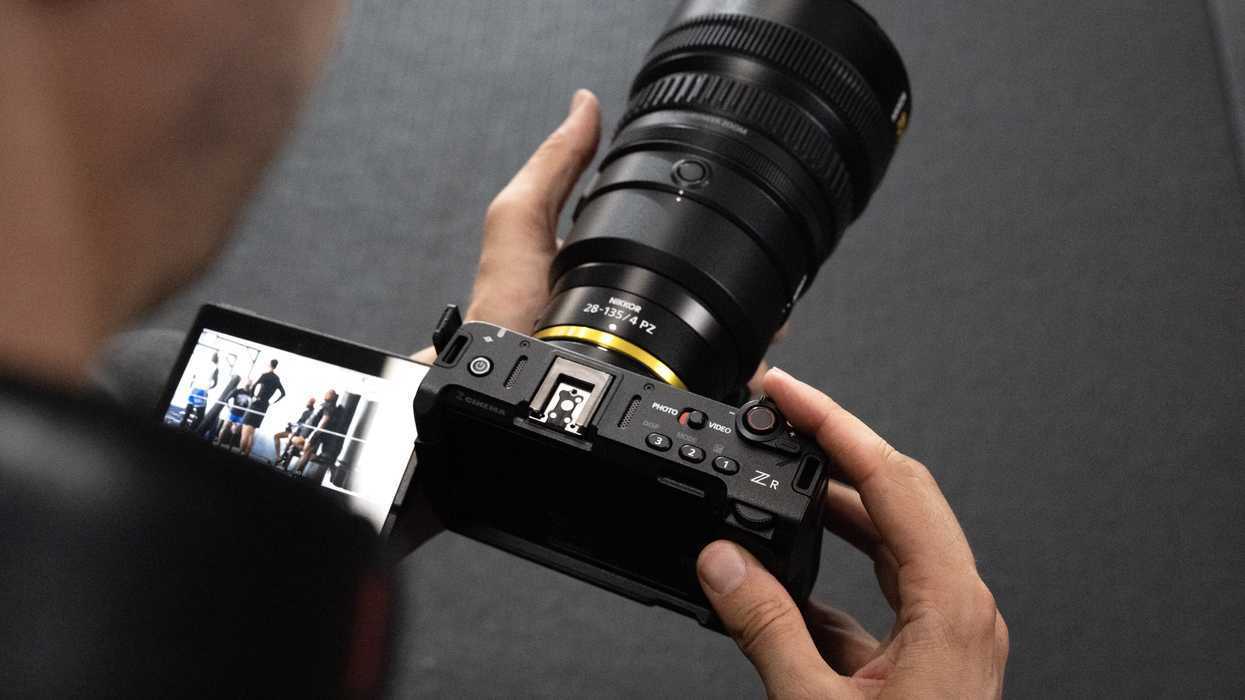
When it was originally announced, the Nikon ZR brought with it the promise of two great brands, imagined as the love child of Nikon’s engineering combined with RED color science. And since Nikon acquired RED Digital Cinema, this camera is what we thought we'd get.
Still, despite great specs and features and a very reasonable price point, the ZR could still use a boost to live up to its lofty ambitions and promises. Firmware version 2.00 aims to help the ZR deliver on those promises, and it’s finally here.
Here’s what you need to know about downloading and installing firmware version 2.00 for the Nikon ZR.
Nikon ZR Firmware Update 2.00
After being announced and having its release date finally revealed a week ago, the Nikon ZR firmware update version 2.00 is finally here. Available on Nikon’s website, this firmware update should boost this tiny Z-mount cinema camera, which already offers a versatile range of lenses, solid internal stabilization, and 15+ stops of dynamic range.
Here’s the full breakdown of what’s new with Nikon ZR Firmware Update 2.00:
■ Video Recording
- • Added [Log3G10] to the tone mode options available when video file type is set to [H.265 10-bit (MOV)].
- • 3D LUT can now be applied to video output via HDMI.
- • Focus peaking is now available when 3D LUT is set to ON.
- • Reduced noise in dark areas of videos.
- • [High ISO NR] is now available with [N-Log] tone mode when video file type is set to [H.265 10-bit (MOV)] or [ProRes 422 HQ 10-bit (MOV)].
- • Changed the following item names in Picture Controls:
- - [Cloud Picture Control] changed to [Imaging Recipe].
- - [Add Cloud Picture Control files] under [Set Picture Control] in the [VIDEO RECORDING MENU] changed to [Download Imaging Recipes].
■ Still Photography
- • Changed the following item names in Picture Controls:
- - [Cloud Picture Control] changed to [Imaging Recipe].
- - [Add Cloud Picture Control files] under [Set Picture Control] in the [PHOTO SHOOTING MENU] changed to [Download Imaging Recipes].
■ Controls
- • Made the following changes to the [CUSTOM SETTINGS MENU]:
- - Added b4 [Easy ISO].
- - Exposure compensation, ISO sensitivity, white balance, and color temperature can now be assigned to the command dials in mode M using [Command dials] > [Exposure setting] under f2 [Custom controls (shooting)] and g2 [Custom controls].
- - Added [3D LUT/View assist] as an assignable role to g2 [Custom controls].
- - Added g12 [Easy exposure compensation].
■ Other Changes
- • [Save] in [SETUP MENU] > [Manage user settings] is now [Edit].
- • Fixed an issue where scrolling with touch controls was not smooth when live view was zoomed in with the camera in tall orientation and [Auto-rotate pictures] set to OFF.
How to Download and Install
You can find more info on downloading and installing this latest firmware update, and all future firmware updates, for the Nikon ZR on the company’s website here.
Nikon ZR 6K Cinema Camera

By combining RED color science and Nikon engineering, the Nikon ZR 6K Cinema Camera is a first-of-its-kind powerhouse designed to capture stunning cinematic images in one compact body.
- Nikon Announces New Firmware Update for the Nikon ZR, Plus a Roadmap for Future Upgrades ›
- Nikon’s Big ZR Version 2.00 Firmware Update is Finally Ready to Drop Next Week ›
- The Nikon ZR is Set to Get Its First Major Update With Support for RED Color Science ›
- Get The Latest Firmware Updates for Your Nikon Cameras Including Z5II, Z6III, Z50II, and Zf Models ›
- Shooting on Nikon Z6III? This Update Safeguards Your Work From AI ›