Eddie AI Unveils “Scripted” Mode That Cuts Your Videos to Match Your Script in Minutes
Another new update for Eddie AI, an AI-powered assistant editor, that aims to streamline workflows.
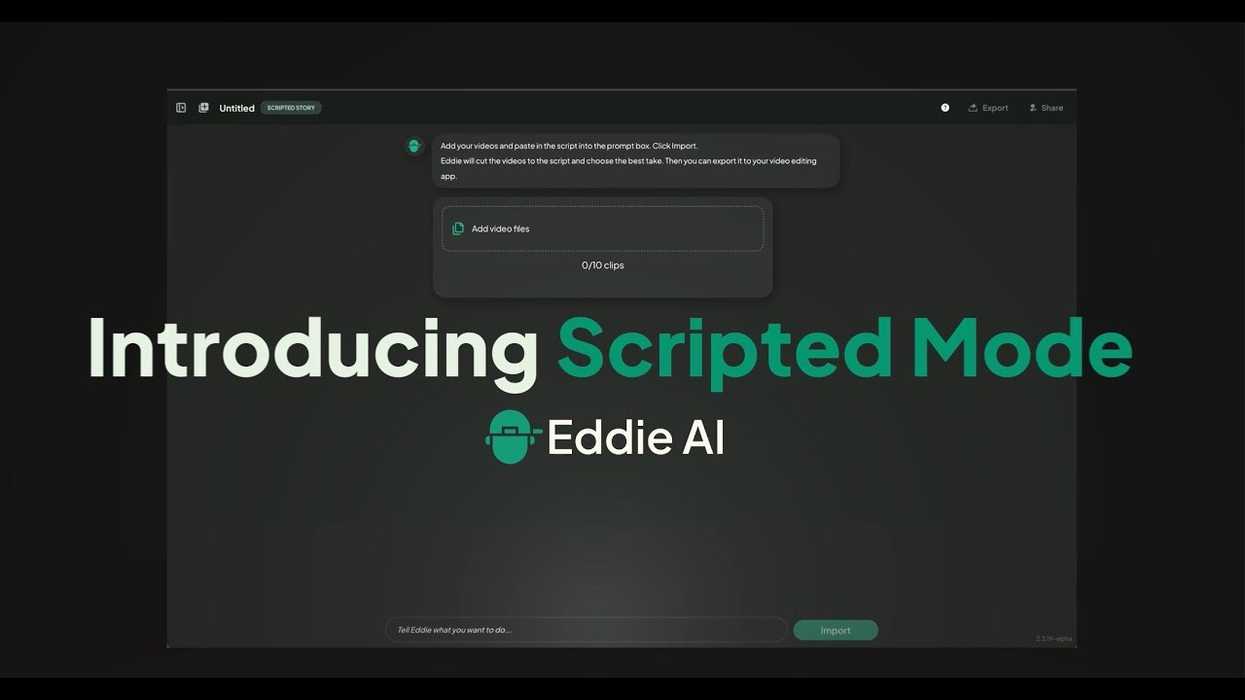
Eddie AI Scripted Mode
Eddie AI has released another major update as the AI-powered video assistant editor is adding a new “scripted” mode that will help cut users’ videos to match their scripts in minutes.
We’ve covered Eddie AI several times in the past, but this new feature should be another major step forward for anyone interested in using AI as a workflow speed enhancement, as opposed to a generative AI replacement.
Let’s take a look at this new technology and explore what it has to offer for video editors and their workflows.
Eddie AI Scripted Mode
Announced today by Eddie AI, this new “scripted” feature aims to change the game for YouTube creators and bigger corporate video teams who are looking to streamline workflows to help speed up edits when working with longer videos and lots of content.
“Scripted is the fastest way to get from raw takes to your first cut. It’s a game-changer for video editors and YouTube creators who work with interviews, scripted pieces, branded content, or anything where there’s a written vision to follow.” — Shamir Allibhai, CEO of Eddie AI.
As scripted formats continue for YouTube and in branded content channels, editors are losing hours manually lining up takes to scripts. This new Scripted Mode aims to flip that workflow by pairing an uploaded script with source footage.
Eddie AI can now deliver a clean string-out that’s instantly ready for Adobe Premiere Pro, DaVinci Resolve, or Final Cut Pro.
Receive a Rough Cut Within Minutes
The process is pretty simple, and after uploading footage and a script, editors can review Eddie’s selects directly on the timeline, with alternate takes just a click away. This should overall mean faster decision-making, tighter story structure, and less time lost scrubbing footage.
This launch continues Eddie’s mission to eliminate the most tedious parts of the editing process, from logging to stringouts, so editors can focus on the storytelling that matters.
To find out more about Eddie AI’s scripted mode, as well as go over pricing options, check out Eddie AI’s website here.
- Eddie AI Launches “1,000 Docs” Campaign Aimed at Supporting Indie Creators ›
- Eddie AI Introduces Smarter B-Roll Detection and New Support for Multiple Languages ›
- The “ChatGPT for Video Editing” Tool Eddie AI Releases Automatic Multi-Cam Editing Feature ›
- Eddie AI Launches its First NLE Extension With Adobe Premiere Pro Plugin ›
- How AI Logging Transformed My Post-Production Workflow for Clients ›
- Reviewing Eddie — Your Secret AI-Powered Assistant Video Editor? ›
- Fine-Tune Your AI-Cut Videos With Words in Eddie AI’s Rough Cut Mode | No Film School ›
- AI Assistant Editor Tool Eddie AI Expands Support to 30 Languages… But Curiously Still Not Klingon | No Film School ›
- 1000 Docs Grant Program: Deadline Extended and the First Recipients | No Film School ›
- None ›
- More Agentic Editing, Longer Rough Cuts, and Smarter B-Roll Logging Updates Coming to Eddie AI ›